Circuit coordinates
The Circuit form contains a Tab called Circuit Coordinates which maintains all the user defined points along a Circuit's path which were introduced in the Circuit GeoMap tab
Latitude and Longitude coordinates seen from the Circuit Coordinates tab
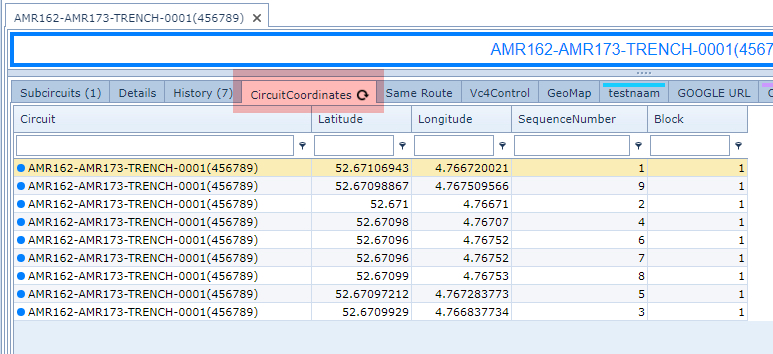
Coordinates are seen as points along the Circuit's path.
To create new ones, follow the instructions contained in the screen shot below.
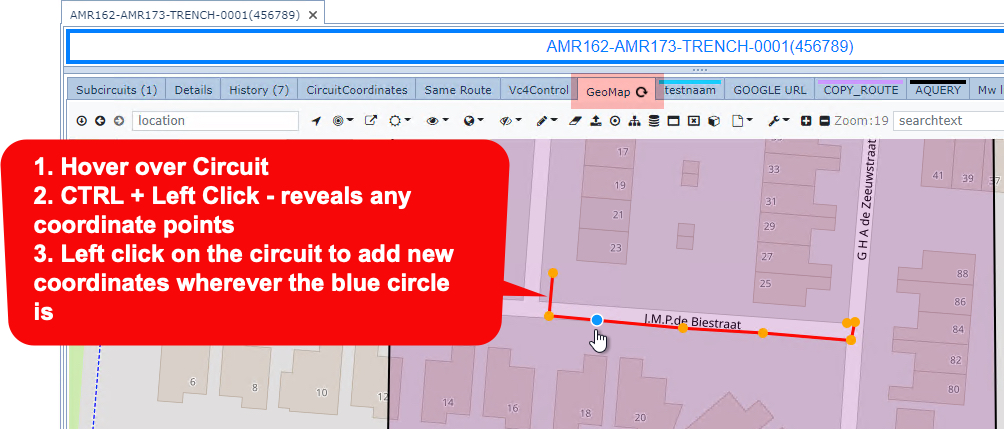
These can be confirmed by looking at the Circuit Coordinates tab.
Circuit Search by ID
This tip applies for the following IMS objects: Node, Circuits, and Sites.
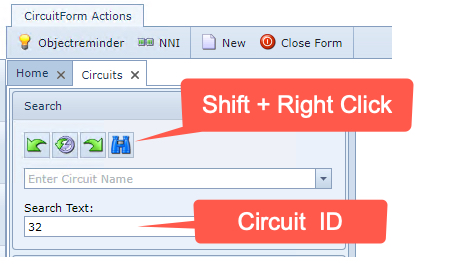
If you know the ID (number) of a particular circuit instance, then you can type that ID into the search field, then press Shift + Right Click on the Binocular icon. If the ID number is in the database, then the object's details will be displayed in the usual Object Form area.
Close Unwanted Circuit Path Tabs
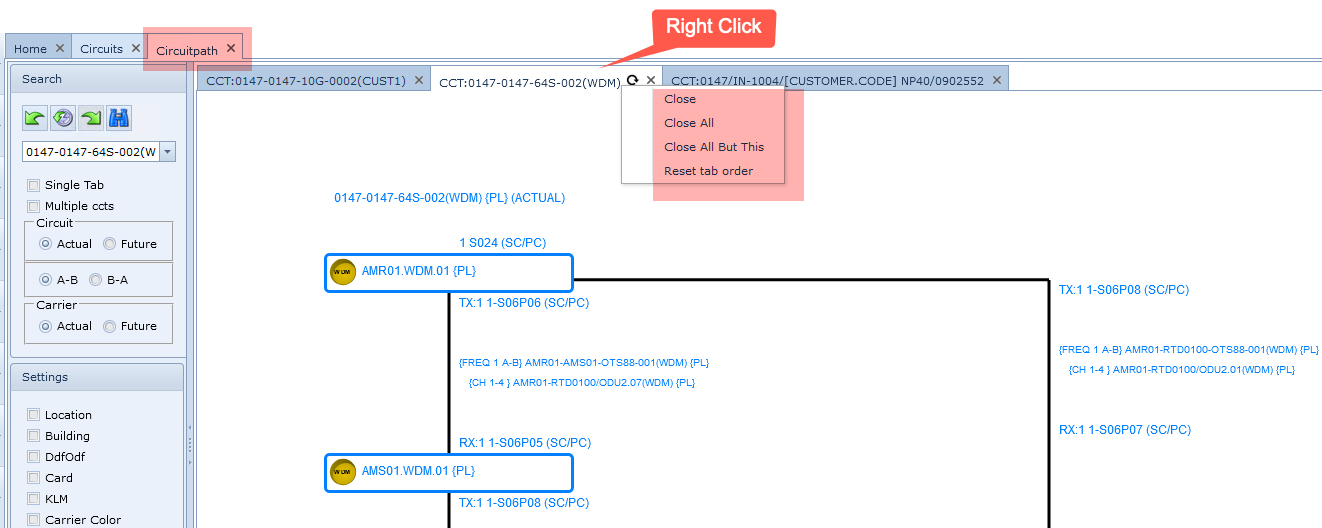
When there are too many Circuit Path tabs opened and are not required, there are two handy options that will either close all the tabs in the tab row, or all of the tabs except for the current opened one.
On the currently opened Circuit Path tab:
▪Right click on the Tab name
Select either:
Close All |
Closes all tabs in the Circuit Path tab line |
Close All But This |
Closes all tabs in the Circuit Path tab line except for the opened one |
Close Unwanted Circuit Path Drawings
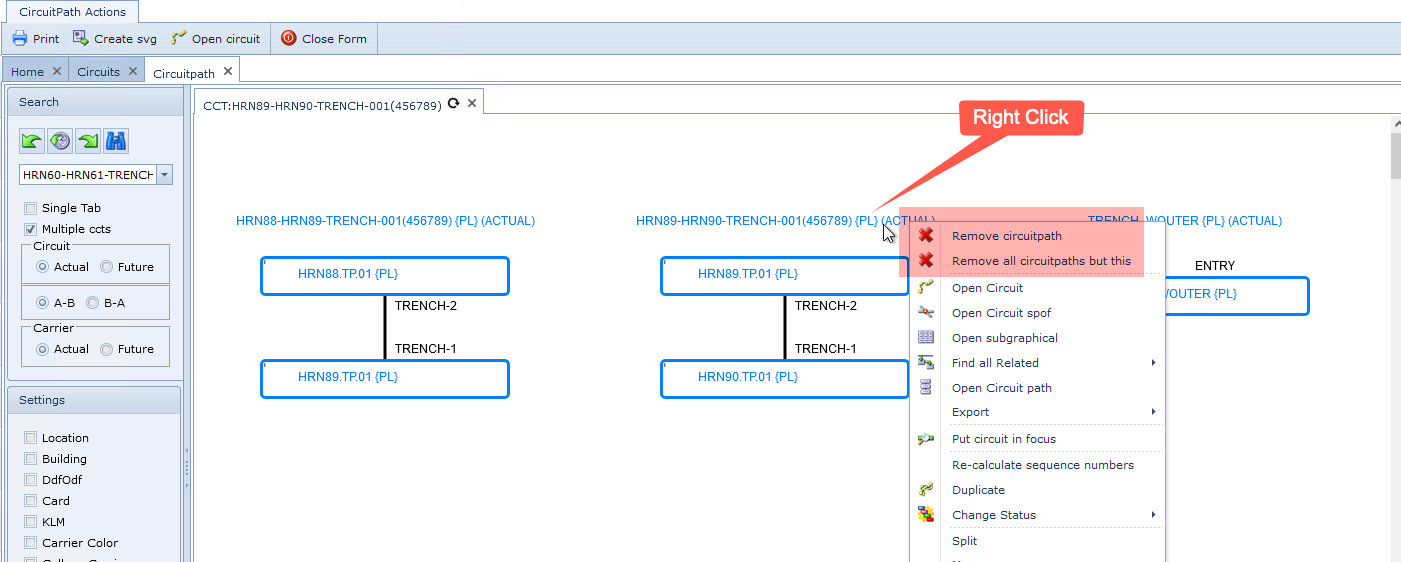
When there are too many Circuit Path drawings opened and are not required, there are two handy options that will either close all the drawings in the opened tab, or all of the drawings except for the one that has been selected by the right click mouse action.
In the currently opened Circuit Path tab:
▪Right click on the Circuit name title
Select either:
Remove circuitpath |
Removes the selected circuit path drawing |
Remove all circuitpaths but this |
Removes all circuit path drawings except for the one that has been selected by the right click action |