From the Site form Actions Button Bar:
▪Click on the New icon option's down arrow
▪Select Create new option from the drop down list
The Create new popup window appears
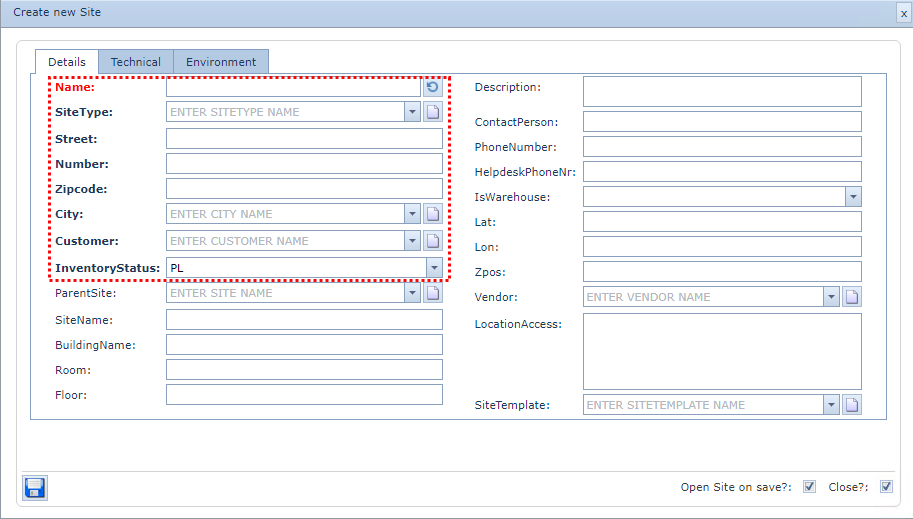
Fill in the Name field last as this is an auto generated field - click on the Refresh icon at the end of the Name field |
Fill in the fields of information required, in particular the mandatory ones as shown above in the red dotted rectangle
▪Click on the Save icon in the lower left of the popup
Zipcode formats can be predetermined and set to ensure required standards are kept. |