From the OloCircuit Actions button bar:
▪ |
Click on the New icon, this opens up the New OloCircuit popup window |
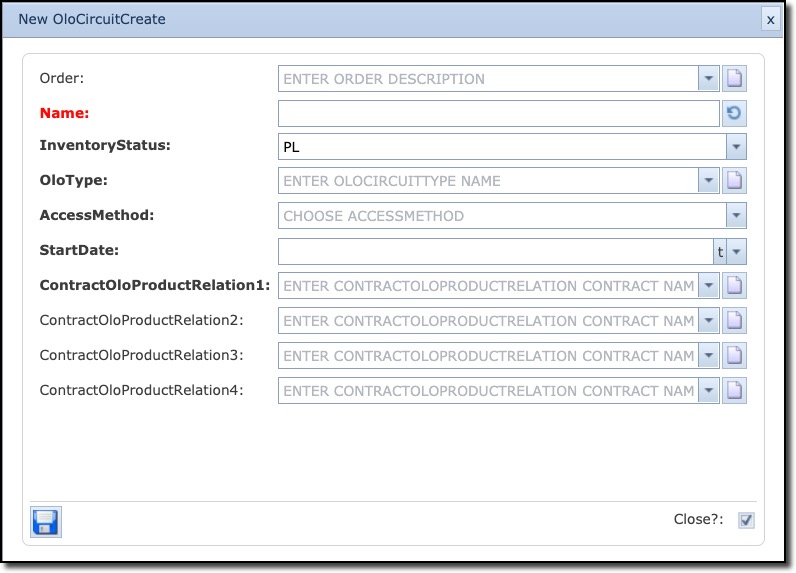
The following is a brief description of the new OLO Circuit form fields
Order |
(Work) Order number |
Name |
Name of the OLO circuit |
InventoryStatus |
Status of the OLO circuit |
OloType |
Type of OLO connection i.e., Leased Line, NNI/Interconnect |
AccessMethod |
Access Type i.e., DSL, Leased Line, Telephone Line. This pull down can be set by an admin user in the combobox general functionality |
StartDate |
State date of the OLO circuit lease |
ContractOloProductRelation1 |
The Contract-OLO-Product relation is the relationship to the contract of the OLO circuit and related OLO product. The list can be managed via the “new” button next to the entry form. |
ContractOloProductRelation2 / 3 / 4 |
Same as previous. Easy fill in, in case of multiple Contract-OLO-Product relations, such as “port price” and “loop” price. |