From the Rack Actions form button bar:
▪Click the Create new option
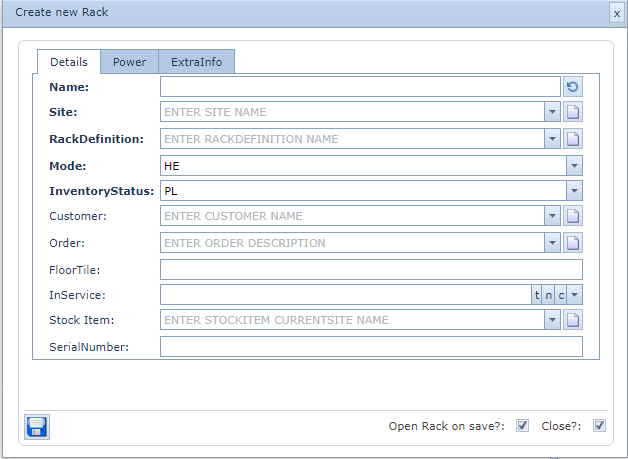
▪In the popup window, fill in the details required
▪Click the Save icon in the lower left of the popup window to finish
|
<< Click to Display Table of Contents >> Navigation: IMS version 21.9 > IMS Basics - User Guide > Rack > Create a New Rack |
From the Rack Actions form button bar:
▪Click the Create new option
▪In the popup window, fill in the details required
▪Click the Save icon in the lower left of the popup window to finish