Automatic scaling of slot definitions (height and width) to the equipment boundary definition (height and width) can be achieved with the Resize feature. This slot scale resizing can be applied to single and multi-shelf level equipment. When it comes to multi-shelf equipment, slot definitions can be applied on a per shelf basis and slots resized accordingly.
It is also possible to scale slots containing sub slots in both Card or Card Code definitions in a similar way.
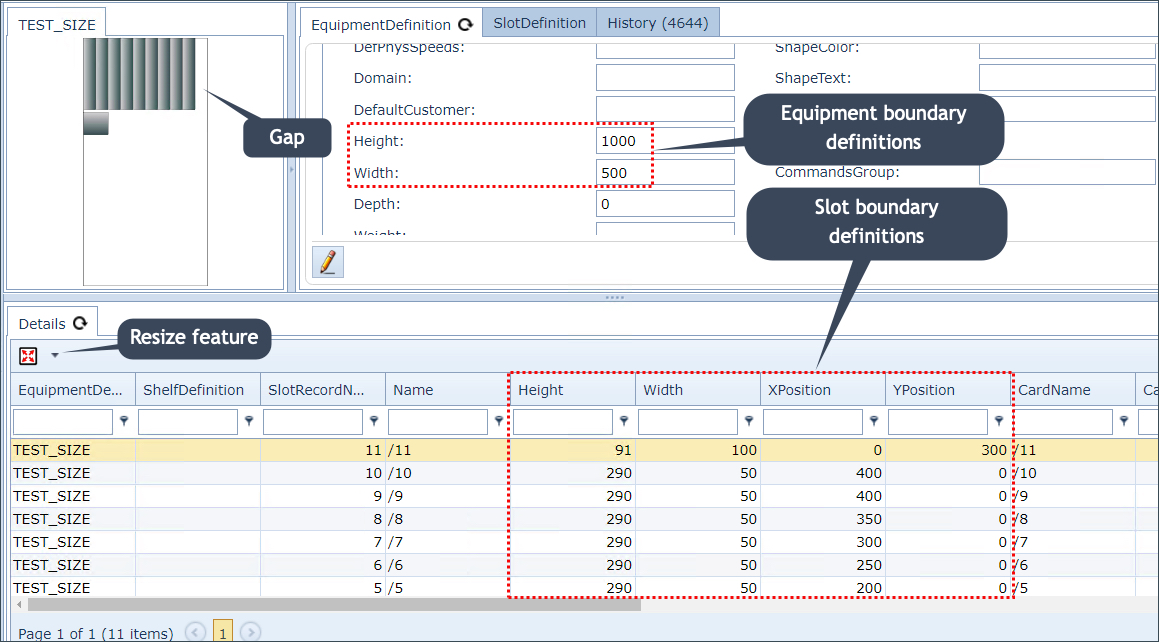
Equipment Definition showing equipment and slot boundary definitions and the Resize feature
In the above screen shot, the Resize feature options have not yet been applied. As can be seen, the slots (dark grey rectangles) with their definitions, are placed inside, and in relation to, the equipment boundary's definitions. |
Equipment Definition.
The Resize feature can be seen in the Details tab tool bar in the Equipment Definition, as shown in the above screen shot. There are two options in the Resize feature; Size slots into boundary and Fill out boundary.
Size slots into boundary
This option will redraw the slots in its equipment boundary, based on the height and width of the equipment's dimension definition. It will also scale the slots to match the width of the Equipment's width definition. This option is typically the preferred option.
The priority with this option is to maintain slot dimensional ratio integrity during the resizing activity - in this case, the rectangular shape of the slots has been maintained |

Fill out boundary
This option will redraw the slots in its equipment boundary, based on the height and width of the equipment's definition. Unlike the previous option, which stops once the nearest boundary of the equipment boundary has been met (width in this case), this option will stretch the vertical aspect as well.
This option is not designed to maintain slot dimensional ratio integrity, but rather to fill out the area of the boundary with the available slots |
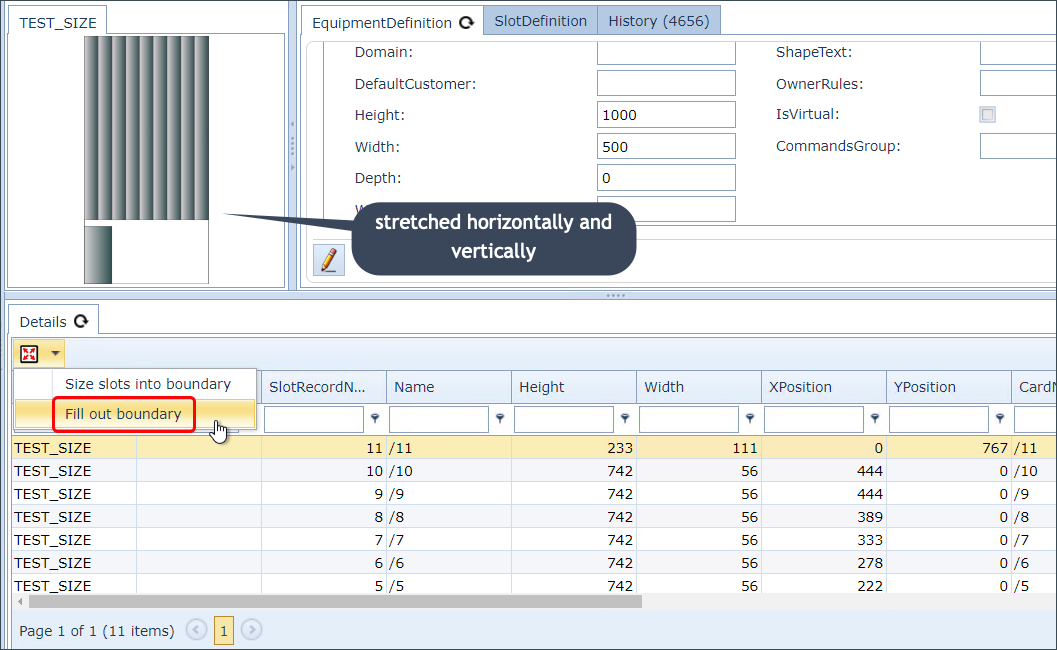
Notice that the filling out did not finish once the nearest boundary has been encountered - the equipment's width boundary, but rather when the vertical boundary was also met.
Shelf Definition - multi-shelf configuration
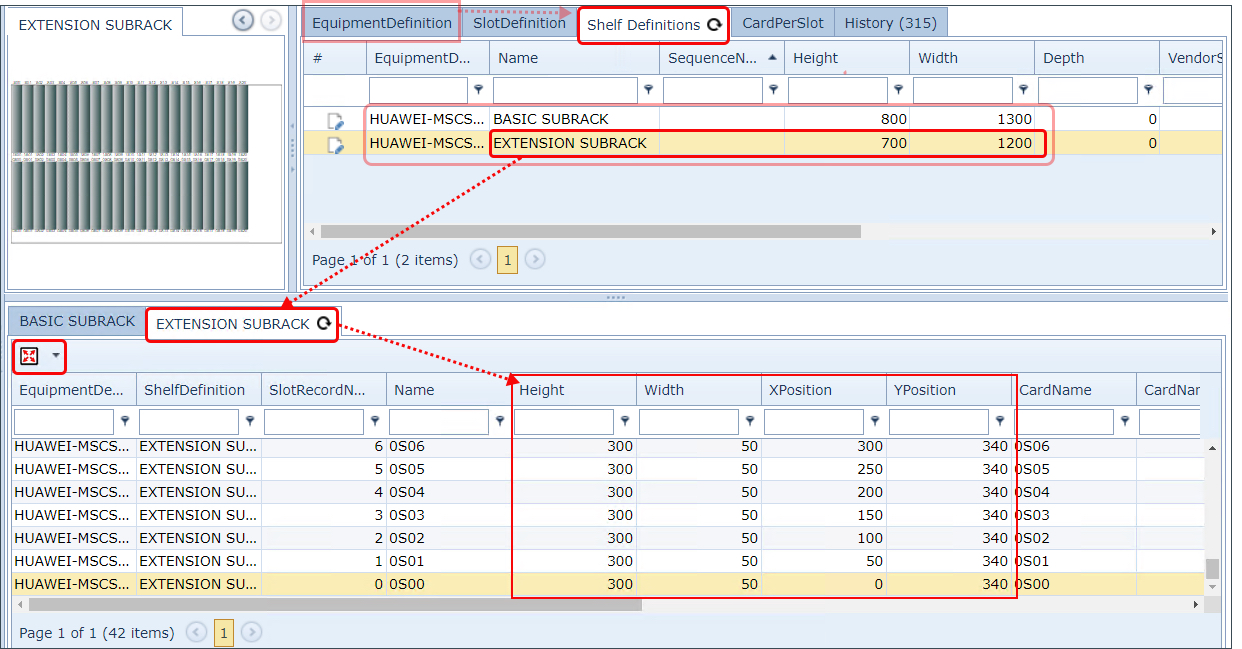
The resizing in a multi-shelf equipment definition applies just as before but now at the individual shelf definition. As each shelf in a multi-shelf piece of equipment contains a separate tab, these can be resized individually according to each shelf's dimension definitions.
This can be observed in the next screen shot with the Extension Subrack shelf highlighted.
Card and Card Code Definitions
Resizing also applies between the Equipment Definition's own Slot Definitions (seen in the Details Tab) and any related Card or Card Code Definition dimensions.
So for card and card codes with sub slots, Resizing applies in a similar manner and the Resize action considers the related Card or Card Code's dimensions to the Equipment Definition's slot dimensions.
If the Equipment Definition is of type CARD, the Resize action will take into consideration the related Card Definition's height and width details and apply them to the Equipment Definition's own slots' height and width dimensions.
If the Equipment Definition is of type CARD_CODE, the Resize action will take into consideration the related Card Code Definition's height and width details and apply them to the Equipment Definition's own slots' height and width dimensions.
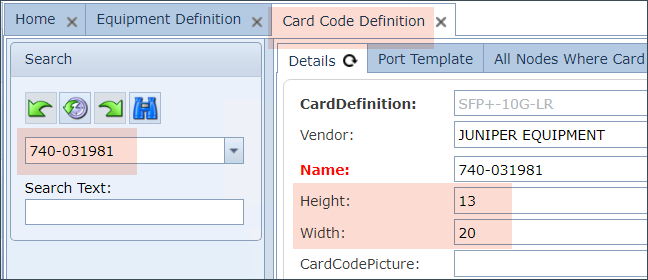
Example of a Card Code Definition's sizing dimensions
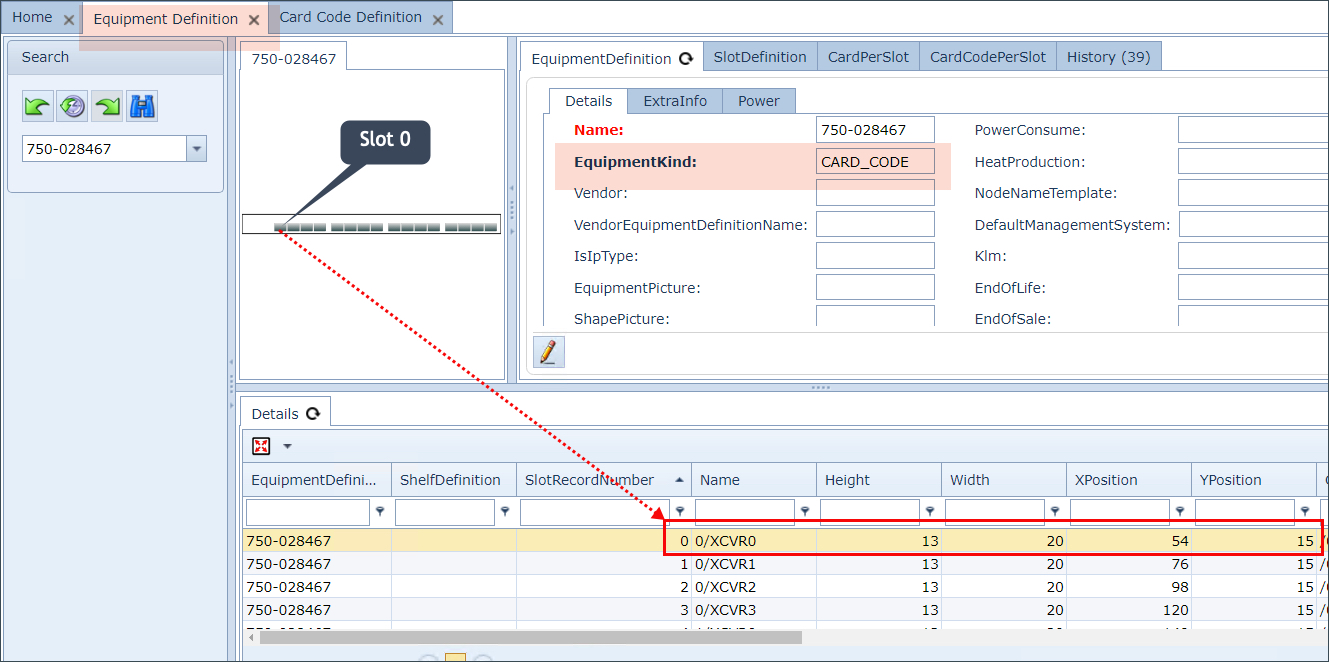
Example of an Equipment Definitions slot sizing dimensions
In the above example screen shots, the Card Code Definition is a valid card that is associated to the Equipment Definition and in particular to slot zero.
Resize Error
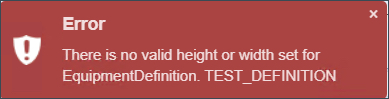
The Resize feature will not work when the Equipment or Shelf Definition's height and width details are not present. The following error popup message will show: