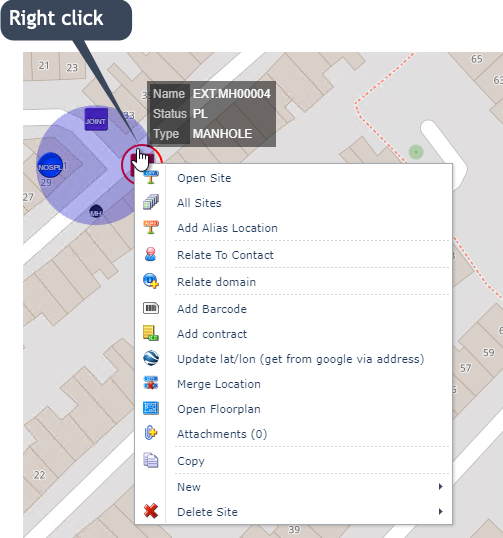
When a site location on a map contains too many IMS objects, like sub sites and multiple equipment, there is an option to aggregate all IMS objects under one icon. This can simplify and make it easier to access those objects as shown below.
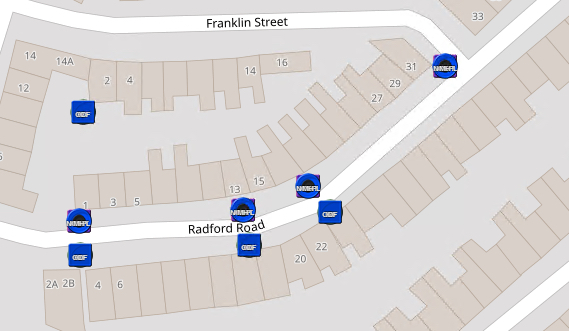
Multiple devices superimposed at different sites
From the Network Map's own button bar:
▪Select the Map Display Options icon (eye)
▪From the drop down list provided, enable the Icon Clusters option

On the Network Map, all IMS site related objects are now aggregated under one symbol, an orange circle.
▪Mouse hover over the required orange circle
This temporarily reveals all IMS objects in an exploded view. In the example given below, there are 4 IMS objects displayed.
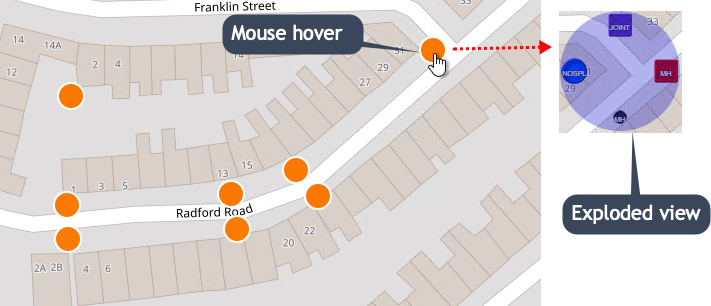
These can also be hovered over to reveal any summary details or right clicked on, to display further options for that object.