STS3 Layer
|
STS3 Rule 1 |
STS3 Rule 2 |
STS3 Rule 3 |
ChannelType |
CH |
CH |
CH |
NumberOfChannels |
3 |
3 |
3 |
CarrierSpeed |
OC3 |
OC12 |
OC48 |
AllowDuplicteChannels |
|
|
|
AllowChannelZero |
|
|
|
AllowProtection |
enable |
enable |
enable |
AllowLessChannels |
|
|
|
AllowScatteredChannels |
|
|
|
StartChannels |
1 |
1|4|7|10 |
1|4|7|10|13|16|19|22|25|28|31|34|37|40|43|46 |
A simple way to read the above example for STS3 Rule 1 is:
-An STS3 will occupy
-3 channels on
-Parent speed OC3 (OC3 itself contains 3 channels)
-Starting on parent channel number 1
for STS3 Rule 2:
-An STS3 will occupy
-3 channels on
-Parent speed OC12 (OC12 itself contains 12 channels)
-Starting on parent channel number 1, 4, 7, or 10
for STS3 Rule 3:
-An STS3 will occupy
-3 channels on
-Parent speed OC48 (OC48 itself contains 48 channels)
-Starting on parent channel number 1, 4, 7, … 43, and 46
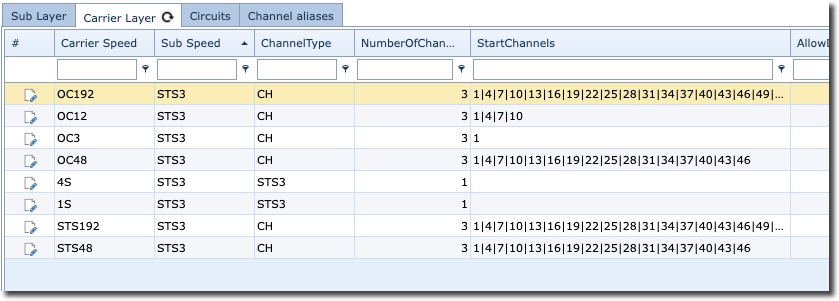
As you can see in the screenshot below, the STS3 can potentially have an extensive carrier relationship,
and therefore each relationship to a carrier/parent speed requires a rule to be in place.
|
For every speed’s relationship to another speed, a new layer rule is required i.e., an STS3 speed layer could be modeled relating to three other carrier speed layers (parents) of say, OC3, OC12, and OC48. In this case three different new layer rules of STS3 are required. |

Cable to Duct
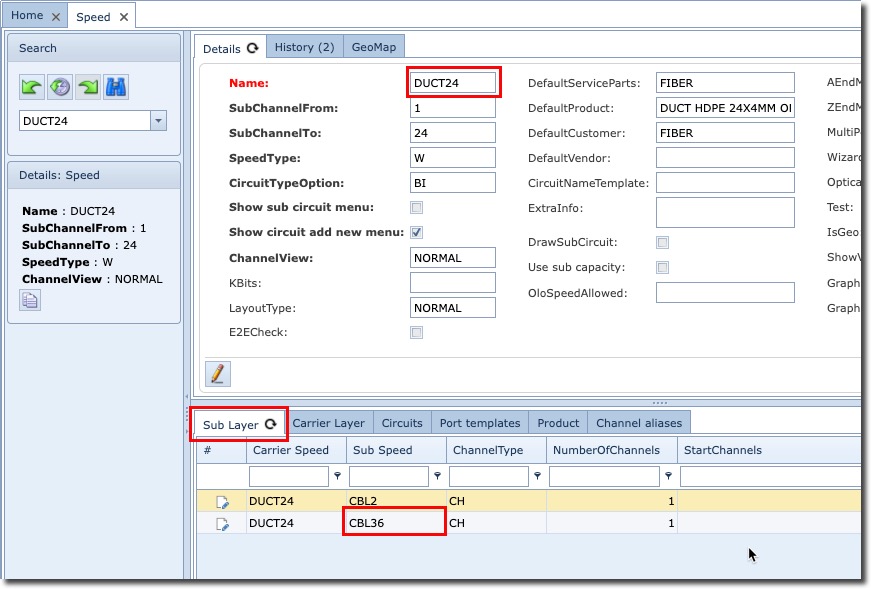
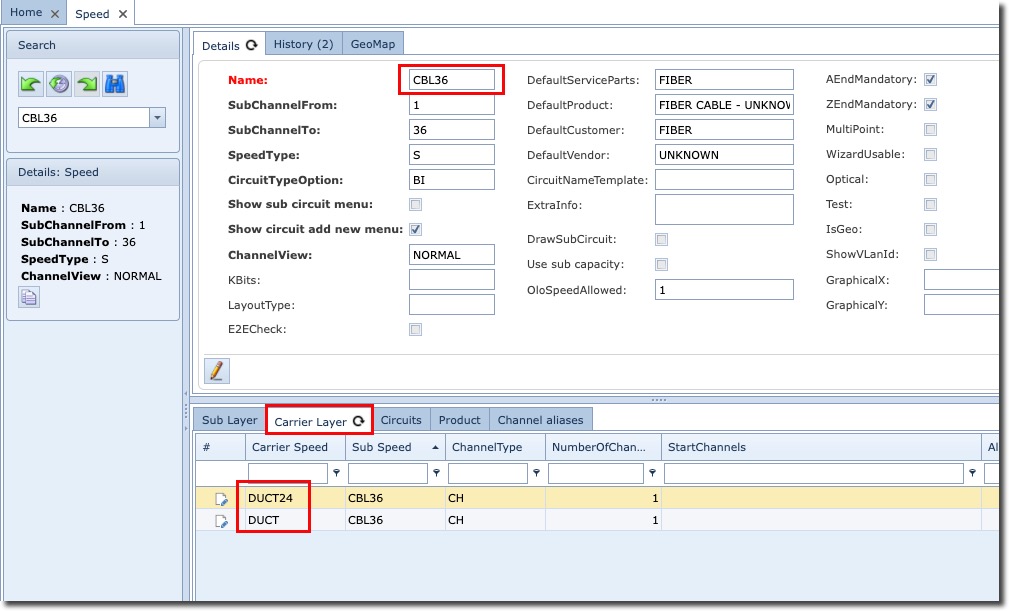
In much the same way we can see how the Speed called CBL36 (36 strand) relates to a carrier speed called
DUCT24 (24 cable) and DUCT in the subsequent screen-shots
The DUCT24 speed showing its Sub Layer tab with a couple of Sub Layer speeds including CBL36