To update the status of a card, right click on the specific card and chose the Change status option and then the required status.
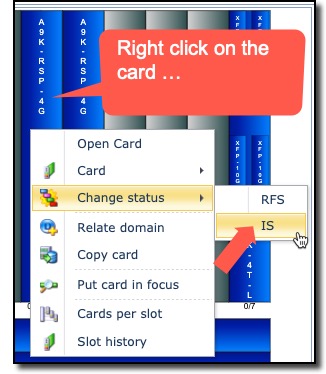
After selecting the updated status, that particular card’s colour will change accordingly.
|
Note that IMS will only give you valid status options according to equipment workflow. |
