** WORK IN PROGRESS ** This section is yet to be updated to the newer version of IMS Feature location, commands, instructions, and screen shots may not appear the same if you are using a newer version of IMS |
Equipment in IMS that is managed by a Network Management System (NMS) or Element Management
System (EMS) can have these other systems registered in IMS not just for informational purposes
but also for automated integration work.
Accessing the Management System module
From the IMS Main Menu:
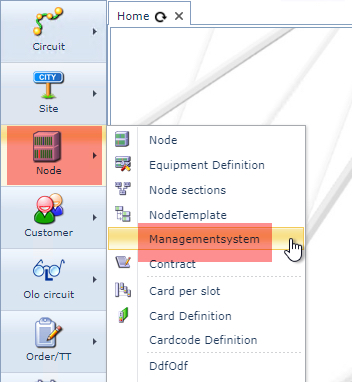
▪Select the Node option, then in the drop down list select ManagementSystem
This opens a blank Management System form
Search for an existing Management System
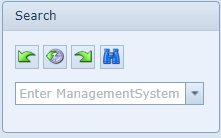
From the Search area in the Management System form
▪Type in the name of the Management System or select from the list in the pull down menu,
the Management System required
Details Area
The following fields of information are provided in the Details Area
Name |
Name of Management System, like U2000, NetAct, OMS, |
Network Address |
Network Address (NSAP or IP) of Management System |
Vendor |
Name of equipment vendor |
Customer |
Only used when an interface is for one specific end customer |
ReconcileSchemaName |
Only used when the NMS/EMS is set up for reconcile and auto discovery. This field, then, holds the database schema name. |
Main Form Area
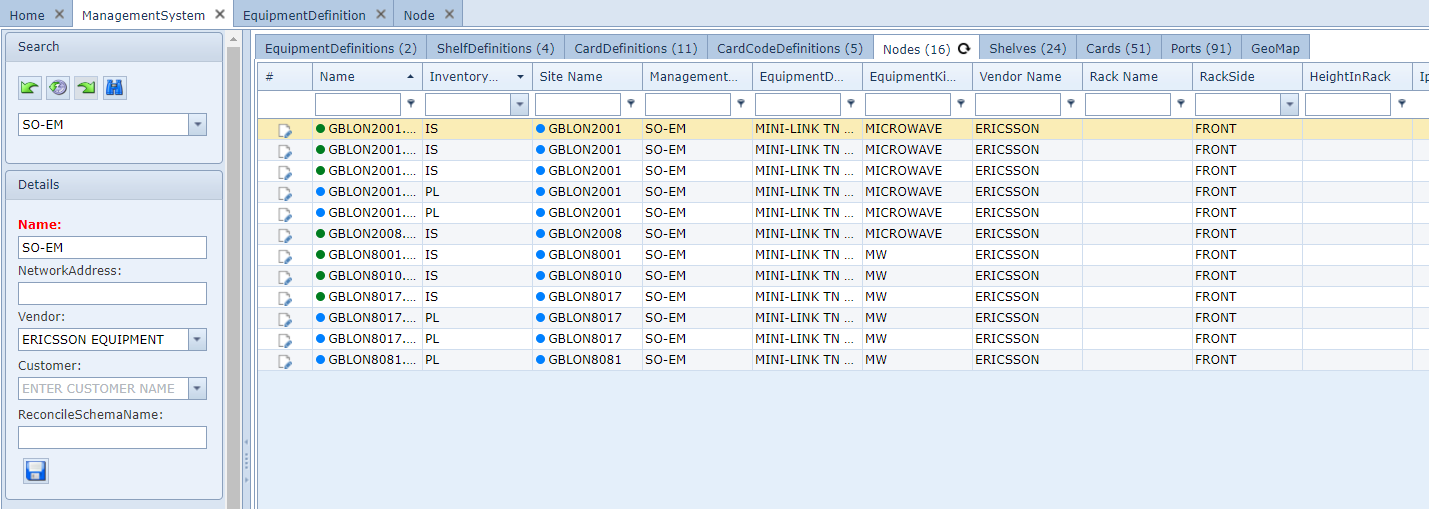
The main screen of the Management System form consists of different tab pages.
Each tab holds specific information.
Notes:
oTab pages are only shown when related data is available for that tab category.
oWhen no Tabs are available - blank form - it simply means that there are no IMS objects that have an
association with this Management System
oIf bespoke or customized tab pages are required, then please contact VC4 for further discussion
and details
Equipment Definitions
This tab page lists all the equipment types/definitions related to the management system.
IMS finds this relation via the equipment definition that is stored against the nodes that are related to the
management system.
Shelf Definitions
This tab page lists all the equipment shelf types/definitions related to the management system.
IMS finds this relation via the equipment shelf definition that is stored against the nodes that are related
to the management system.
Card Definitions
This tab page lists all the equipment types/definitions related to the management system.
IMS finds this relation via the card definitions that are present in the nodes that are related to the
management system.
CardCode Definitions
This tab page lists all the equipment types/definitions related to the management system.
IMS finds this relation via the cardcode definitions that are present in the nodes that are related to the
management system.
Nodes
This tab page lists all the equipment/nodes related to the management system.
Shelves
This tab page lists all the equipment shelves related to the management system.
IMS finds this relation via the shelves in the nodes that are related to the management system.
Cards
This tab page lists all the equipment cards related to the management system.
IMS finds this relation via the cards in the nodes that are related to the management system.
Ports
This tab page lists all the equipment ports related to the management system.
IMS finds this relation via the ports on cards in the nodes that are related to the management system.
Geo Map
This tab page shows all the nodes/equipment related to the management system in a geographical map.
IMS finds this relation via the nodes that are related to the management system.
The geo position comes from the latitude/longitude stored in the site/location where the nodes are installed
Create new Management System
To create a new management system, press new button "Create new ManagementSystem":

Fill in the details
Management System |
Name of Management System, like U2000, NetAct, OMS,
|
Network Address |
Network Address (NSAP or IP) of Management System
|
Vendor |
Name of equipment vendor
|
Customer |
Only used when an interface is for one specific end customer
|
ReconcileSchemaName |
Only used when the NMS/EMS is set up for reconcile and auto discovery. That that case this field holds the database schema name.
|
Press save.
Add interface information
To store reconcile interface information, press the "Add interface" button.

Fill in the following data fields
Management System |
Name of Management System, like U2000, NetAct, OMS,
|
Type |
Type of NBI. For example CORBA, TL1, SSH, Telnet, etc
|
IP Address |
IP address of the NBI interface
|
Portnumber |
Port number of the NBI interface
|
Loader Type |
Type of loader that is being used
|
Loader Version |
Version of the interface loader |
Username |
User name that is being used for the NBI |
Password |
Password that is being used for the NBI |
Extra Info |
Additional information |
Press save.