** WORK IN PROGRESS ** This section is yet to be updated to the newer version of IMS Feature location, commands, instructions, and screen shots may not appear the same if you are using a newer version of IMS |
The Ring Form can be used to view and create new SDH, SONET or WDM Rings.
The Ring form(s) can be found in the Circuit menu button:
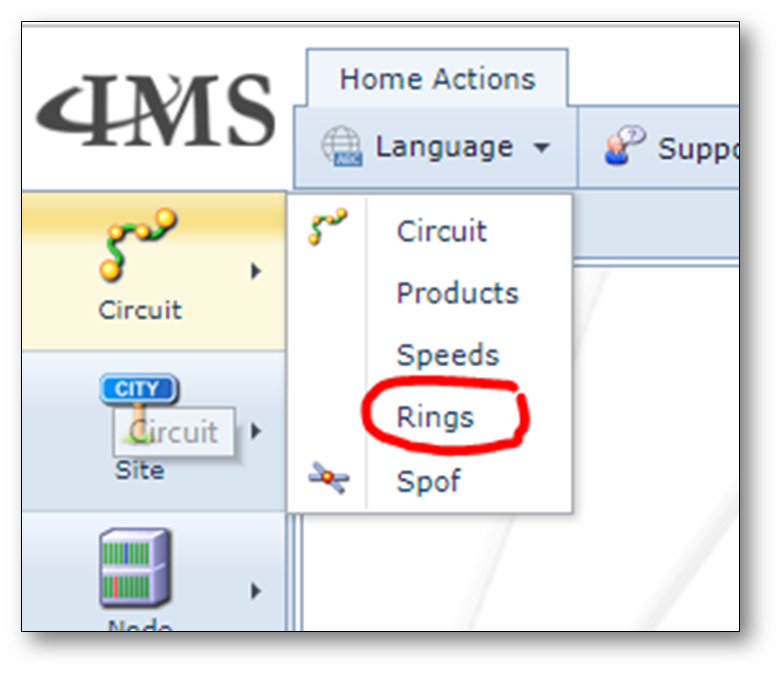
Find existing ring(name)s
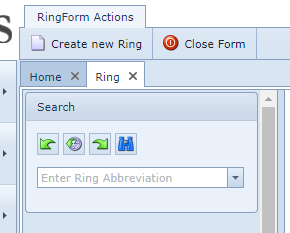
Existing rings can be found via the search field on the left of the screen.
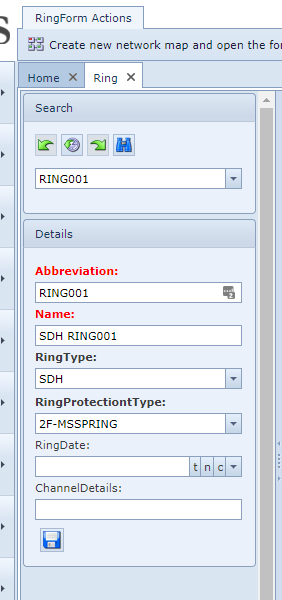
Information in the Ring Form
After searching and selecting a ring the Ring form opens, on the left the details of the selected ring:
The Ring form itself consists of 4 tab pages:
Circuits:
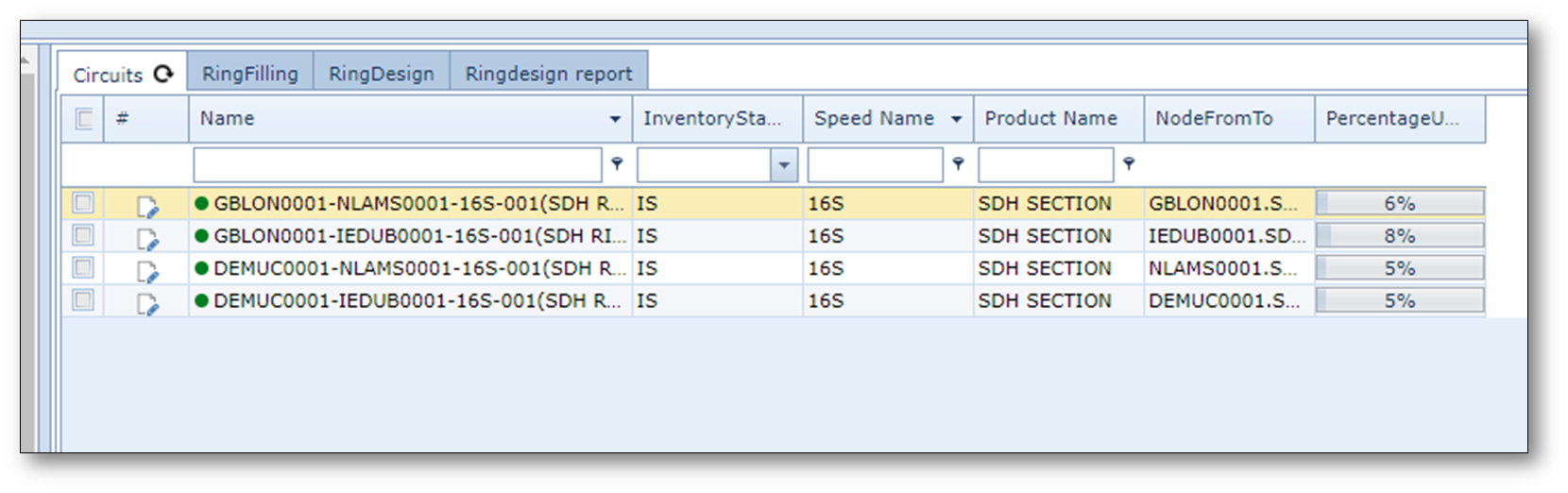
Name |
the name of the circuits that are included in the ring |
InventoryStatusId |
the status of the circuits |
SpeedName |
the speed of the circuits |
ProductName |
the product code of the circuits |
NodeFromTo |
the A and Z end nodes of the circuits |
PercentageUsed |
the utilization (used capacity) |
RingFilling:
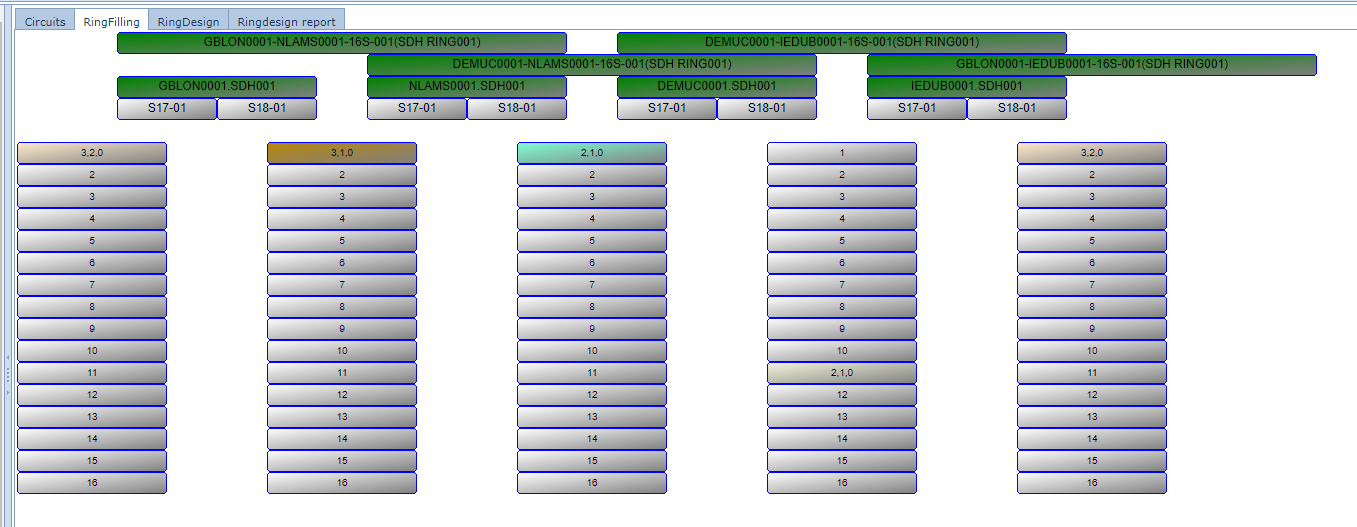
A schematic overview of the ring capacity and utilization including the nodes and ports
RingDesign:
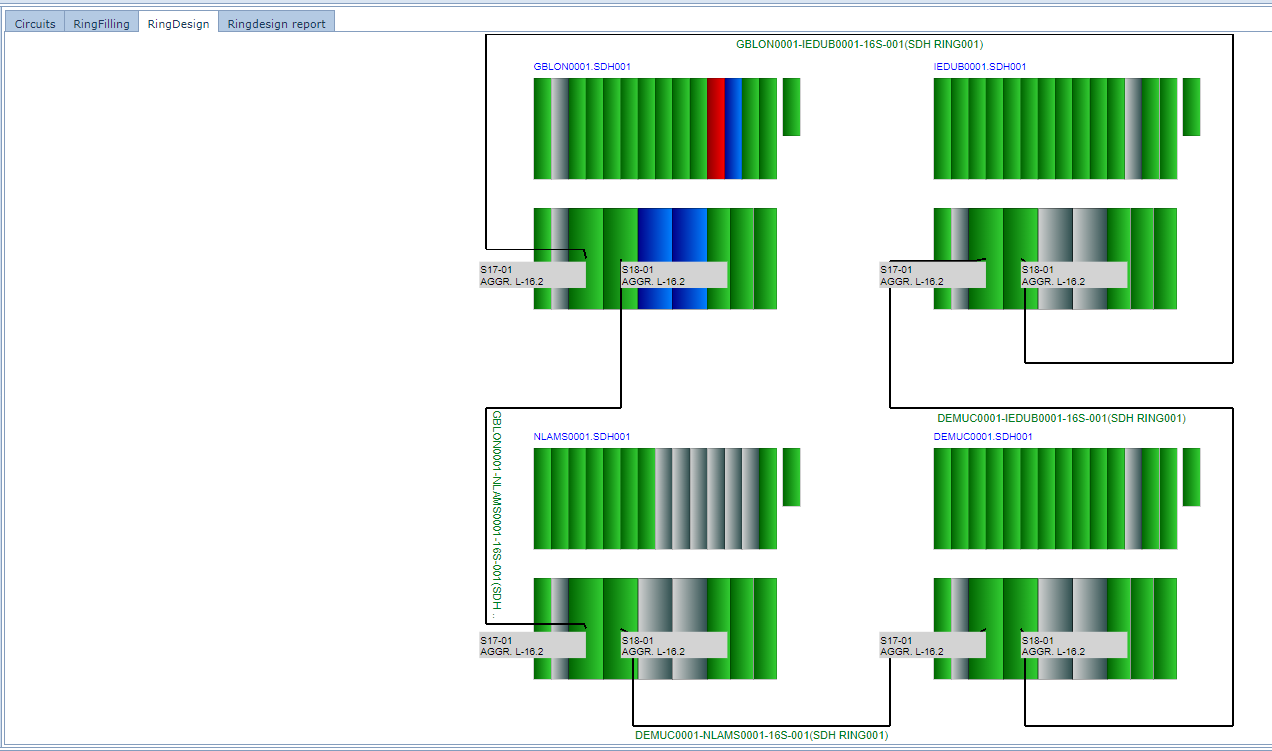
A drawing of the ring containing the view of nodes and cards and ports
RingReport:
This tab contains a printable report of the ring if such a report is configured.
Create New Ring
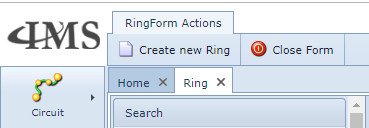
To create a new ring, click on the button 'Create new Ring' at the top of the page.
A popup screen opens:
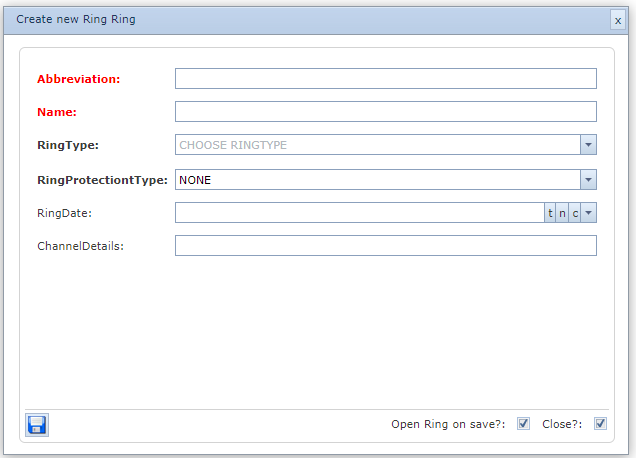
This screen contains the following fields:
Abbreviaition |
abbreviation (short name) of the ring |
Name |
name of the ring |
Ring Type |
type of ring |
RingProtectionType |
type of protection |
RingDate |
date of creation |
ChannelDetails |
details of the occupation |