Accessing the Queue form is accomplished from the IMS Main Menu Bar:
▪Select Order/TT and then the Queue option from the drop down list provided
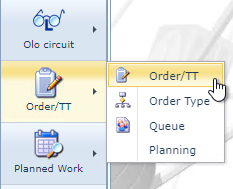
This will open up the Queue form.
|
<< Click to Display Table of Contents >> Navigation: IMS version 22.6 & 22.9 > IMS Basics - User Guide 22.6 & 22.9 > Order/TT > Queue > Access Queue |
Accessing the Queue form is accomplished from the IMS Main Menu Bar:
▪Select Order/TT and then the Queue option from the drop down list provided
This will open up the Queue form.