The Node Template is based on an equipment definition that has already been defined by an administrative end user.
This means that adding any cards will be in line with predefined slot and card positions.
▪ |
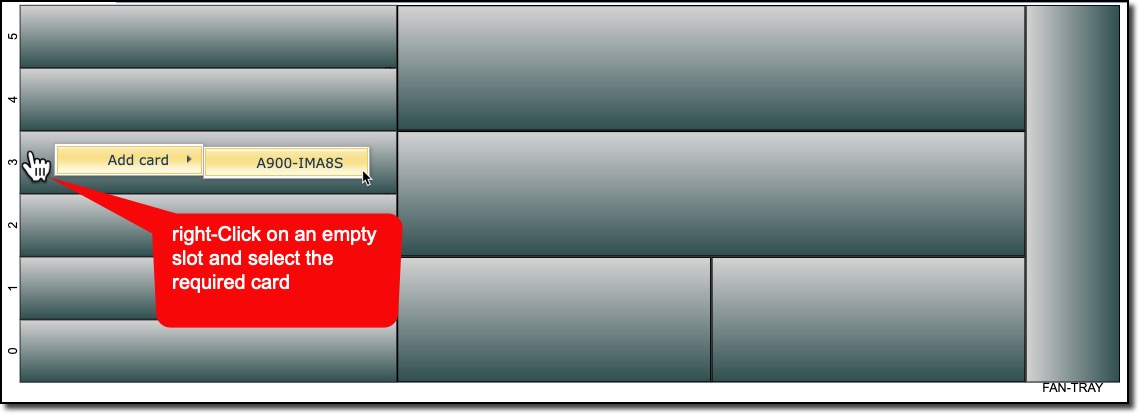
Right-Click on an empty slot in the new Node Template |
▪ |
The Add card option appears and any valid card names are displayed in a list. In this example only one card is valid |
▪ |
Click on the available card option – in this case the A900-IMA8S |
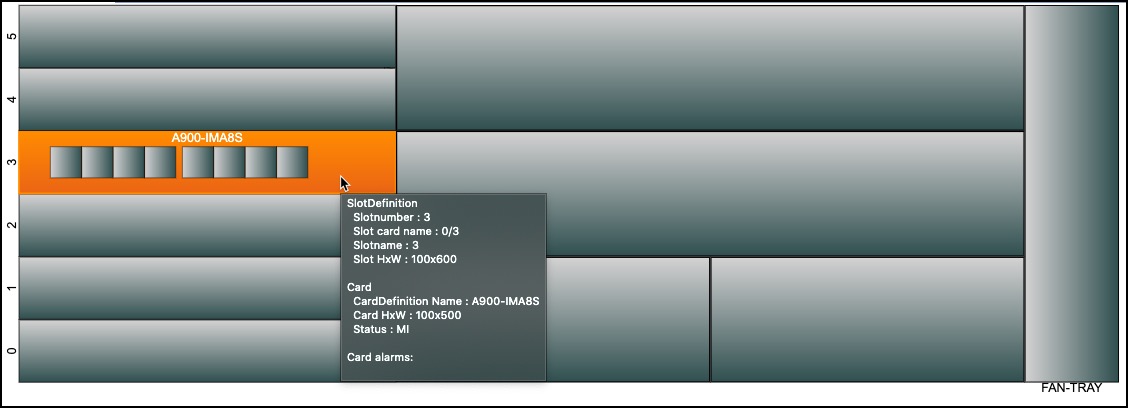
The result is a populated slot with the required card. In this example further sub slots can be populated with cards.
The hover over mouse reveals further slot and card information.
When a new node is created using this template, those cards will be added automatically.