Most active equipment has cards that handle network traffic. When planning the node or making the node configuration in IMS, the cards can be designed for slots or into the slots of cards (card-in-card configuration).
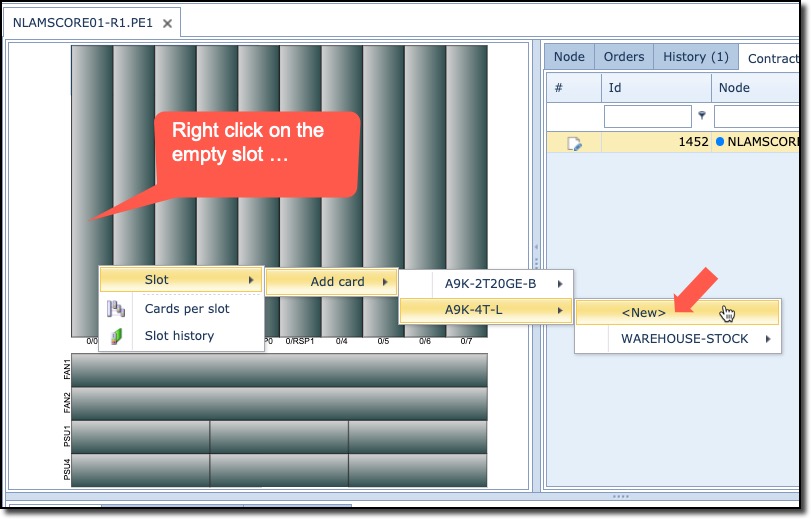
▪To add a card into a slot, right click on an empty slot (grey)
▪Navigate through the options until the required card is displayed
▪Finally select either a New or from Warehouse Stock – in our example select New
This will now populate the selected slot with the chosen Card