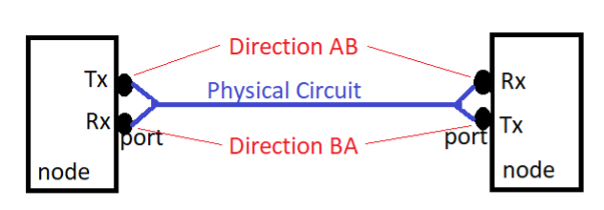
How to add a Uni directional circuit to TX/RX ports to show both the A-B and B-A directions, as shown below.
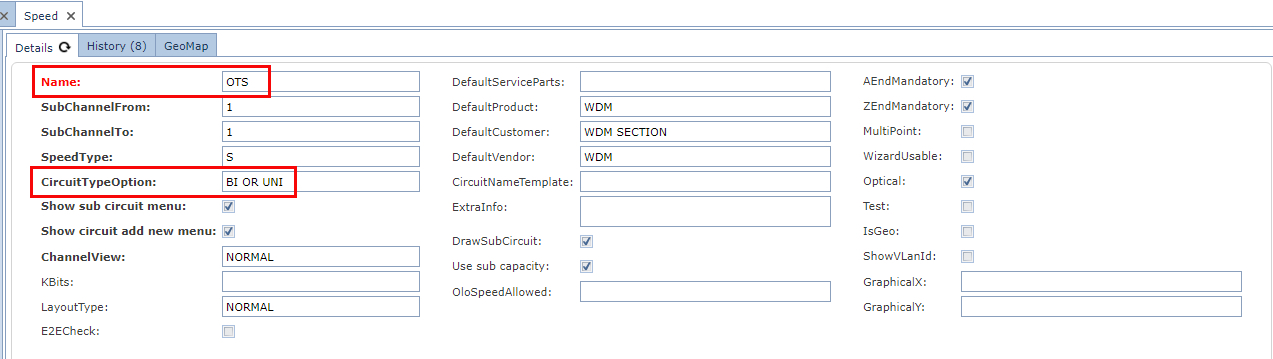
Remember that the Speed, called OTS in this example, is set up to handle Uni and Bi Directional circuits, as in the following screen shot. This ensures that other Circuit models can use this Speed.
The first step is to locate the Uni Directional Circuit to which the A-B direction ports will be added – the said Circuit already contains the A site and B site end ports, in this case both set to B-A direction with Tx port set at one end and a Rx port set at the other end.
Ensure that the Circuit is put in focus before adding the new A-B ports.
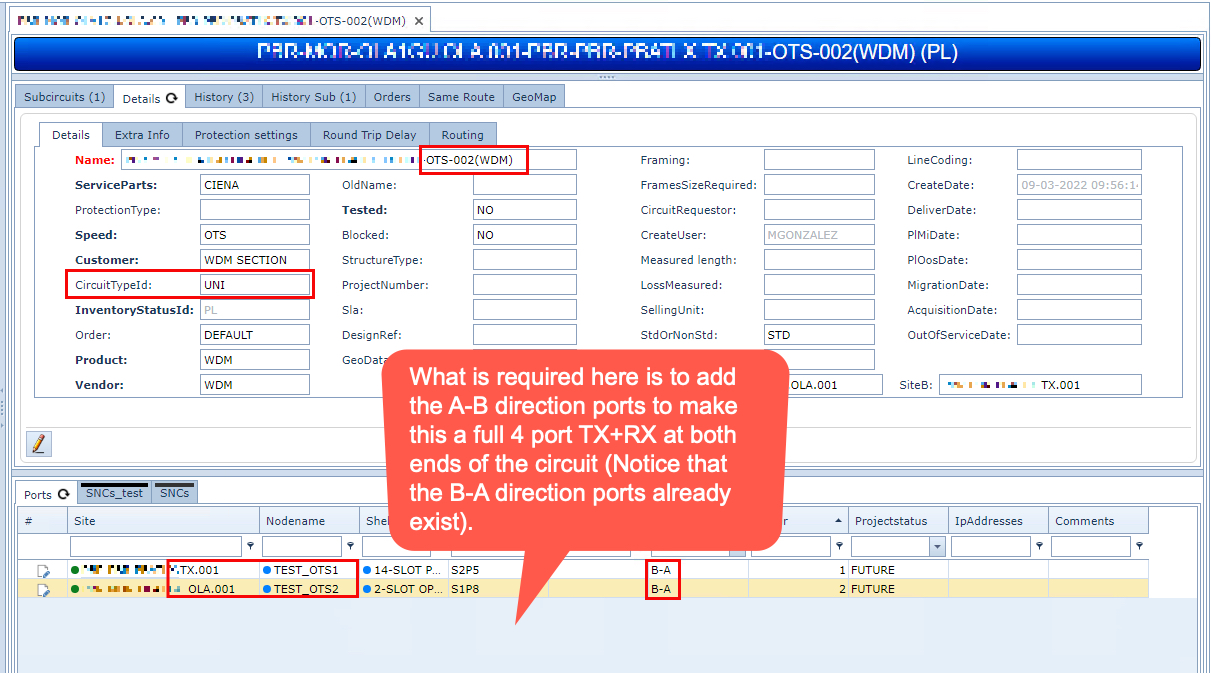
From the Node object in IMS locate the A site node and the Circuit’s existing TX port, to help you accurately locate the corresponding Rx port to be added.
Follow the steps as in the following screenshot:
▪Right Click on the required Rx port
▪From the dropdown menu select Add Circuit To Port
If this option is unavailable, it could be that your Circuit is not yet in focus.
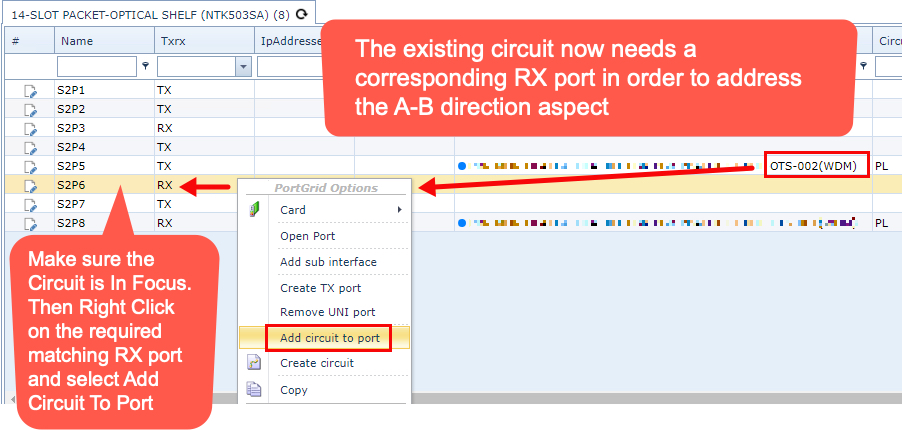
Once the following steps have been completed the corresponding Rx port grid line will contain the same Circuit name as the Tx port grid line above it.
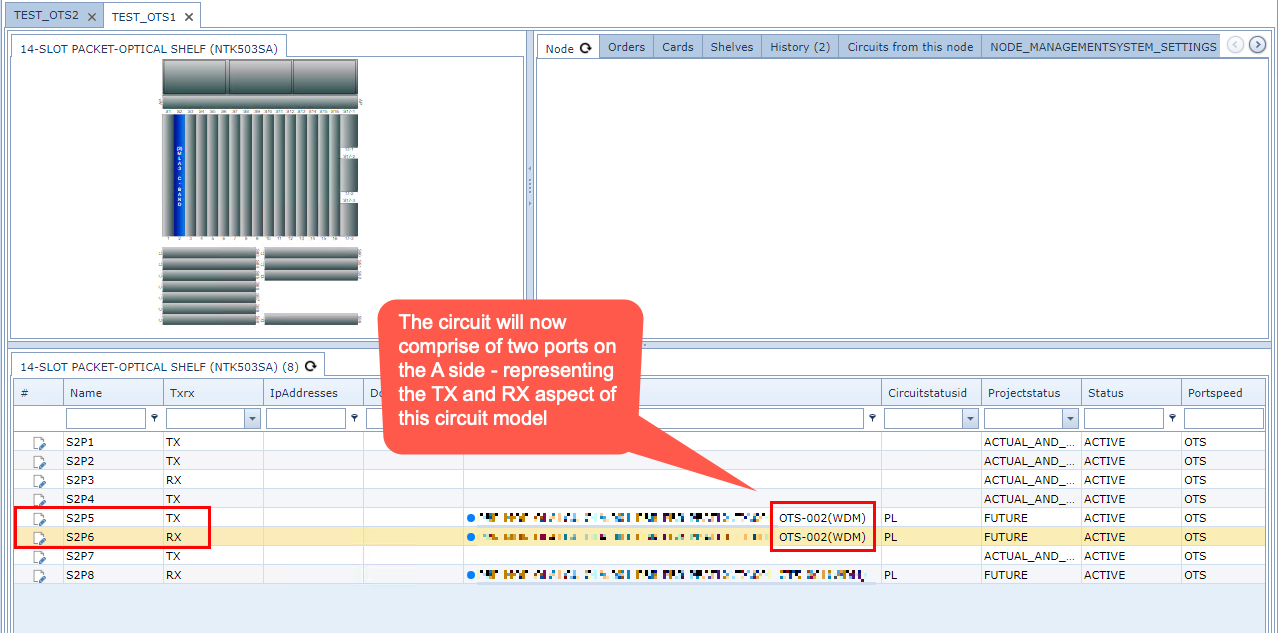
The A side Circuit ports are now complete with both their corresponding TX and Rx ports with B-A and A-B directions accordingly. This will be visible clearly from the Circuit object later.
The next step is to add the B side port to the Circuit. In the screenshot below, the existing Rx port grid line shows the Circuit name associated with it.
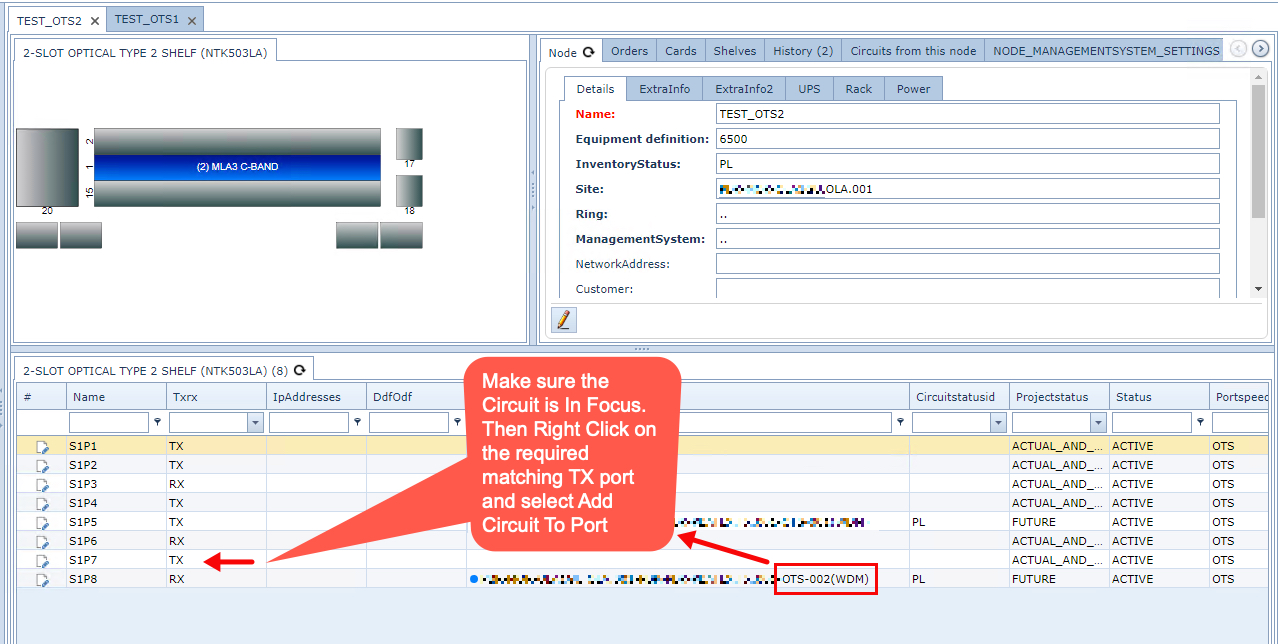
Following the same steps as above, locate the Tx port and add the Circuit to it.
Now to do a final check, go to the Circuit object and confirm that all four ports are associated – as in the following screen shot.
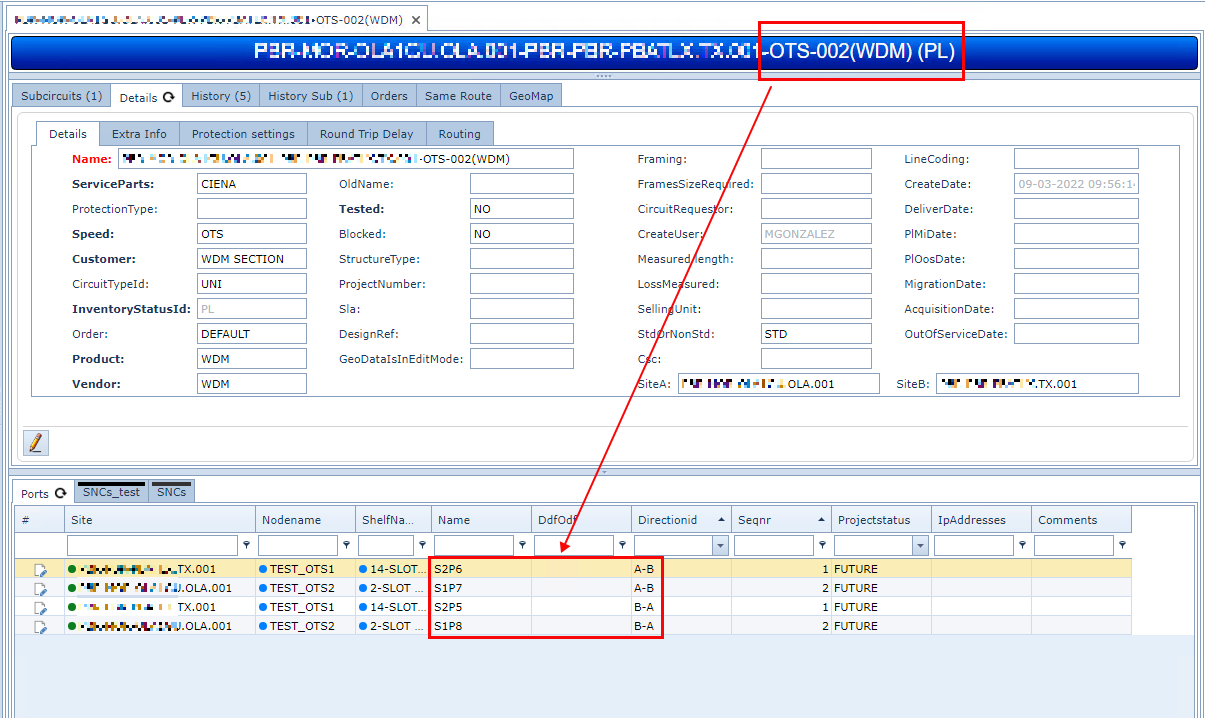
This completes this exercise.