Alarm management
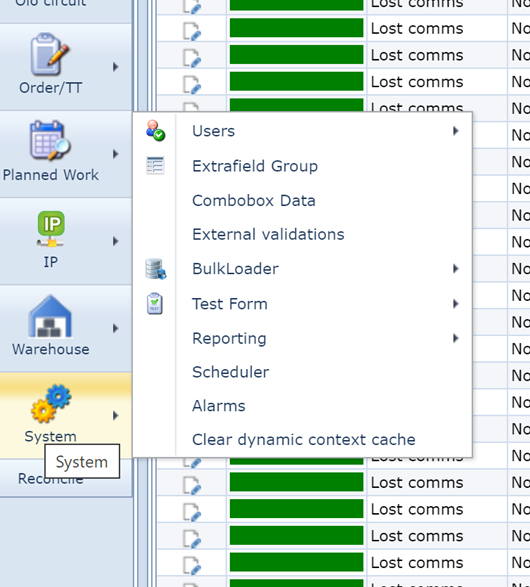
Alarm management functionality added.
.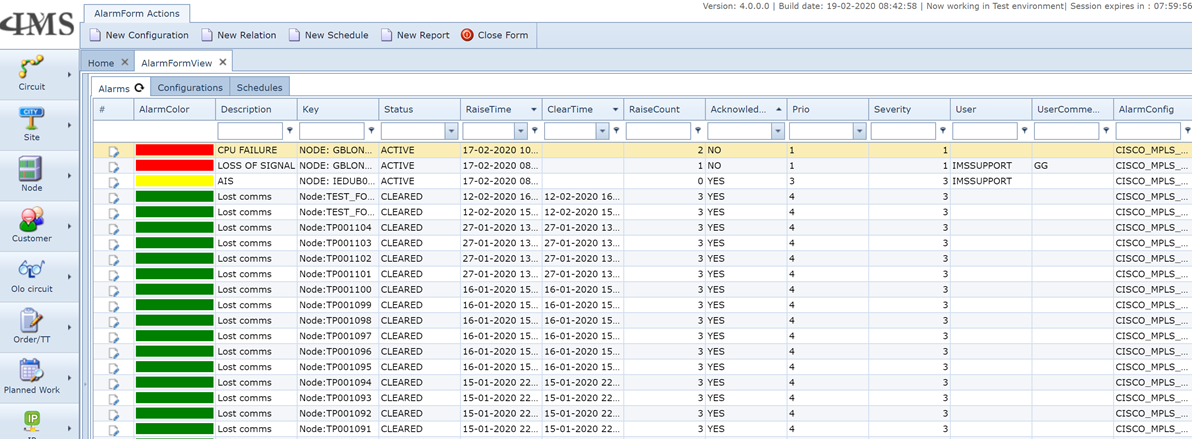
Alarm management in IMS
-Alarms on not in-service parts of the network will be automatically suppressed
-Alarms related to Planned work activity will be automatically suppressed
-Root cause analyses will be done by finding the relations between alarms based on the extensive inventory data in IMS database, all related alarms will be related with the same RCAid
-Root cause analyses will also be done through learning / analysing the incoming alarms.
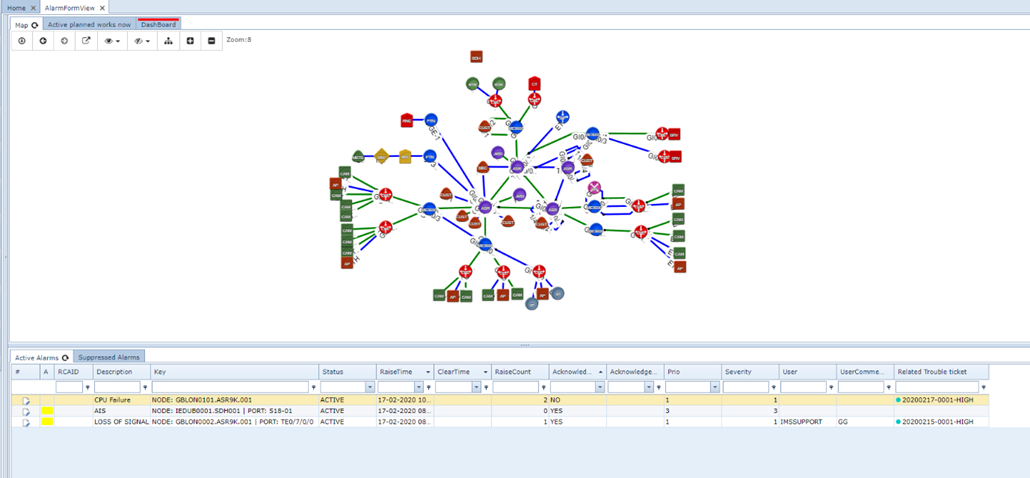
Alarm management screen will show the network map (GEO or non-GEO) and active not acknowledged alarms will be highlighted in the map.
Relating alarms to IMS-data.
For Each alarm, the alarm processing engine will try to find a relation to a Node/Port/Card/Site.
When this relation is made, the operator can directly find the following related IMS data:
- Site access control list (Which engineer was on the site where the alarm took place)
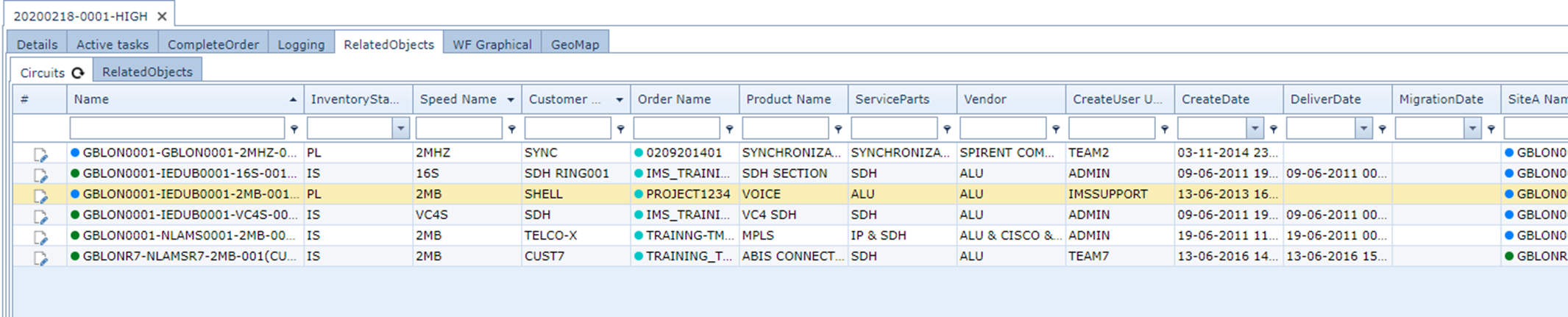
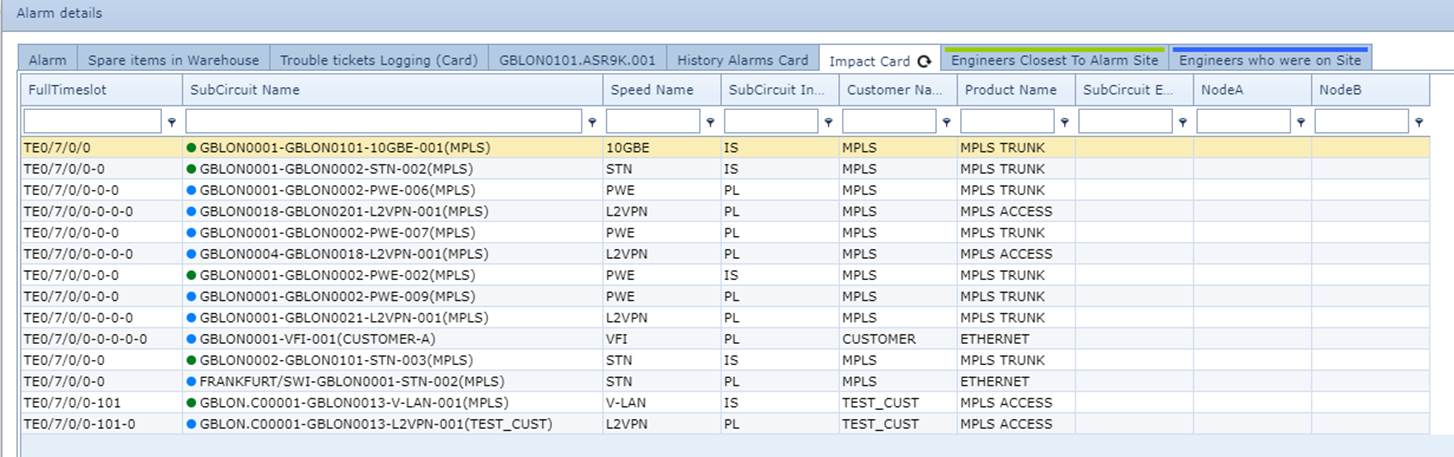
- Which customer services are impacted by this alarm
- History of alarms related to this object including the Trouble tickets related to previous alarms
- Full trouble ticket logging of the current alarm + the history alarms trouble ticket logging.
- A list of available spare parts, so the operator knows where to find a replacement (card/Node etc.) for this issue (If needed)
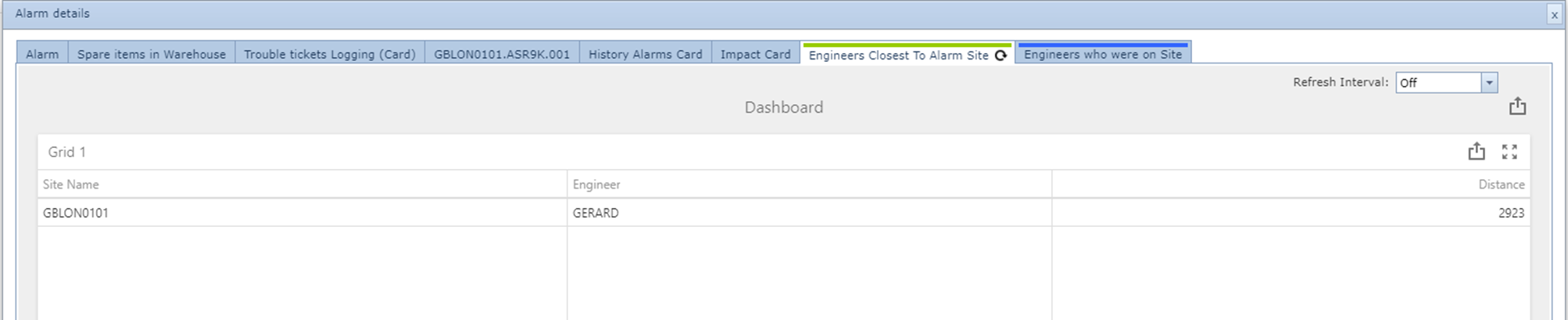
- A list of engineers who are nearest to the site where the alarm is.
In the main alarm screen, the operator can find a tab showing all planned works that are active right now.
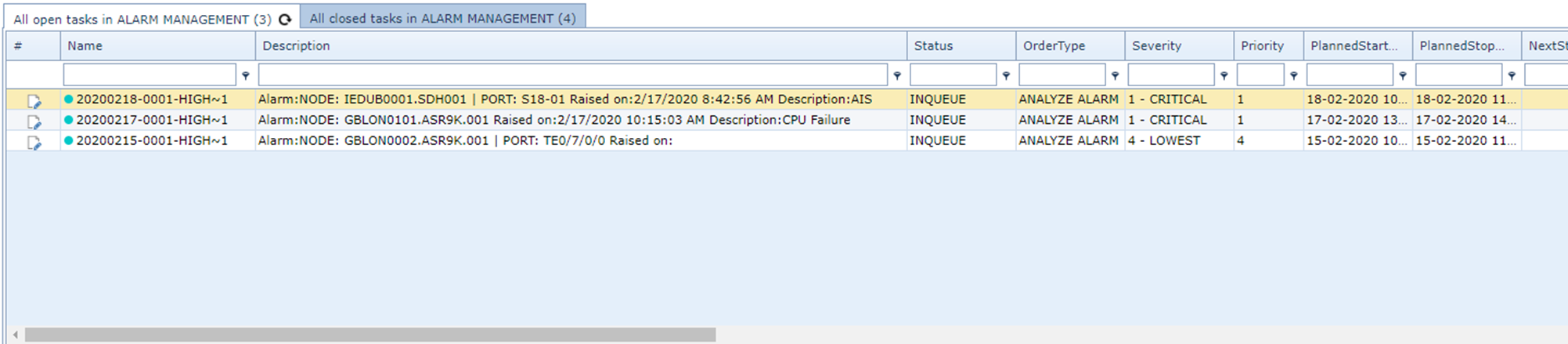
On the active alarm list, you can find the trouble ticket related to this alarm and operator can add comments to the alarm.
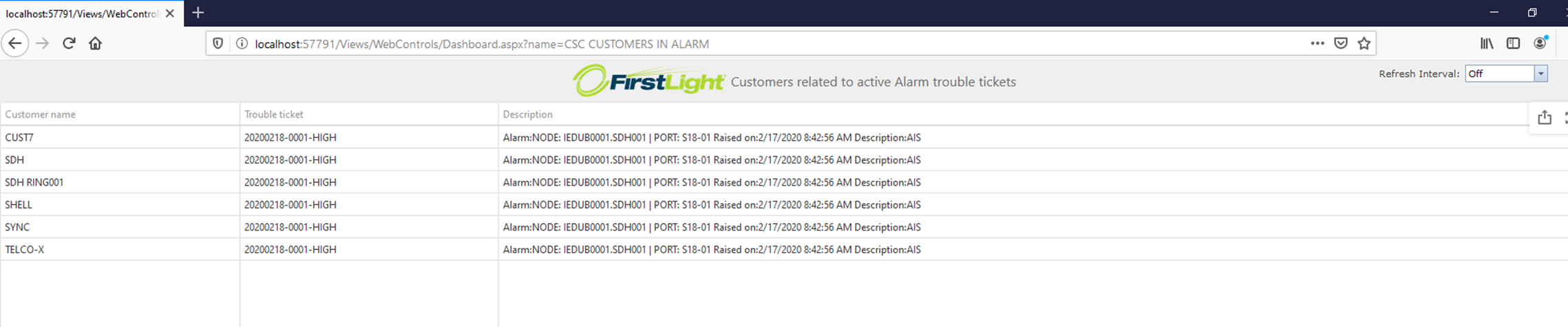
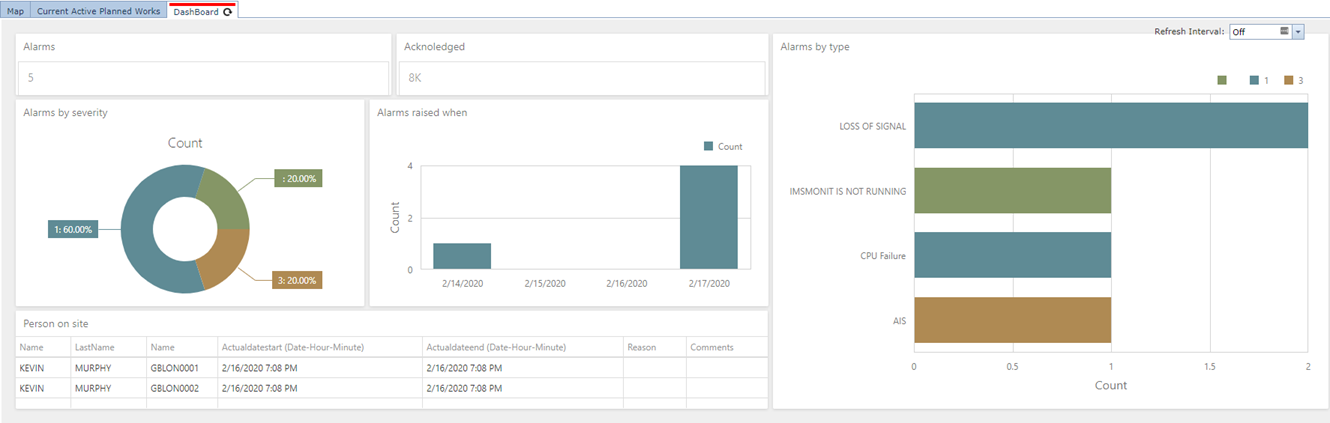
A fully customizable dashboard is available in IMS but also as a separate website this dashboard (And many more) can be viewed.

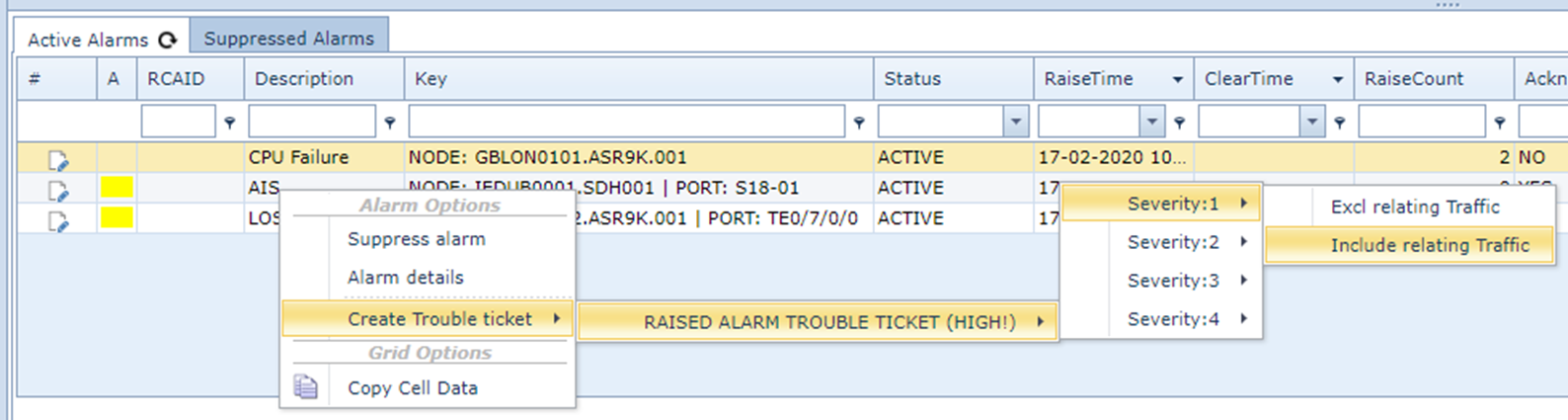
Create trouble ticket from Alarm:
All related traffic to the object will be related to the Trouble Ticket.
By relating the traffic to the TT, now in the customer form users can see active trouble tickets related to the customer:

From the Trouble Ticket form in IMS, operators will find all active trouble tickets:
Alarm details:

Highlighted card :
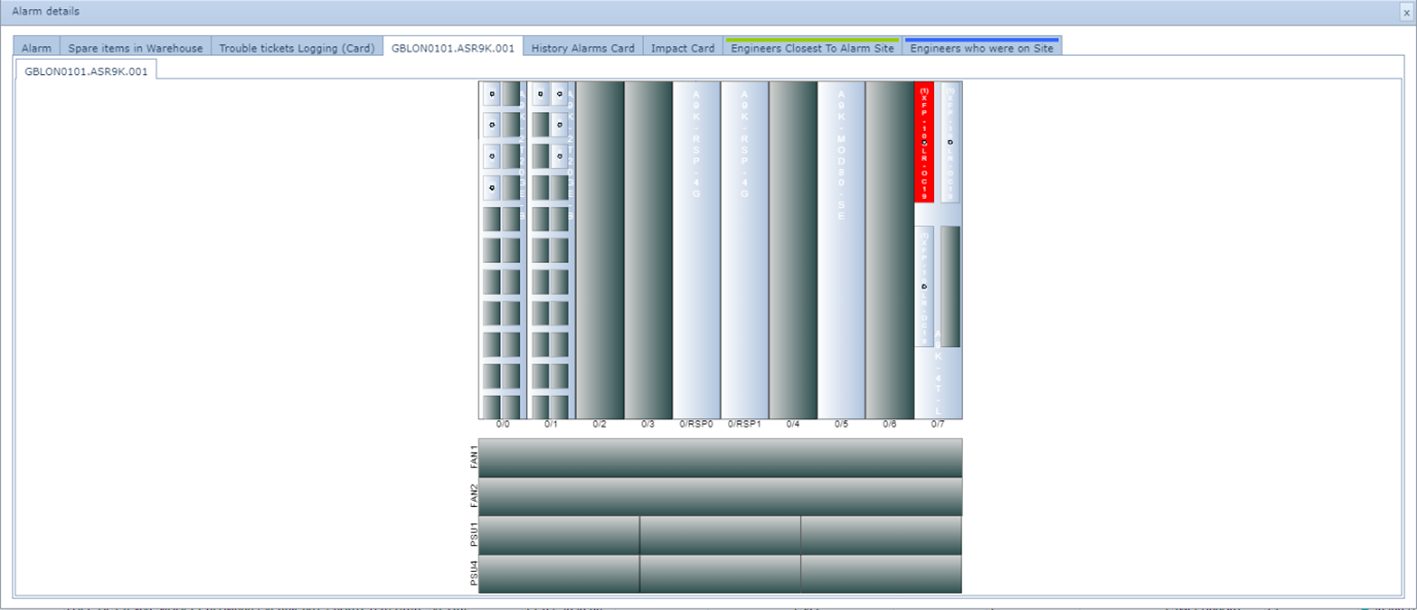
Traffic impact:
History of all alarms previously on this object (Including related trouble ticket)

All trouble ticket loggings on current + history alarm trouble tickets:

Tab that shows Spare items in stock:

When the GPS position of the engineer is known in IMS, the following tab will also appear:
(Now the operator knows which engineer is closest to this site where the alarm is)
When site access control data is in IMS the following tab will show which engineer was in the site with what reason:

Customer service dashboard (Fully customizable):