There are many different cables available in the telecommunication and network industries, each with their own peculiarities regarding their structure, size, and performance requirements. Some examples of Cable Types are: Submarine, Overhead, Coaxial, Fiber, Indoor Networking, and even within these groups there are many sub types i.e., CAT5/e, CAT7, Single and Multi-mode optical fiber, etc.
With the above in mind, the Cable Type feature allows for registering a limited but useful amount of cable details which assist in the registering and management process of Cables.
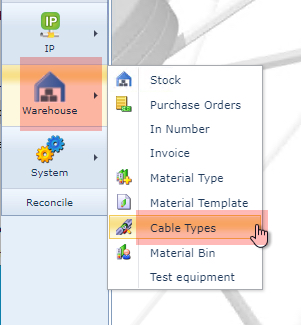
The Cable Types feature is accessed from the IMS Main Menu under the Warehouse module, as show in the following screen shot.
Search for Existing Cable Types
From the Cable Type form:
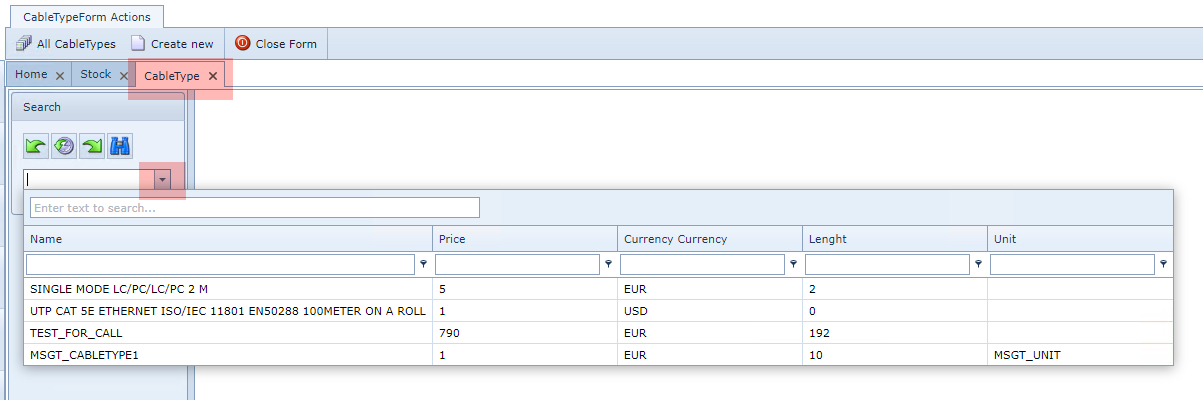
▪Type in the Search field for the name of the Cable Type or select one from the drop down list provided.
Once selected, this opens the Cable Type form with all the relevant details.
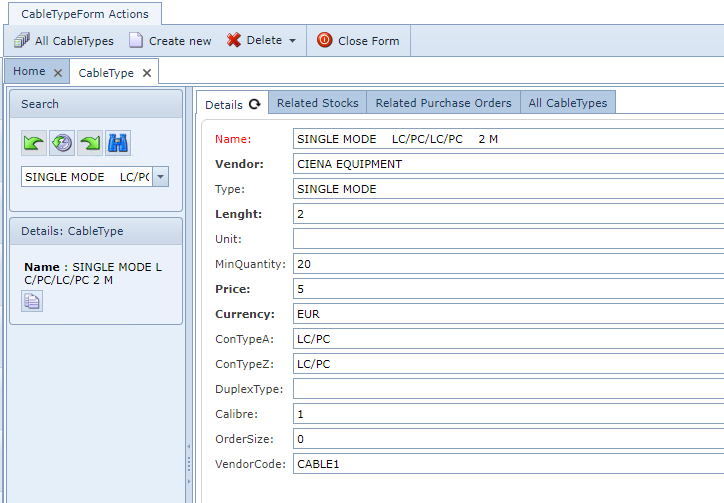
There are also other tabs of related information available including; Related Stocks within the Warehouse, a list of Purchase Orders that contain this Cable Type, and a list of all cable types for quick reference.
Create a New Cable Type
From the CableTypeForm Actions button bar:
▪Click on the Create New option, which open up the Create new CableType popup window
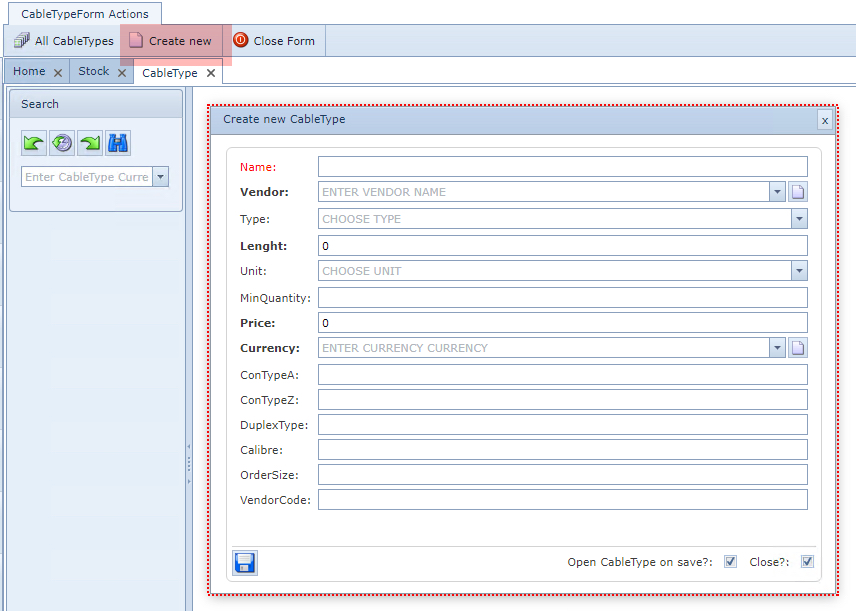
Fill in the relevant fields of information, in particular the mandatory ones.