To access the City object
▪From the IMS Main Menu click on the Site option
▪From the drop down list select City
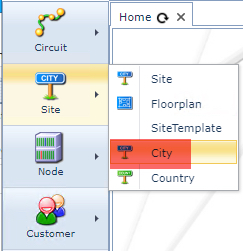
This opens up a blank City form
To list all Cities
From the City Actions form Button Bar
▪Click on the Show all option down arrow icon
▪From the drop down list select Cities
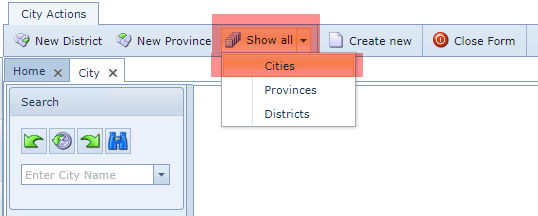
A list of all cities will be displayed with the following columns of information relating to those Cities:
Country |
Province |
District |
Name (of the city) |
Abbreviation (of the city name) |
To find an existing City
▪From the City Search field, type in the name or partial name of the required City
▪Alternatively select a City from the Search field's drop down list (down arrow icon)
The City form reveals the following tabs of information relating to that particular City:
District |
all districts in that City |
Sites |
all sites in that City |
Nodes |
all nodes and equipment installed in that City |
DdfOdfs |
all DDFs and ODFs installed in that City |
Circuits |
all circuits starting or ending in that City |
GeoMap |
all sites in that City shown in a map |
History |
all history relating to that City i.e., user modifications |