From the Site form Actions Button Bar:
▪Click on the New icon option's down arrow
▪Select Create new option from the drop down list
The Create new popup window appears
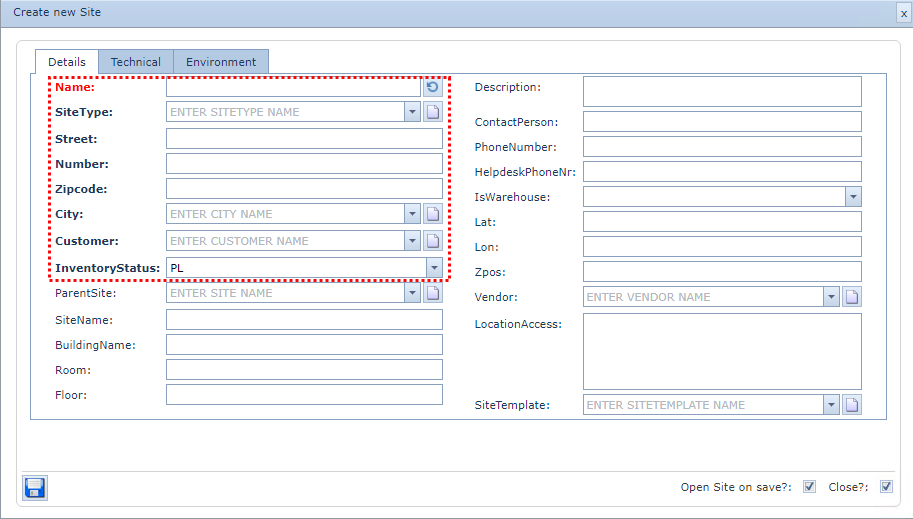
Note: Fill in the Name field last as this is an auto generated field - click on the Refresh icon at the end
of the Name field
Fill in the fields of information required, in particular the mandatory ones as shown above in the red dotted
rectangle
▪Click on the Save icon in the lower left of the popup