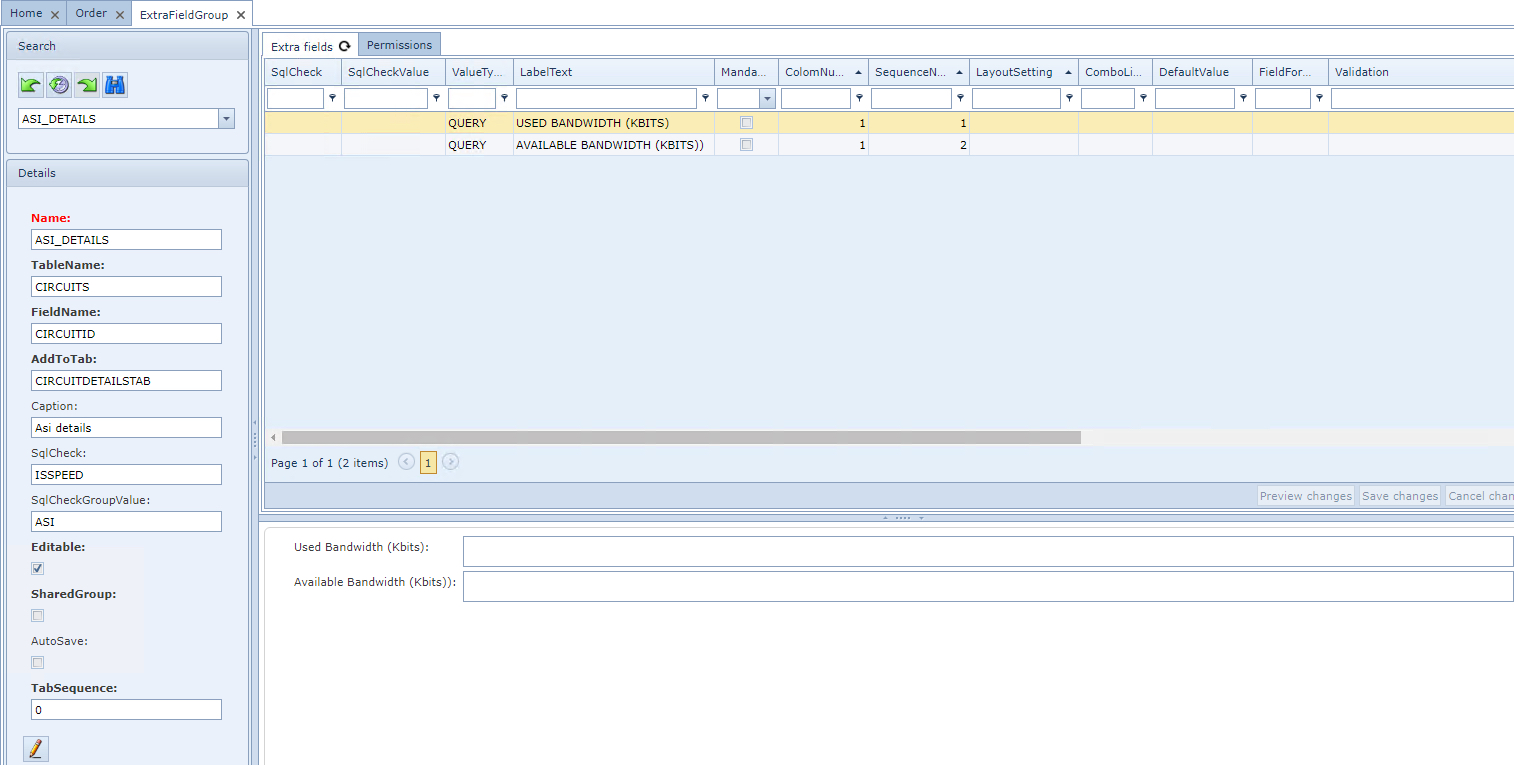
To create an Extra Field Group:
From the ExtraFieldGroupForm Actions button bar:
▪ |
Click on the Create new icon option |
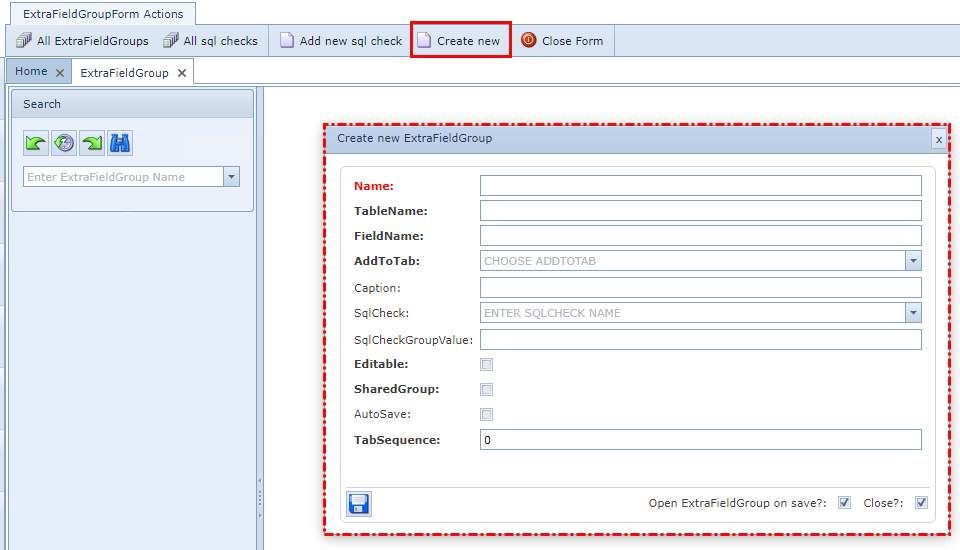
This opens up the Create new ExtraFieldGroup popup window with the following fields of information
to complete - Click on the Save icon in the lower left popup window when finished
Name |
The name of this Field Group - does not necessarily have to be the same as the Caption name, which will appear in the user interface |
TableName |
Name of the database table to which the extra fields must be added |
FieldName |
Name of the database table ID field |
AddToTab |
The parent tab name to which this Extra Field Group tab must be added |
Caption |
The name of the Extra Field Group tab - tab label name |
SqlCheck |
Any sql script to be performed - optional, selected from a dropdown list - this feature is used in conjunction with the SqlCheckGroupValue feature below. Please refer to the section called Extrafield Group Details Area for more details. |
SqlCheckGroupValue |
Filtering values against which the Extra Field Group will be displayed i.e., speeds of only 10GBE | 1GBE pipe symbol separator - this is a Group level feature. |
Editable |
Select if end users can modify these Extra Field Group fields - alternative is for view only fields |
SharedGroup |
Select if this Extra Field Group is used in the Order/TT - only suitable for Order/TT |
AutoSave |
Select if extra field data are to be saved once entered by the user - applies only to IMS3 |
TabSequence |
Numeric value determines the horizontal position this tab will take i.e., 3 indicates it will be the third tab in from the left |
Example of an Extra Field Group