The following dynamic actions in the Bulk Loader feature provide more versatility to data loading.
Bulkloading by Expression
The following Expression actions can be used in the Action column:
oAddByExpression
oUpdateByExpression
oDeleteByExpression
oForceDeleteByExpression
Update example
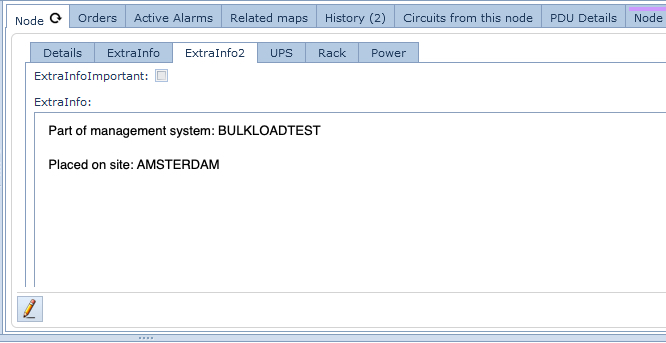
The following Bulk Loader spreadsheet will update the Extra Info tab of all the Nodes (Entity) related to the Node Management System called BULKLOADTEST (Expression).
Notice the use of the dynamic parameters under the ExtraInfo column: %$ ... % - these are explained further on in the section called Referencing Parameters.

Add example
oRowNum 1 gets the result of a Site expression. With that result a node is added to that site.
oRowNum 2 gets the result of a Node expression, and adds a new node of the same type to the same site of the retrieved node
oRowNum 3 gets the result of a Node expression, and adds a new node of the same type to the site BULKLOADTEST

Delete example
The following line (RowNum 5), deletes all the nodes whose management system name is BULKLOADTEST

Referencing Parameters
When adding IMS records it is possible to return the resultant added object's ID into a reference parameter. By defining a string value in the ID field of an Add action, that string value will become a parameter that can be used in further actions within the same bulk loader sheet.
To reference such a parameter you have to enclose it as follows: %${Parameter ID}% - Percent+Dollar+Percent
In the following screen shot observe the following actions:
oRowNum6: the Add action, you can see NewNodeParameter is the Node's ID [in the ID column]. This will become the referencing parameter for the other Actions.
o RowNum7: the Update action then uses this parameter to retrieve the ID by using %$NewNodeParameter% (which is the same as %$NewNodeParameter[Id]%) and updates the Extra Info, a tab in the Node form which is referenced by %$NewNodeParameter[Name]%.
oRowNum8: the Delete action will remove the Node by using the parameter %$NewNodeParameter% in the ID field.
