|
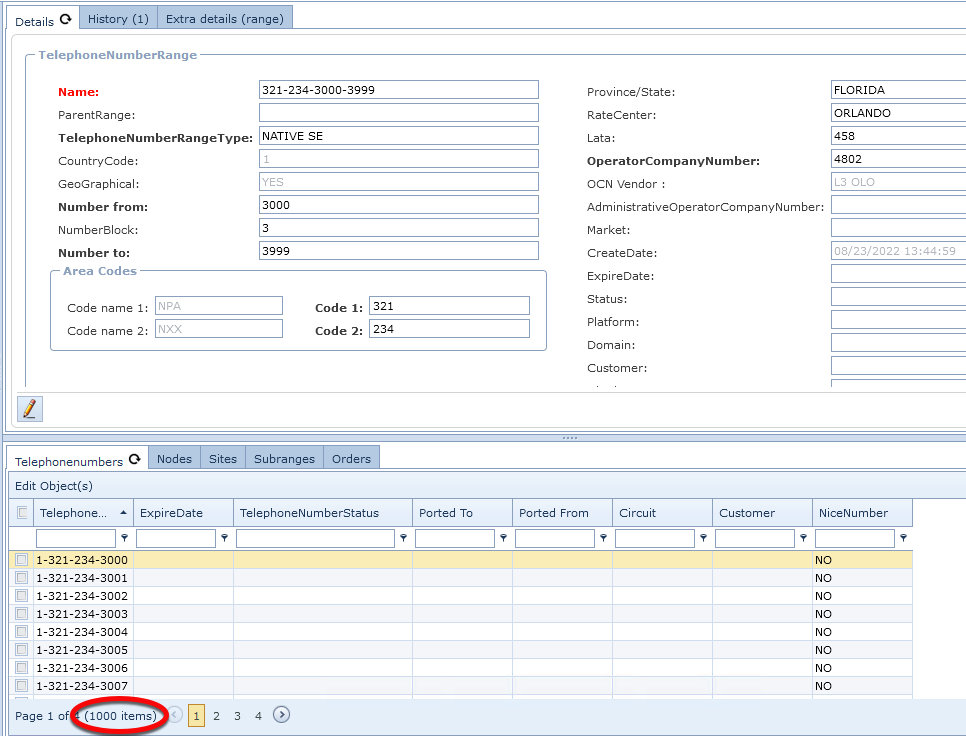
This section can take two possible routes, depending on the option chosen at the TelephoneNumberRangeType (TNRT) field. If a new TNRT is required, then there is a separate chapter for this process, after which you will return to complete this TNR section. |

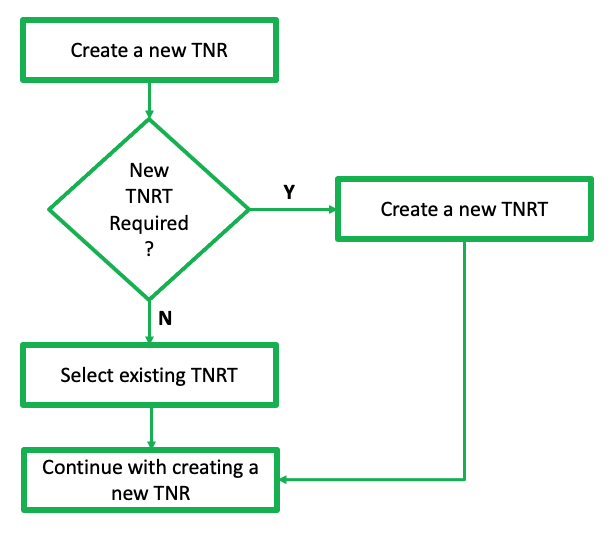
From either of the TelephoneNumberRangeForm Actions tab:
▪Click on the Create New icon - which will open up the Create new TelephoneNumberRange popup window
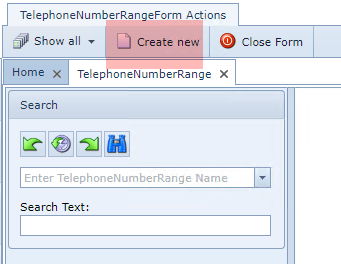
Unopened form

Current opened form
Fill in the required fields of information, in particular any mandatory ones:
▪ |
Name |
- This can be auto generated from the Name Template field under the Telephone Number Range Type (leave this until the number range has been selected, and it will be auto completed according to the Name Template established during the TNRT setup process) or, - it can be manually typed in according to your standard naming convention |
▪ |
Parent Range |
This will be auto-completed if this range is a sub-range |
▪ |
TelephoneNumberRange Type |
- Search and select from the existing list, or - Create a new instance by clicking on the new icon |
|
If you select the Create New TelephoneNumberRangeType option, then proceed to the chapter called Telephone Number range Type - (TNRT) in order to complete an essential setup work for TNRT. Once completed, return just below to continue on with this chapter (Create a new Telephone Number Range) |
▪ |
GeoGraphical |
derived from the TNRT selection |
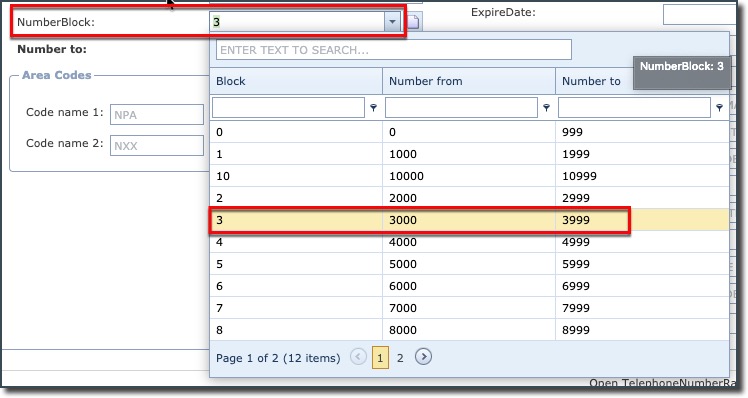
The following 3 fields are related to the number blocks required, and although the Number from and Number to fields can be manually set, it is common practice to select a range from the NumberBlock drop down list:
➢K block (K = 1000 numbers)
➢A block (A = 10,000)
▪ |
NumberBlock |
select a K or A block as required |
▪ |
Number from |
auto populated from NumberBlock selection |
▪ |
Number to |
auto populated from NumberBlock selection |
In this example a K block has been selected. Further on in this document there is a section on using
an A block of numbers.
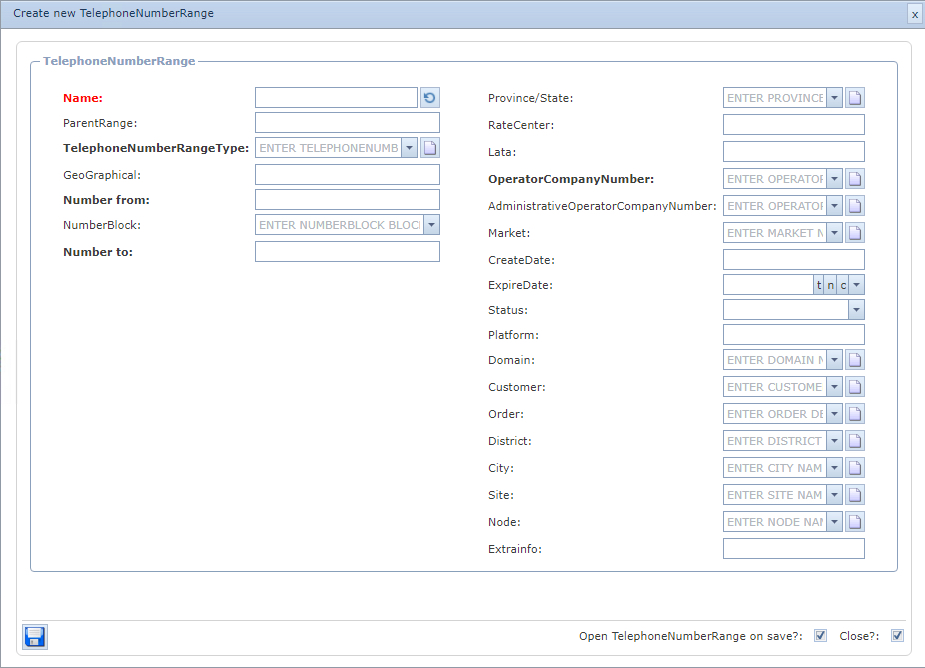
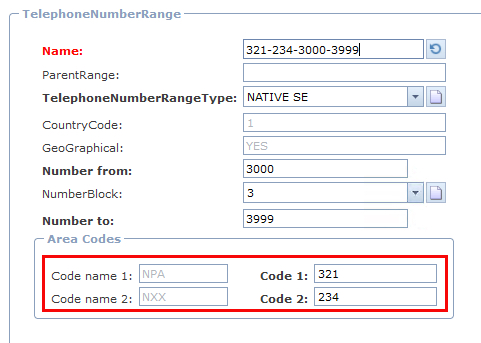
The next few fields in the Area Codes group are derived from the TNRT process i.e., up to 4 Code Names can be utilised. In our example only 2 Code names are chosen and assigned relevant values like NPA and NXX.
▪ |
Code name 1 |
NPA |
▪ |
Code name 2 |
NXX |
Other noteworthy fields of information are:
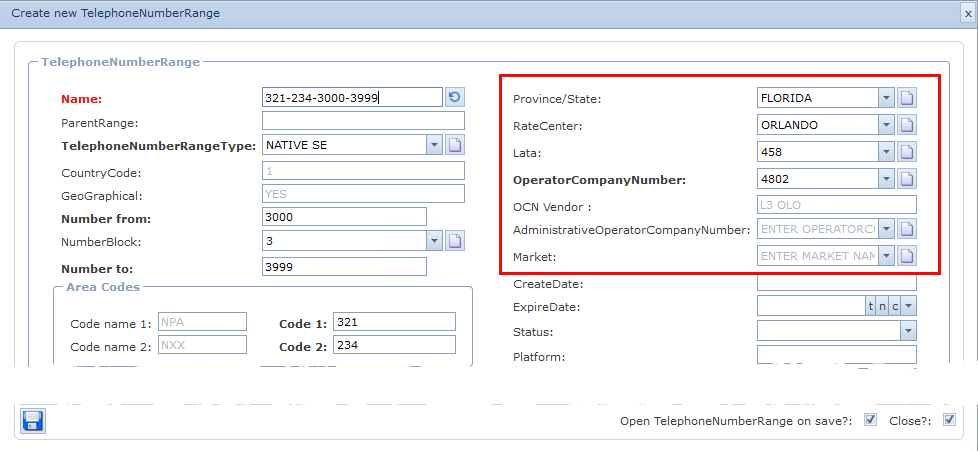
Province/State |
Required for relating to the Rate Center |
RateCenter |
Rate Centers are used within the assignment, routing, and rating/billing databases in the telephone industry
Rule: a Rate Center must be linked to a Province/State for the RateCenter field to display valid instances in its dropdown for subsequent selection. If a Rate Center is not available in the dropdown field for selection, then one must be created by clicking on the New icon at the end of the RateCenter field … this will open up the Create new RateCenter popup window. |
Lata |
Local Access and Transport Area. Geographical areas that usually, not exclusively, relate to Market Areas and some cross state boundaries
Rule: a LATA must be linked to a Rate Center for the LATA field to display valid instances in its dropdown for subsequent selection. If a LATA is not available in the dropdown field for selection, then one must be created by clicking on the New icon at the end of the LATA field … this will open up the Create new LATA popup window |
Operator Company Number (OCN) |
Operating Company Number - A four-character code assigned by the National Exchange Carrier Association (NECA) to any telecommunications provider. Specifically used to identify CLEC and Reseller usage data. Also known as Company Code.
Rule: an OCN must be linked to a Vendor for the OCN field to display valid instances in its dropdown for subsequent selection. If an OCN is not available in the dropdown field for selection, then one must be created by clicking on the New icon at the end of the OCN field … this will open up the Create new OCN popup window. |
OCN Vendor |
OCN name |
AdministrativeOperatorCompanyNumber |
Administrative OCN |
Market |
This is a user defined field that further categorizes a range of numbers according to a company’s business case i.e., by region like South East or in accordance with the company's business case |
Fill in any other fields accordingly, some are derived from the IMS database and therefore become fields associated with this TNR:
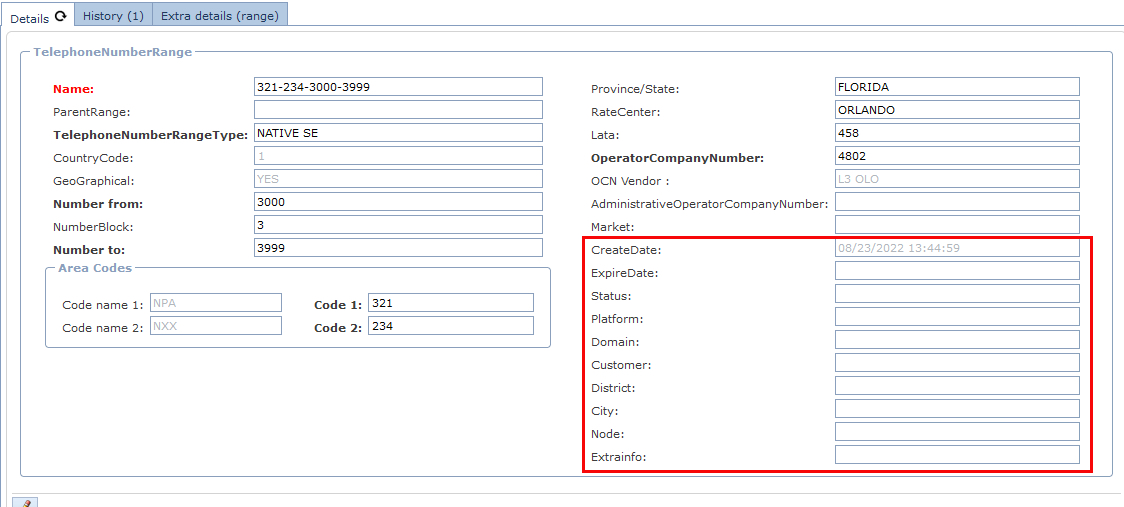
oCreateDate
oStatus
oPlatform [free form text field]
oDomain
oCustomer
oOrder
oDistrict
oCity
oSite
oNode
oExtrainfo [free form text field]
▪ |
Save |
Click on the Save icon in the bottom left corner of the window |
This will generate 1000 telephone numbers as shown in the following screen shot.