The GET commands are used to retrieve information from the VC4-IMS database.
GET by ID
GET by ID is used when you have an object ID (not the object name).

Example:
Click the 'TRY IT OUT' button.
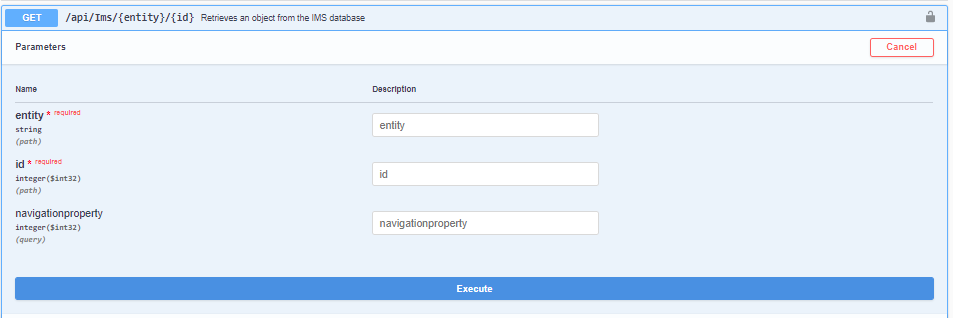
In the parameter section the required parameters can be filled in:
For example, if site details need to be retrieved and the Site ID is 153433:
Entity = Site
Id = 153433
Click 'Execute' bar
The call that is being generated:
curl -X GET "your url/api/Ims/Site/153433" -H "accept: application/json" -H "Authorization: 43d7a8e5-964a-432a-adc0-003cefc0b51d"
The output: (response)
{
"$id": "66",
"Id": 153433,
"Name": "HHWD009",
"SiteTypeId": 1,
"Street": "PRUNUSLAAN",
"HouseNumber": "66",
"Zipcode": "1834 KK",
"CityId": 5261,
"CustomerId": 56823,
"InventoryStatusId": 1,
"ParentSiteId": null,
"SiteName": "",
"BuildingName": "",
"Room": "",
"Floor": "",
"Description": "",
"ContactPerson": "",
"PhoneNumber": "",
"HelpdeskPhoneNr": "",
"IsWarehouse": null,
"Latitude": 52.65742871,
"Longitude": 4.789180756,
"Zpos": null,
"LocationAccess": "",
"VendorId": null,
"SiteTemplateId": null,
"Angle": 0,
"OutOfServiceDate": null,
"CoolingUnitCapacity": null,
"EmpSecured": null,
"MaximumWindSpeed": null,
"MeanWindSpeed": null,
"MeanWindSpeedTimeInterval": null,
"MeanWindSpeedRefElevation": null,
"TurbulenceIntensity": null,
"IceLoad": null,
"City": null,
"Customer": null,
"ParentSite": null,
"Floorplan": null,
"SiteAliases": null,
"Racks": null,
"SiteRelatedContacts": null,
"SiteDomains": null,
"SiteAttachments": null,
"CircuitAs": null,
"CircuitBs": null,
"Shelves": null,
"Nodes": null,
"Ports": null,
"OldPorts": null,
"InternalPorts": null,
"DdfOdfs": null,
"IpRanges": null,
"SubSites": null,
"ReconcileSites": null,
"SiteCounts": null,
"RelatedOrders": null,
"Towers": null,
"SiteType": null,
"Slacks": null,
"Polygons": null,
"Vendor": null,
"SiteTemplate": null,
"RowVersion": "2019-05-27T10:04:50",
"Errors": null,
"HasErrors": false
}
Note: The value for 'City' is null but the CityId is filled (5261).
If you also need to retrieve the City parameters the navigation property for City can be used.
(see Navigation properties section below) which is '2'.
Now the same call can be used but also fill-in the navigation property:
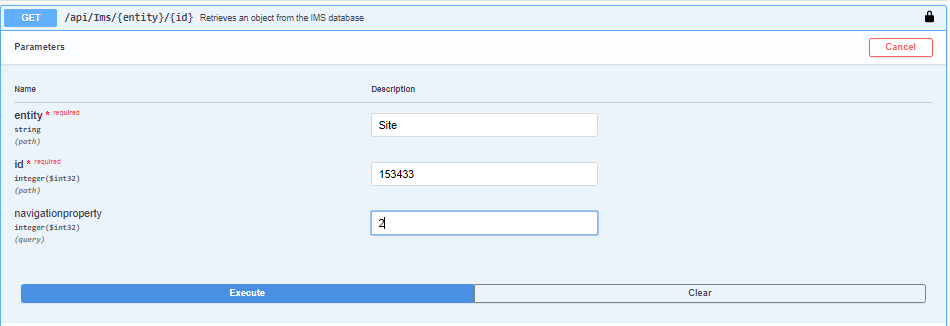
Click 'Execute'.
This is the call that is generated:
curl -X GET "http://your url/api/Ims/Site/153433?navigationproperty=2" -H "accept: application/json"
-H "Authorization: 43d7a8e5-964a-432a-adc0-003cefc0b51d"
The output:
{
"$id": "67",
"Id": 153433,
"Name": "HHWD009",
"SiteTypeId": 1,
"Street": "PRUNUSLAAN",
"HouseNumber": "66",
"Zipcode": "1834 KK",
"CityId": 5261,
"CustomerId": 56823,
"InventoryStatusId": 1,
"ParentSiteId": null,
"SiteName": "",
"BuildingName": "",
"Room": "",
"Floor": "",
"Description": "",
"ContactPerson": "",
"PhoneNumber": "",
"HelpdeskPhoneNr": "",
"IsWarehouse": null,
"Latitude": 52.65742871,
"Longitude": 4.789180756,
"Zpos": null,
"LocationAccess": "",
"VendorId": null,
"SiteTemplateId": null,
"Angle": 0,
"OutOfServiceDate": null,
"CoolingUnitCapacity": null,
"EmpSecured": null,
"MaximumWindSpeed": null,
"MeanWindSpeed": null,
"MeanWindSpeedTimeInterval": null,
"MeanWindSpeedRefElevation": null,
"TurbulenceIntensity": null,
"IceLoad": null,
"City": {
"$id": "68",
"Id": 5261,
"Name": "HEERHUGOWAARD",
"Abbreviation": "HHWD",
"DefaultZipcode": "",
"CountryId": 401,
"ProvinceId": null,
"DistrictId": null,
"AliasName": "",
"Country": null,
"Province": null,
"District": null,
"Sites": [
{
"$ref": "67"
}
],
"RowVersion": "2017-03-09T09:40:46",
"Errors": null,
"HasErrors": false
},
"Customer": null,
"ParentSite": null,
"Floorplan": null,
"SiteAliases": null,
"Racks": null,
"SiteRelatedContacts": null,
"SiteDomains": null,
"SiteAttachments": null,
"CircuitAs": null,
"CircuitBs": null,
"Shelves": null,
"Nodes": null,
"Ports": null,
"OldPorts": null,
"InternalPorts": null,
"DdfOdfs": null,
"IpRanges": null,
"SubSites": null,
"ReconcileSites": null,
"SiteCounts": null,
"RelatedOrders": null,
"Towers": null,
"SiteType": null,
"Slacks": null,
"Polygons": null,
"Vendor": null,
"SiteTemplate": null,
"RowVersion": "2019-05-27T10:04:50",
"Errors": null,
"HasErrors": false
}
Now the City details are in the response (see yellow section above).
GET by Name
GET by Name is used when you have an object name (not the object ID).

Example:
Click the 'TRY IT OUT' button:
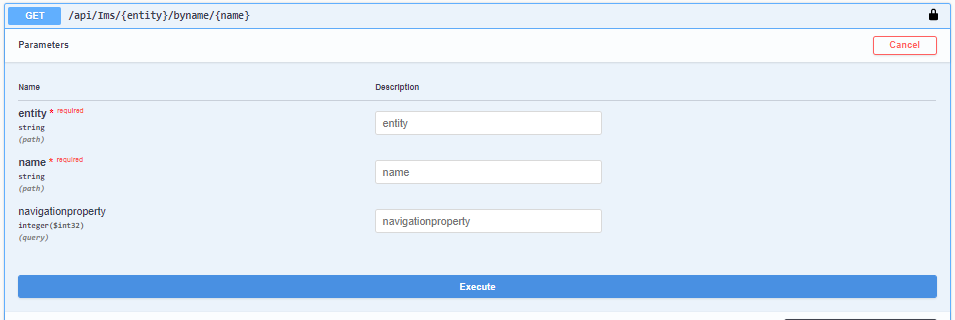
Now use the name of the site to retrieve the data instead of the ID.
Fill in:
Entity = Site
Name = GBLON0001
Navigationproperty = 2
Click 'Execute' bar
The call that is generated is:
curl -X GET "http://your url/api/Ims/Site/byname/HHWD009?navigationproperty=4" -H "accept: application/json"
-H "Authorization: 43d7a8e5-964a-432a-adc0-003cefc0b51d"
The response is exactly like in the example above.
If you would like to have the City details AND the Customer details for example, you fill in 6 at the navigationproperty (2 + 4).
(See Navigation properties section below)
GET Filtered
GET Filtered is used when an a filter is needed to limit the search.
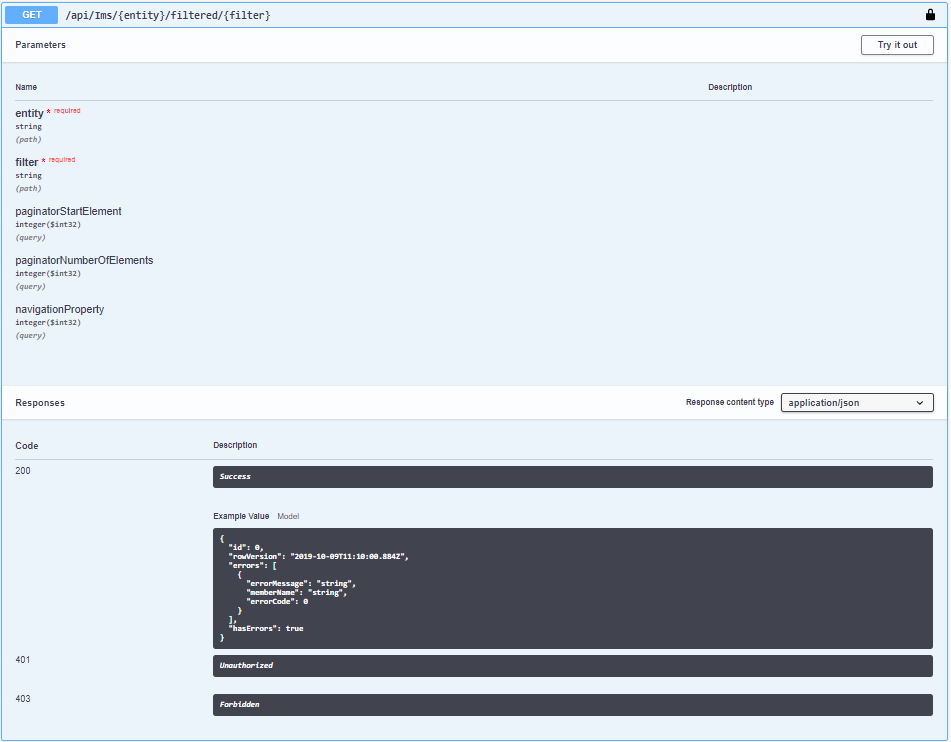
Example:
Click the 'TRY IT OUT' button.

The response can be filtered by adding a filter value and the response can be paginated as well, which means blocks of output can be set.
For example: paginatorStartElement = 0, paginatorNumberofElements = 2 will show the first to entities that are in a list which is generated by the filter.
Filter operators allowed are:
<
>
<>
=
== (Is not)
IS NOT NULL
IS NULL
LIKE
Fill in:
Entity = Site
Filter = name like AMS
paginatorStartElement = 0
paginatorNumberofElements = 2
The call that is generated:
curl -X GET "http://your url/api/Ims/Site/filtered/Name%20like%20ams?paginatorStartElement=0&paginatorNumberOfElements=2"
-H "accept: application/json" -H "Authorization: 1c14c113-e41c-42c0-a857-ae026df71107"
This will retrieve a list of all sites in which the characters 'AMS' are in the Name but because the paginators has been set, the response will only be the first 2
in the list: (to retrieve more you can fill in other values in the paginators, e.g. to get the next 10 you fill in 2 and 10).
[
{
"$id": "73",
"Id": 139521,
"Name": "NLAMS0001",
"SiteTypeId": 1,
"Street": "HOOFDSTRAAT",
"HouseNumber": "210",
"Zipcode": "1110 AA",
"CityId": 4222,
"CustomerId": 56201,
"InventoryStatusId": 3,
"ParentSiteId": null,
"SiteName": "",
"BuildingName": "",
"Room": "COMPUTER ROOM",
"Floor": "1",
"Description": "TEST BULK AARDAPPELSCHILMESJE",
"ContactPerson": "",
"PhoneNumber": "",
"HelpdeskPhoneNr": "",
"IsWarehouse": 0,
"Latitude": 52.33365,
"Longitude": 4.971048,
"Zpos": 0,
"LocationAccess": "",
"VendorId": null,
"SiteTemplateId": null,
"Angle": 0,
"OutOfServiceDate": null,
"CoolingUnitCapacity": null,
"EmpSecured": null,
"MaximumWindSpeed": null,
"MeanWindSpeed": null,
"MeanWindSpeedTimeInterval": null,
"MeanWindSpeedRefElevation": null,
"TurbulenceIntensity": null,
"IceLoad": null,
"City": null,
"Customer": null,
"ParentSite": null,
"Floorplan": null,
"SiteAliases": null,
"Racks": null,
"SiteRelatedContacts": null,
"SiteDomains": null,
"SiteAttachments": null,
"CircuitAs": null,
"CircuitBs": null,
"Shelves": null,
"Nodes": null,
"Ports": null,
"OldPorts": null,
"InternalPorts": null,
"DdfOdfs": null,
"IpRanges": null,
"SubSites": null,
"ReconcileSites": null,
"SiteCounts": null,
"RelatedOrders": null,
"Towers": null,
"SiteType": null,
"Slacks": null,
"Polygons": null,
"Vendor": null,
"SiteTemplate": null,
"RowVersion": "2019-05-23T13:24:36",
"Errors": null,
"HasErrors": false
},
{
"$id": "74",
"Id": 139561,
"Name": "NLAMS0002",
"SiteTypeId": 2,
"Street": "LEIDSEPLEIN",
"HouseNumber": "1032",
"Zipcode": "1111AA",
"CityId": 4222,
"CustomerId": 56201,
"InventoryStatusId": 3,
"ParentSiteId": null,
"SiteName": "",
"BuildingName": "",
"Room": "",
"Floor": "",
"Description": "TEST BULK",
"ContactPerson": "",
"PhoneNumber": "",
"HelpdeskPhoneNr": "",
"IsWarehouse": 0,
"Latitude": 52.36424,
"Longitude": 4.882736,
"Zpos": 0,
"LocationAccess": "",
"VendorId": null,
"SiteTemplateId": null,
"Angle": 0,
"OutOfServiceDate": null,
"CoolingUnitCapacity": null,
"EmpSecured": null,
"MaximumWindSpeed": null,
"MeanWindSpeed": null,
"MeanWindSpeedTimeInterval": null,
"MeanWindSpeedRefElevation": null,
"TurbulenceIntensity": null,
"IceLoad": null,
"City": null,
"Customer": null,
"ParentSite": null,
"Floorplan": null,
"SiteAliases": null,
"Racks": null,
"SiteRelatedContacts": null,
"SiteDomains": null,
"SiteAttachments": null,
"CircuitAs": null,
"CircuitBs": null,
"Shelves": null,
"Nodes": null,
"Ports": null,
"OldPorts": null,
"InternalPorts": null,
"DdfOdfs": null,
"IpRanges": null,
"SubSites": null,
"ReconcileSites": null,
"SiteCounts": null,
"RelatedOrders": null,
"Towers": null,
"SiteType": null,
"Slacks": null,
"Polygons": null,
"Vendor": null,
"SiteTemplate": null,
"RowVersion": "2019-06-28T21:43:03",
"Errors": null,
"HasErrors": false
}
]
Navigation properties
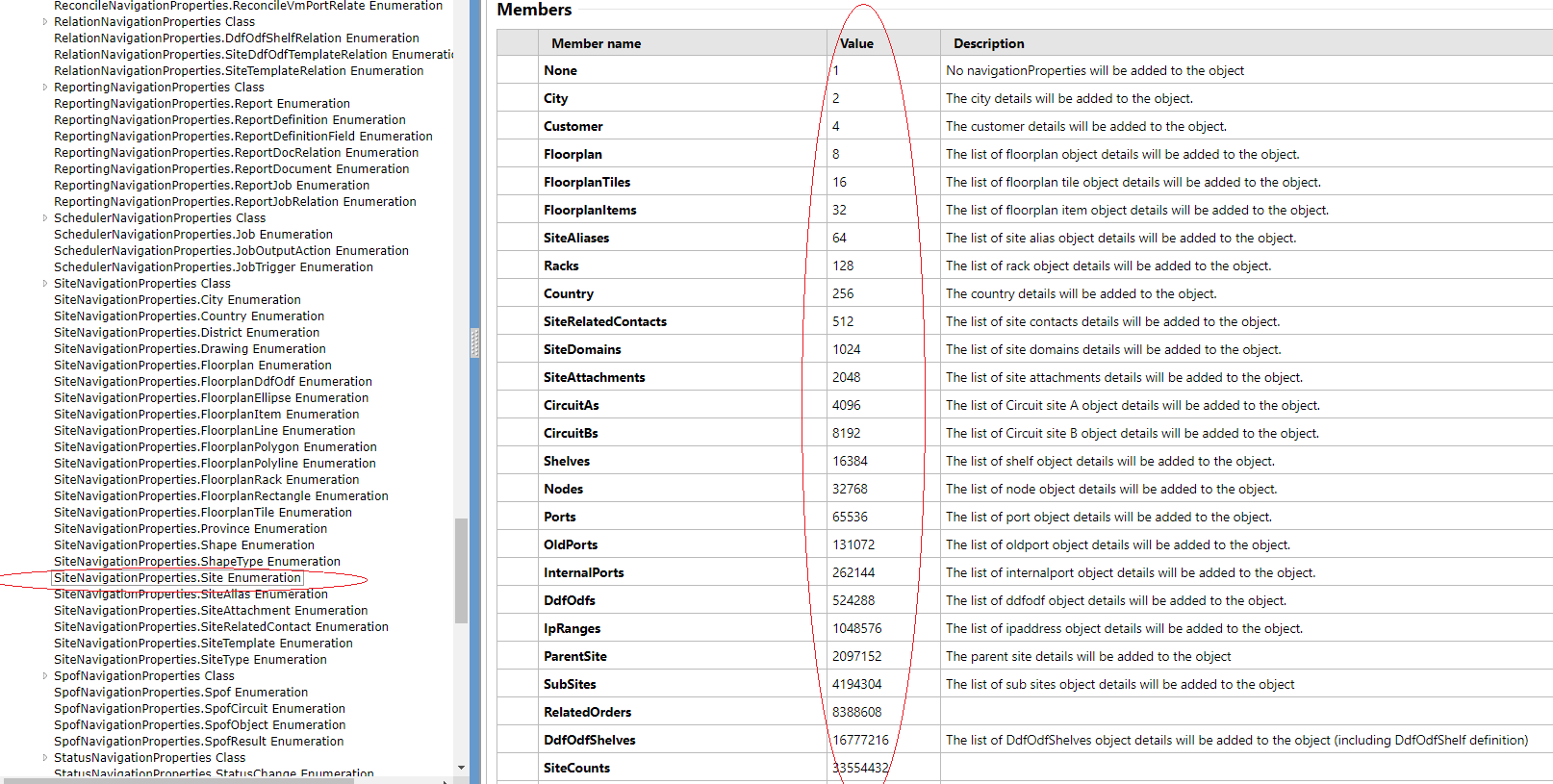
Navigation properties are used to get related information of the object.
For example to get the city details when you search for a site (location).
Or to get the shelves within the equipment.
Every entity has its own unique navigation property number and they can be added.
For example: if City and also Customer details are needed, the navigation property to use is 6.
(City = 2 and Customer = 4)
As 6 is not a navigation property number for another entity, IMS will understand it should provide City and Customer details.
Please use the documentation for the navigationproperties: http://149.210.162.190:81/Login/login.aspx