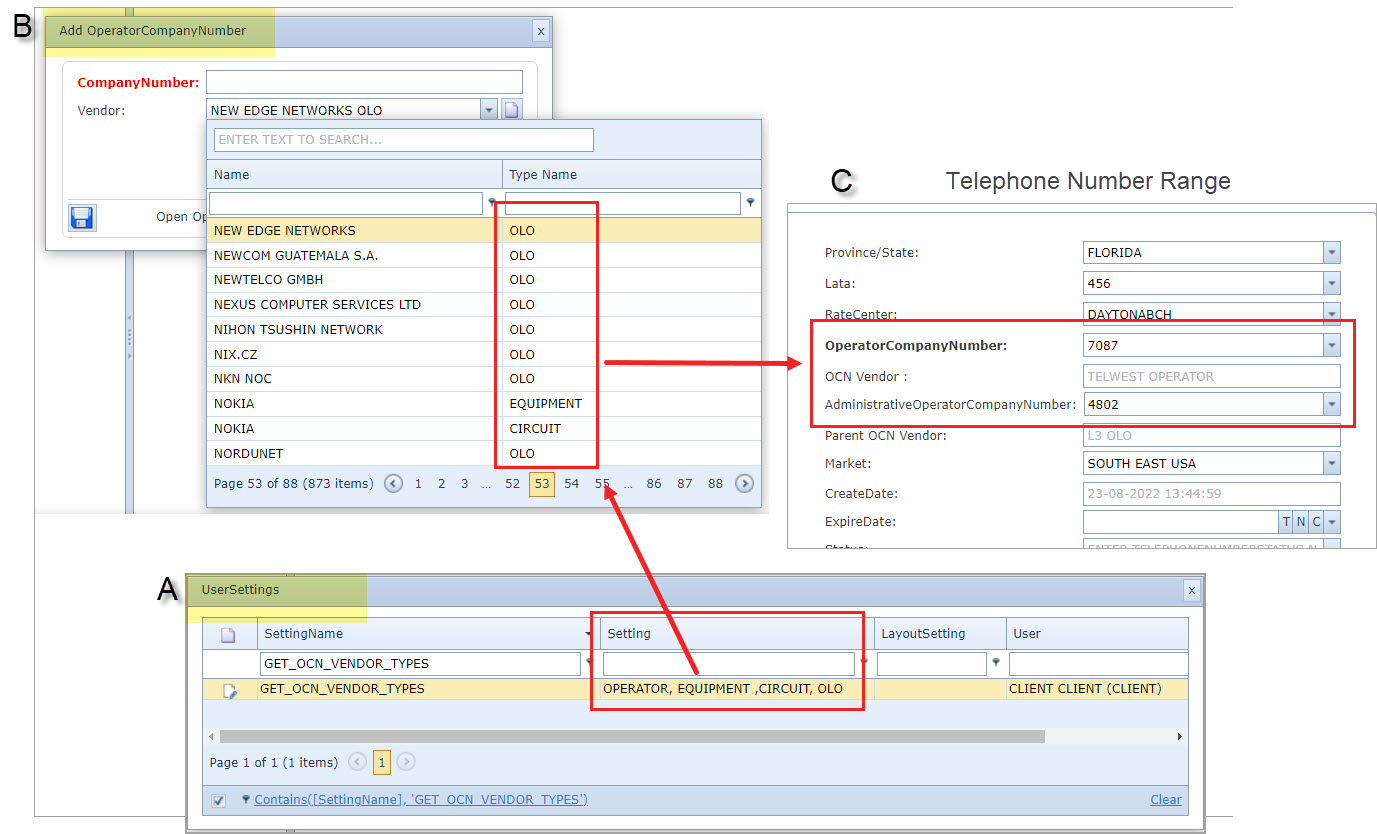
This section is about a setting for Operator Company Number and Vendor Types
When creating a new Operator Company Number (OCN) the default type of vendor is Other Licensed Operator (OLO). However it is possible to add further types by a configuration modification in the User Settings.
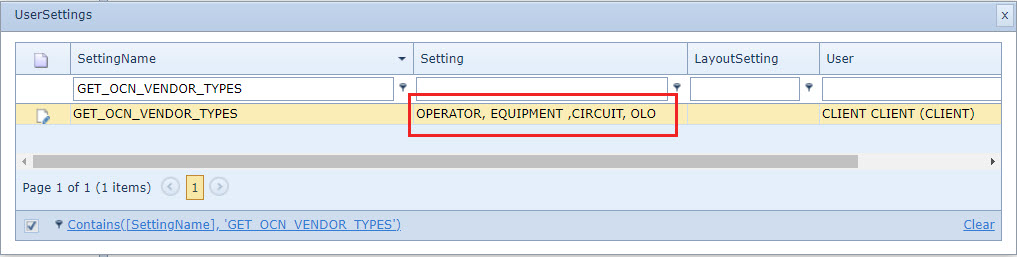
The User Settings feature is accessed from the IMS Main Menu | Users | User Settings options.
▪When selected the User Settings popup window appears.
▪Search for, or create a new, Setting Name called GET_OCN_VENDOR_TYPES.
▪In the Setting column field, type in the new Vendor Types required separated by a comma - in the above screen shot some examples are shown.
▪In the User column field, type in CLIENT
▪Once finished, click on the green tick icon at the beginning of the row to save the settings.
If the GET_OCN_VENDOR_TYPES user setting does not exist then the default vendor type is OLO |
When creating a new Telephone Number Range and selecting the Operator Company Number, the Administrative Operator Company Number is also filtered based on the vendor type in the User Settings - refer to the screen shot below.