Display IMS Server and Database Time in GUI.
To display the IMS application Server and Database time in the User and Application information ribbon:

From the IMS Main Menu:
▪Select System | Users | User Settings
This opens up the User Settings popup window.
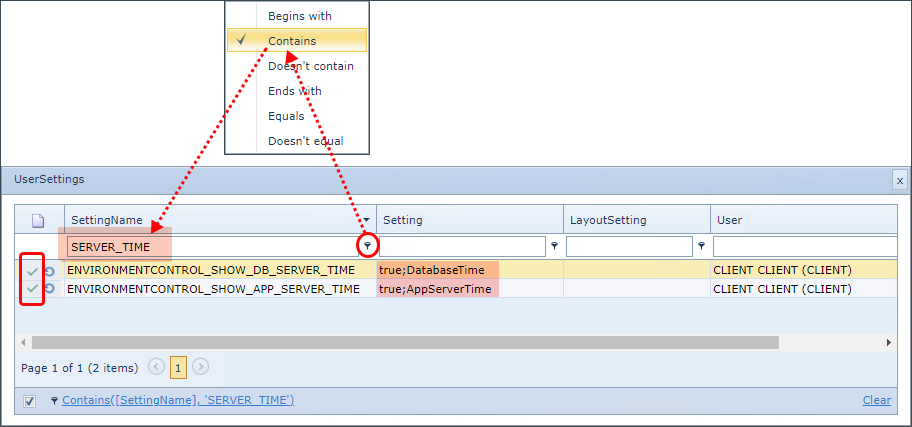
▪In the filter field under the Setting Name column header, ensure the filter setting is set to Contains
▪Type in SERVER_TIME, which locates the 2 required settings
▪For each row in the Setting column fields, double click and type in true;DatabaseTime and true;AppServerTime accordingly. Make sure to save each row at a time by clicking on the green tick icon, leftmost in the new settings row. See the screen shot below as an example.