An investment number (IN) must be created to allow for a budget allocation to a P.O. for ordering material.
An IN is usually created for a whole project or order to control the complete budget and related P.O. Many P.Os can relate to one IN.
The IN feature is accessed from the IMS Main Menu under the Warehouse module.

The Investment Number button bar contains the following options:

All InNumber |
Overview of all existing IN numbers |
Create New InNumber |
Create a new IN |
Close Form |
Close the IN form |
The Create New InNumber form contains the following fields:
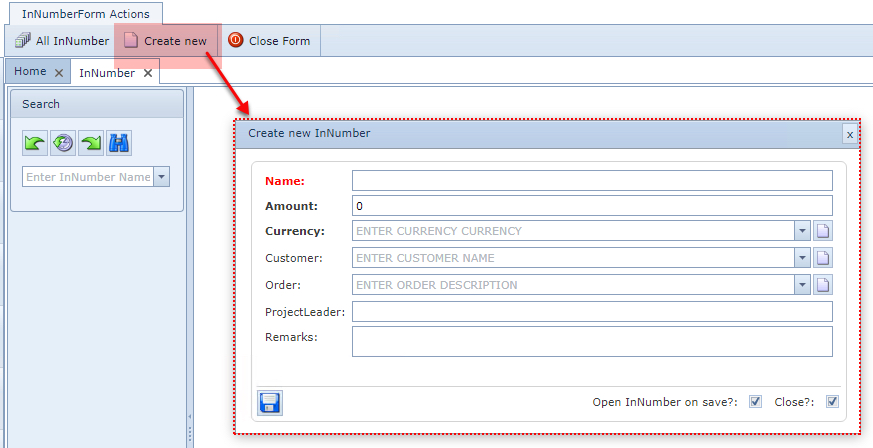
Field name |
Description |
Requirements |
Name |
Name or number for this IN |
Mandatory and unique |
Amount |
Budget amount for the IN |
Mandatory, but can be 0 if material prices are not used |
Currency |
Various currency options |
Mandatory |
Customer |
Related customer if the IN is for 1 specific customer |
Optional |
Order |
Related order if the IN is for 1 specific order |
Optional |
Project Leader |
Free text field for the project leader name |
Optional |
Remarks |
Additional details text field |
Optional |