Sometimes it is necessary to migrate circuits onto other ports or channels in a carrier. This can be achieved by changing Circuits, whose status is IS (In Service), to a status of MI (Migration)
Migrating ports
▪ |
Locate the Circuit that requires port migration |
▪ |
Change the Circuit's status to MI (Migrate) |
▪ |
Set the Circuit to In Focus |
Changing the ports:
|
▪ |
Locate the Node's form that contains the port that needs to be removed |
▪ |
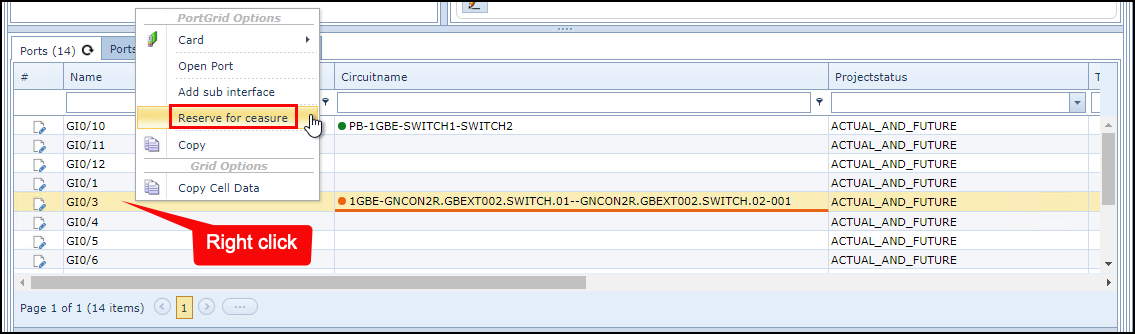
Right click on the port to be removed and select "Reserve for ceasure" - in this example the port name is GI0/3
|
▪ |
Locate the Node form containing the port that needs to be added - this could be the same node |
▪ |
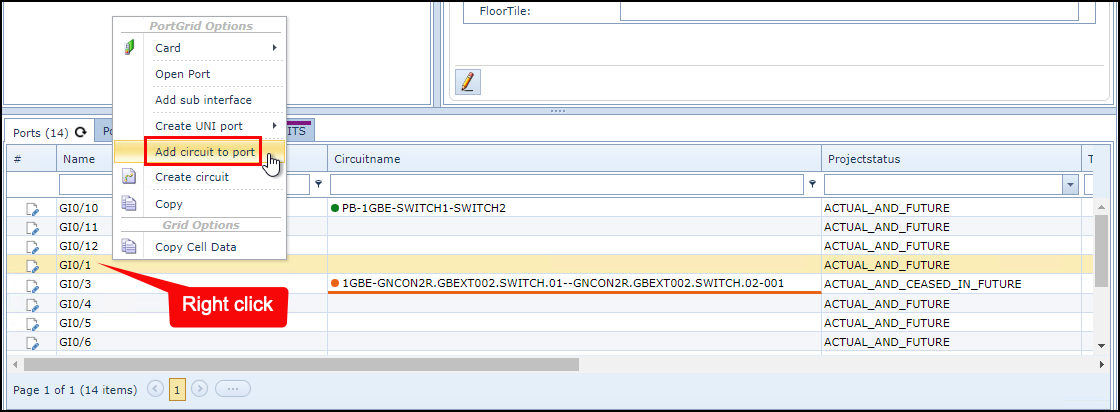
Right click on the new port name and select "Add circuit to port"
|
Returning to the Circuit form: |
|
▪ |
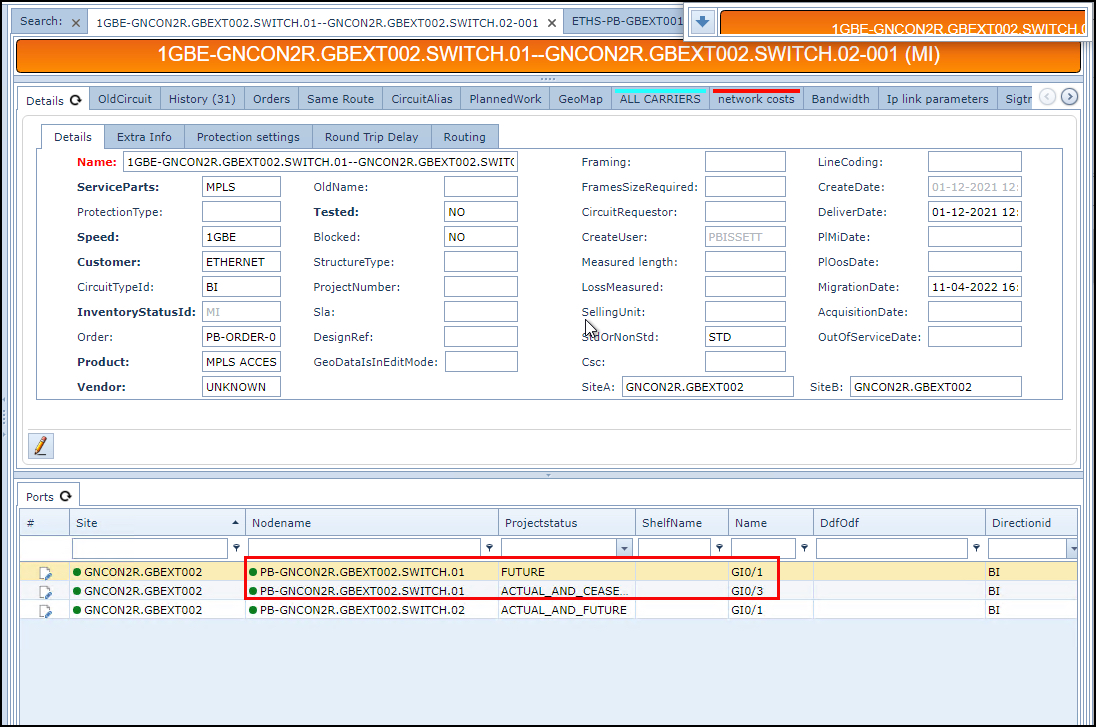
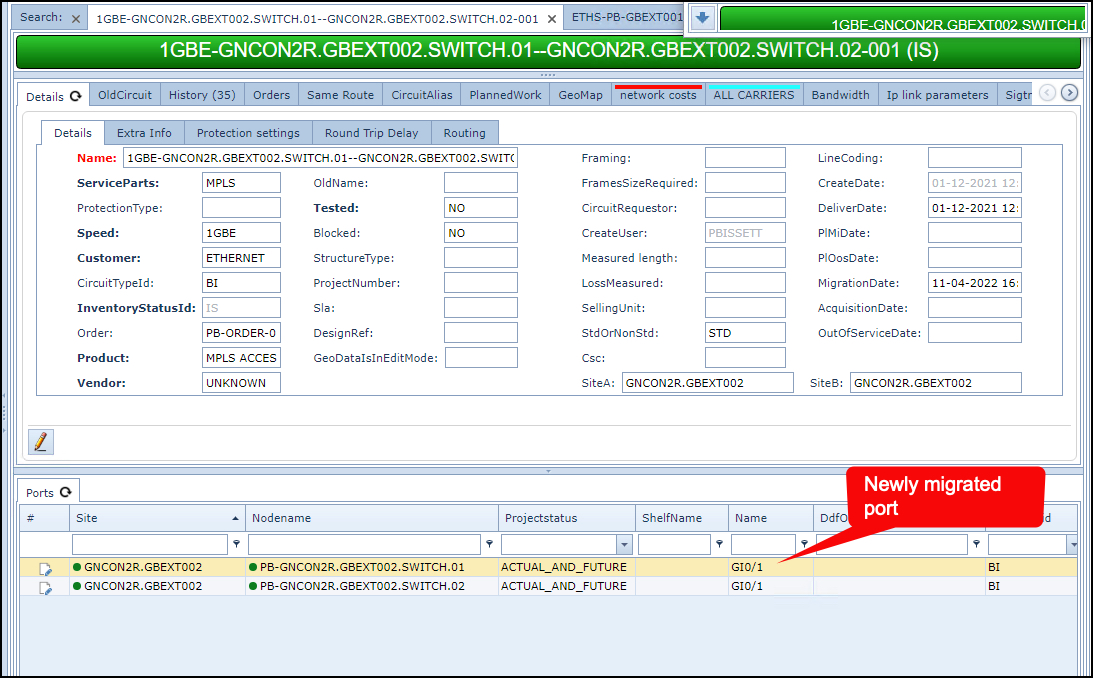
Refresh to Ports tab - notice the old and the new ports are showing
|
▪ |
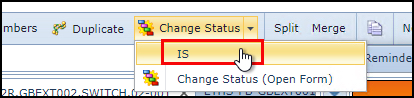
From the Circuit Form Actions button bar, select "Change status" and then "IS" (In Service)
|
This should now reveal the newly migrated port. The legacy port is now released.
Migrating carriers
▪ |
Locate the Circuit (sub circuit) that requires migrating onto another carrier channel |
▪ |
Change the Circuit's status to MI (Migrate) |
▪ |
Set the Connection to In Focus (button bar) |
▪ |
Click on the Circuit's "Carriers" tab |
▪ |
Right click on the carrier item line that will be migrated and select “Reserve for ceasure” |
▪ |
Search for and locate the new Carrier circuit which will host the migration |
▪ |
Right click on the carrier's name and select “Add to channel” |
▪ |
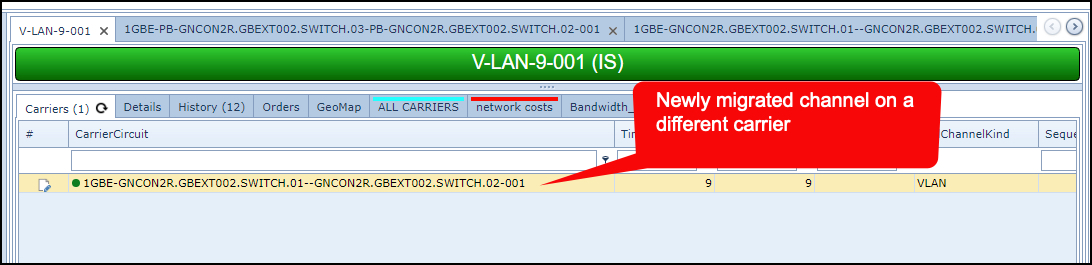
Refresh the Circuit (sub circuit) that is migrating carriers, to see the new carrier as well as the old one |
▪ |
Change the Status to IS (In Service) to process the final change |
The result will contain the new carrier circuit and channel details. The legacy channel will be released.
Circuit port modification with Bulkloader
This section is repeated from the IMS Admin Guide's section on Bulk Loader, and chapter called
Bulkloading - Circuit - Add and Remove Ports
To add/remove ports to a circuit using the bulkloader feature follow the same general steps described above:
These steps are:
➢Change circuit(s) to MI status.
➢Change status of old ports.
➢Add new ports.
➢Change the circuit back to IS status.
These 4 actions can be done with the same file, though any errors on a previous step will cascade into the next steps i.e., If a circuit cannot be changed to MI status the system won’t allow for the old port to be updated)
(NOTE: Only relevant fields are shown)
Example:

These actions will remove the relation between the circuit and the ports, but will not delete the ports from the node, they will remain available for any future connections until the port (or card it belongs to) are removed.