To change the status of a Connection, the following describes at least two methods to do so:
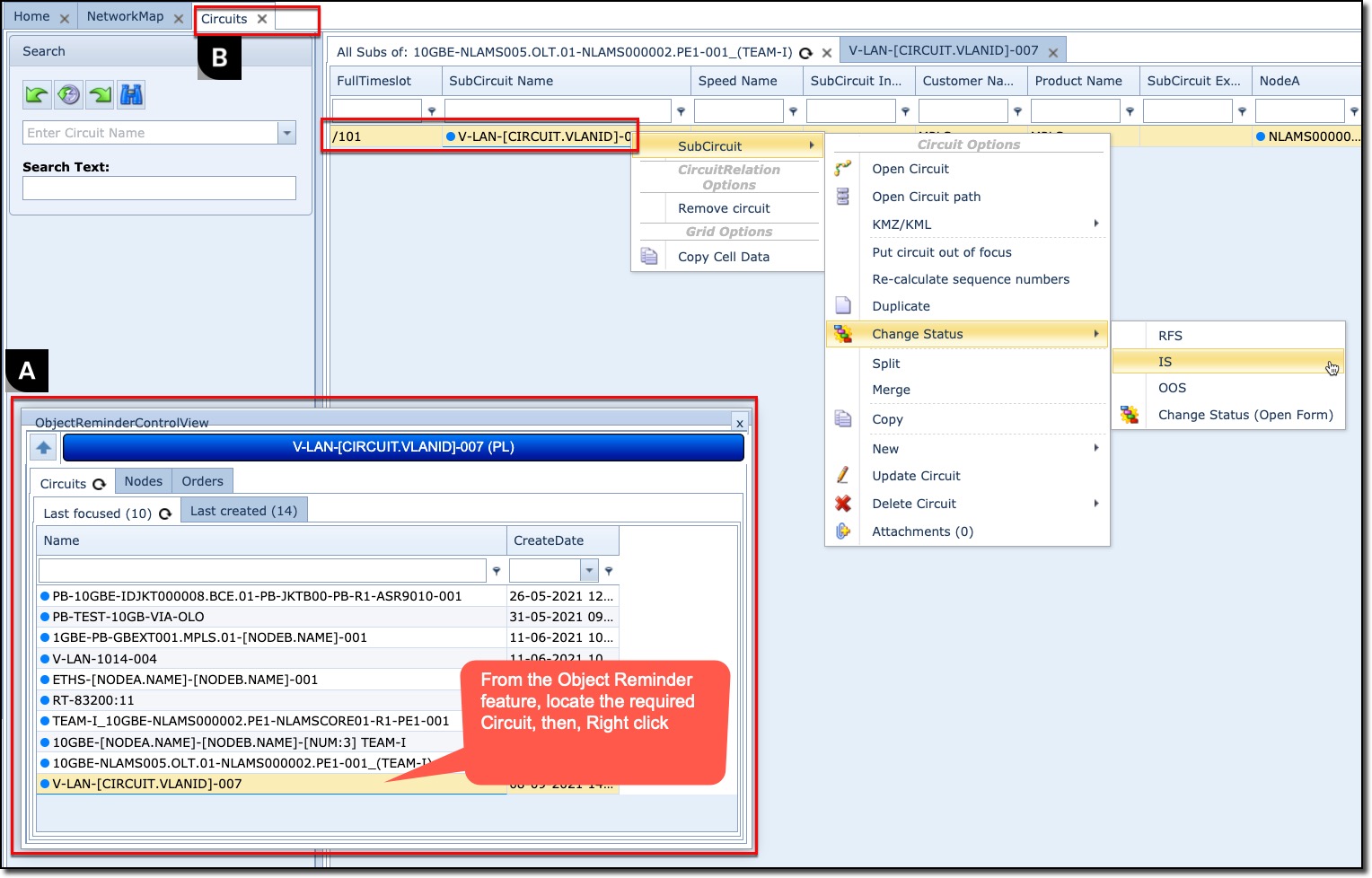
A |
From the ObjectReminder window, locate and right click on the required circuit to reveal the dropdown list |
B |
From the Circuits form tab, search for and right click on the circuit to reveal the dropdown list |
▪ |
Navigate to the Change Status option from the dropdown list and make your required new status selection |
If an invalid status option is selected, IMS will give a warning message in the lower right of the screen.
Please Note that you may receive an error message when trying to change the status of a Circuit. The reason for this is that there are certain rules in place that prevent any depending (child) objects to have an incorrect compared to its parent. For example you cannot set connection to in service when the carrier connection and or equipment is still in "planned" or "ready for service" status