This chapter describes the Network Map feature in VC4’s IMS.
The Network Map provides users with a graphical and geographical representation of the network. The form also offers a set of functions that allows the creation of the most used objects like Sites, Nodes and Circuits directly on this form.
Different kinds of network objects can be viewed in a map, such as:
Equipment |
DDF/ODF |
Manholes and splice-boxes (joints) Connections / services |
Link to other maps |

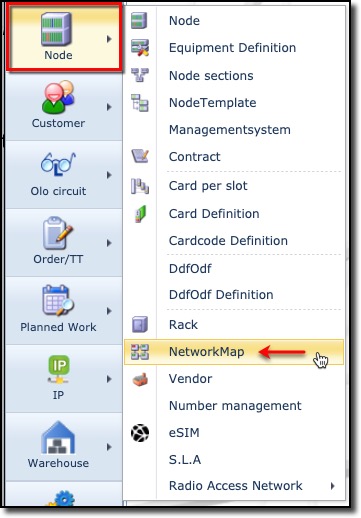
The Network Map functionality is accessed from the main menu bar, by selecting the Node object and then from the dropdown list provided, select the Network Map item.
▪ |
Select Node from the Main Menu bar |
▪ |
Select NetworkMap from the dropdown list |