When Order/TTs are open in the Order/TT form and / or placed in focus, IP Addresses can be related to them.
▪From the IP Range form select an IP Range from the Search area
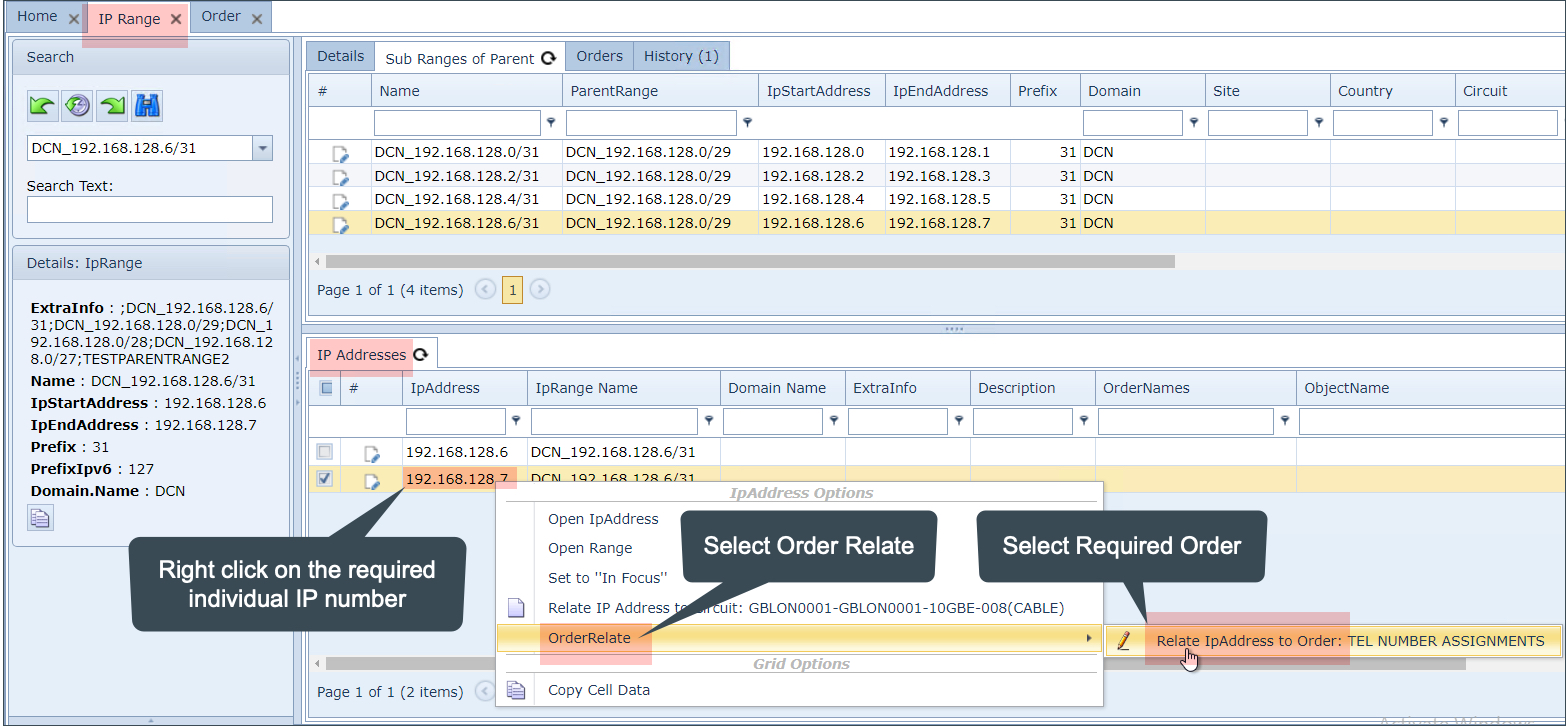
▪In the IP Addresses tab in the lower half of the UI, right click on the required IP number in the IP Address field
▪From the drop down list select Order Relate followed by the required order/TT instance
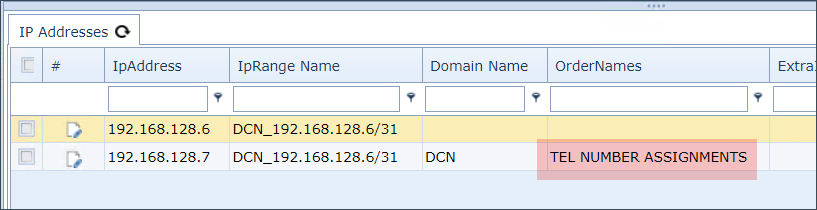
▪Validate the relationship by verifying the content of the Order Names column as highlighted in the next screen shot
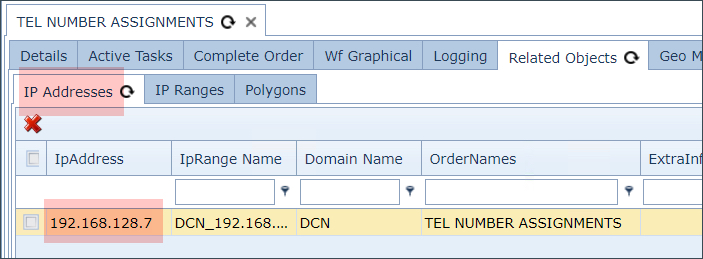
Further validation can be made from the related Order/TT by selecting the IP Addresses tab in the lower half of the UI
oMultiple related Order/TTs will be shown as comma separated entries in the Order Names column. oWhen there are more than 20 related Order/TTs, the 'More...' text will appear and can be selected to reveal further Order/TT entries. |
Remove IP Address to Order/TT relationship
To remove an existing association between an IP Address from an Order/TT, you have to go to the required Order/TT instance and delete the association.
For details on this, visit: IMS Basics - User Guide | Order/TT | Relate Order to other Objects | Removing Related Objects