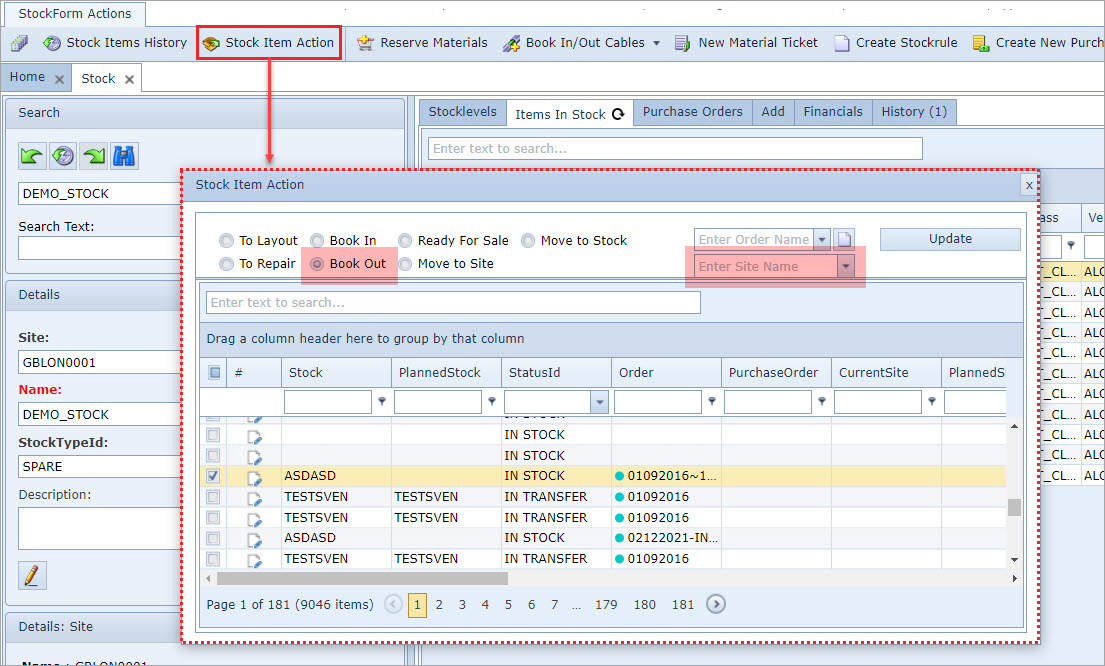
This User Setting is an option to make the Site Name object field optional in the Warehouse module when booking out stock using the Stock Item Action form.
The User Settings feature is accessed from the IMS Main Menu | Users | User Settings options.
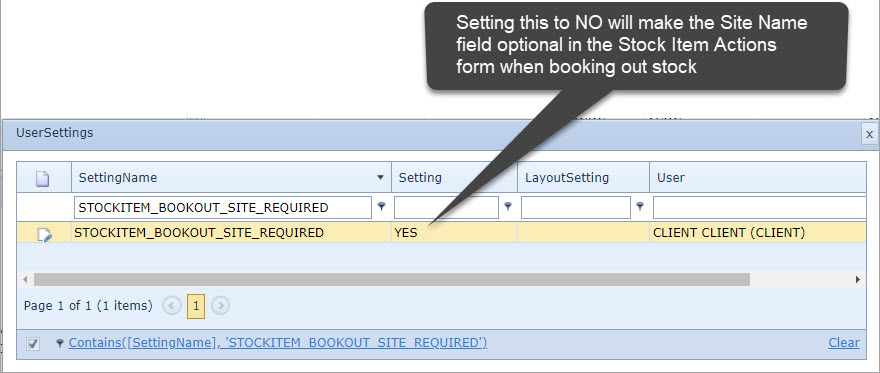
▪When selected, the User Settings popup window appears.
▪Search for, or create a new, Setting Name called STOCKITEM_BOOKOUT_SITE_REQUIRED.
▪In the Setting column field, type in NO - to make the Site Name field optional
▪In the User column field, type in CLIENT
▪Once finished, click on the green tick icon at the beginning of the row to save the settings.
If the STOCKITEM_BOOKOUT_SITE_REQUIRED user setting does not exist then the default selection for the Site Name field is mandatory |