From the Network Map feature:
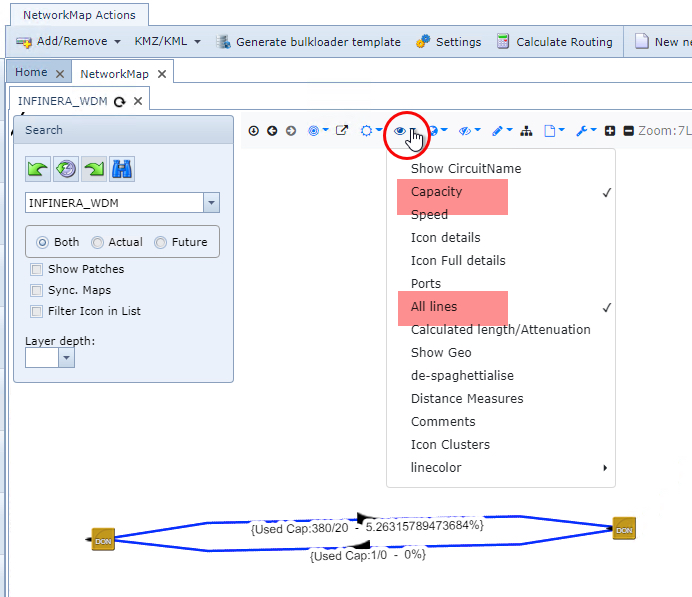
▪Select the NetworkMapDisplay option (eye icon) and from the dropdown list ...
▪Select the Capacity and All Lines options
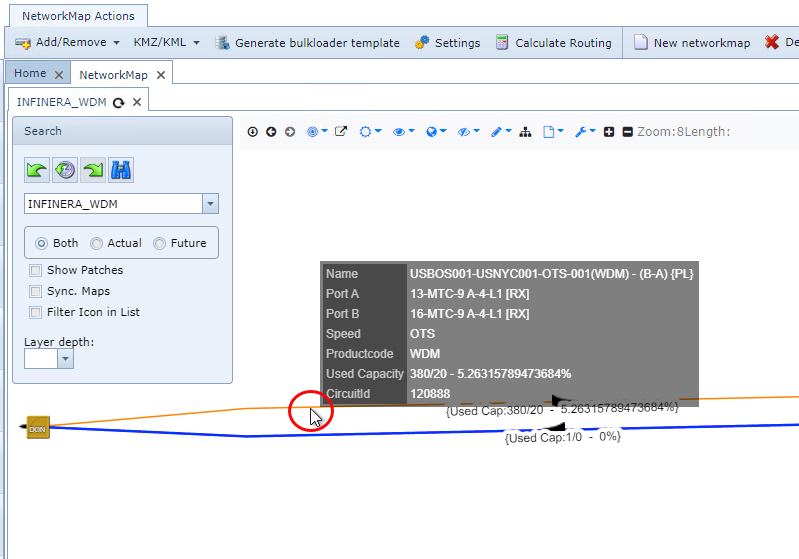
▪Mouseover any link to display its used capacity popup window
|
<< Click to Display Table of Contents >> Navigation: IMS version 22.6 & 22.9 > IMS Admin - User Guide 22.6 & 22.9 > Speed and Layering > Used Sub Capacity |
From the Network Map feature:
▪Select the NetworkMapDisplay option (eye icon) and from the dropdown list ...
▪Select the Capacity and All Lines options
▪Mouseover any link to display its used capacity popup window