✍ |
From the IMS Main Menu bar click on the Order/TT icon |
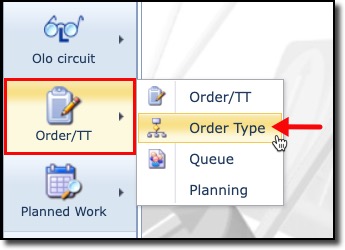
This displays a dropdown list of further Order/TT components:
Order/TT |
This is the main component for creating, deleting, and operating on work orders and Trouble Tickets |
Order Type |
This feature is part of the administration and setting up of orders in IMS. The Order Type is a defining task that is intended to accomplish a particular aspect of an overall order i.e., Input new settings for Tower cell 1, Test new settings, Update CRM, etc. All or some of these combine to create a work order |
Queue |
A logical conatiner representing a user or group of users that sign out and return various tasks with the aim of completing a work order |
Planning |
An administrative staff member in charge of work orders will assign other staff members, who are users with user accounts, to particular work orders. These in turn will appear in user’s schedules. |