Open a Card Definition instance of your choice.
From the CardDefinition Actions button bar:
▪ |
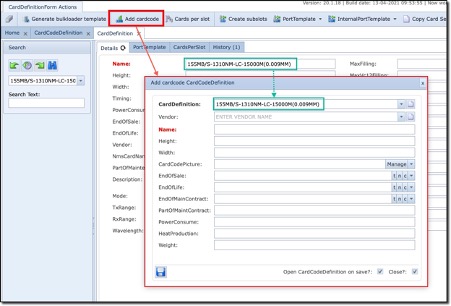
Click on the Add cardcode icon which opens up the Add Cardcode popup window |
▪ |
The CardDefinition field is automatically filled from the open Card Definition instance |
▪ |
For the Name field (red) type in the identifier which will become its Card Code Definition, this usually is an identification code, serial number, etc. that uniquely identifies this Cards variant |
▪ |
Fill in all other relevant details ar required |