An IMS User can also be a works Planner, that is; assigning whole Orders or individual tasks to other IMS User calendars. Adding a User as a Planner is achieved by going into each individual Queue, that they will be responsible for, and adding them as a Planner.
From the Queue form:
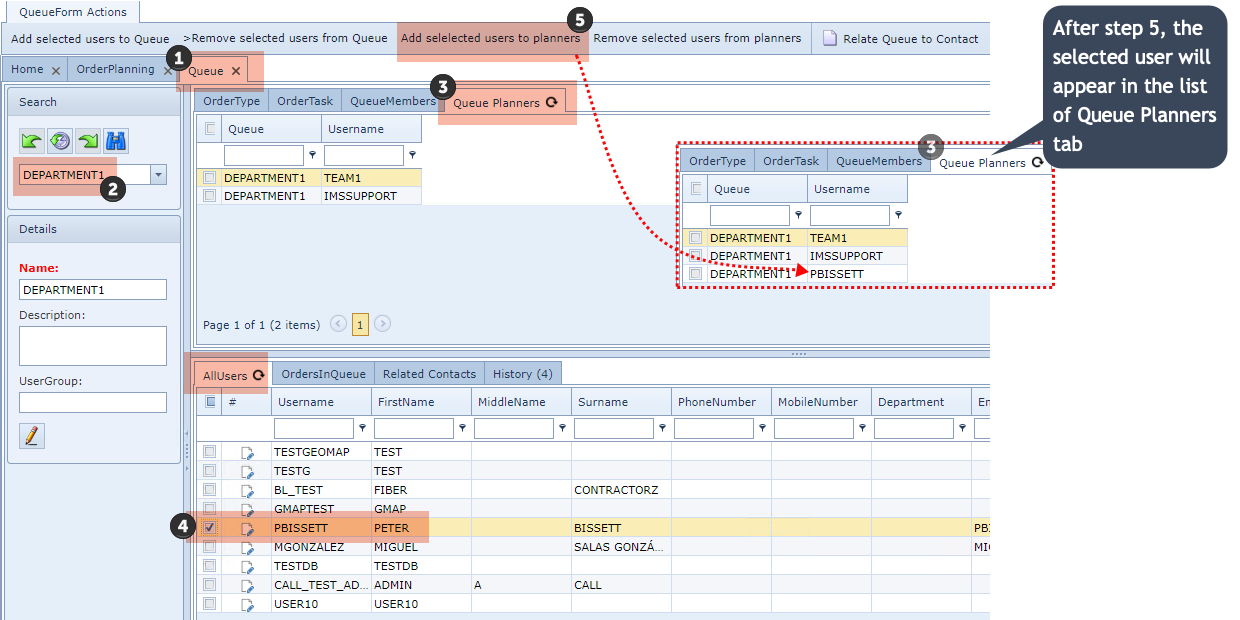
|
Open up the Queue form |
|
Select the required Queue |
|
Select the Queue Planners tab |
|
Select the required User/s from the All Users tab by enabling the check box/es |
|
In the Queue form's button bar click on the Add Selected Users To Planners option |