The Planning feature of the Order/TT module allows a work planner to access the work schedules of network staff to add, modify, and delete Order/TTs and tasks, by making use of their calendars to drag and drop tasks into their work schedules.
In order for a planner to schedule orders and tasks to other staff, the planner has to be added to the Planner group. This is achieved through the Queue feature in the Order/TT module. Refer to the section called Add User To Planner in the OrderTT module for more detail.
Access the Planning Feature
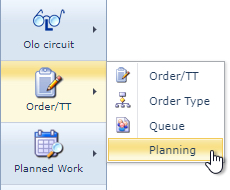
The Planning feature is accessed from the Order/TT module in the IMS Main Menu:
Order Planning Form
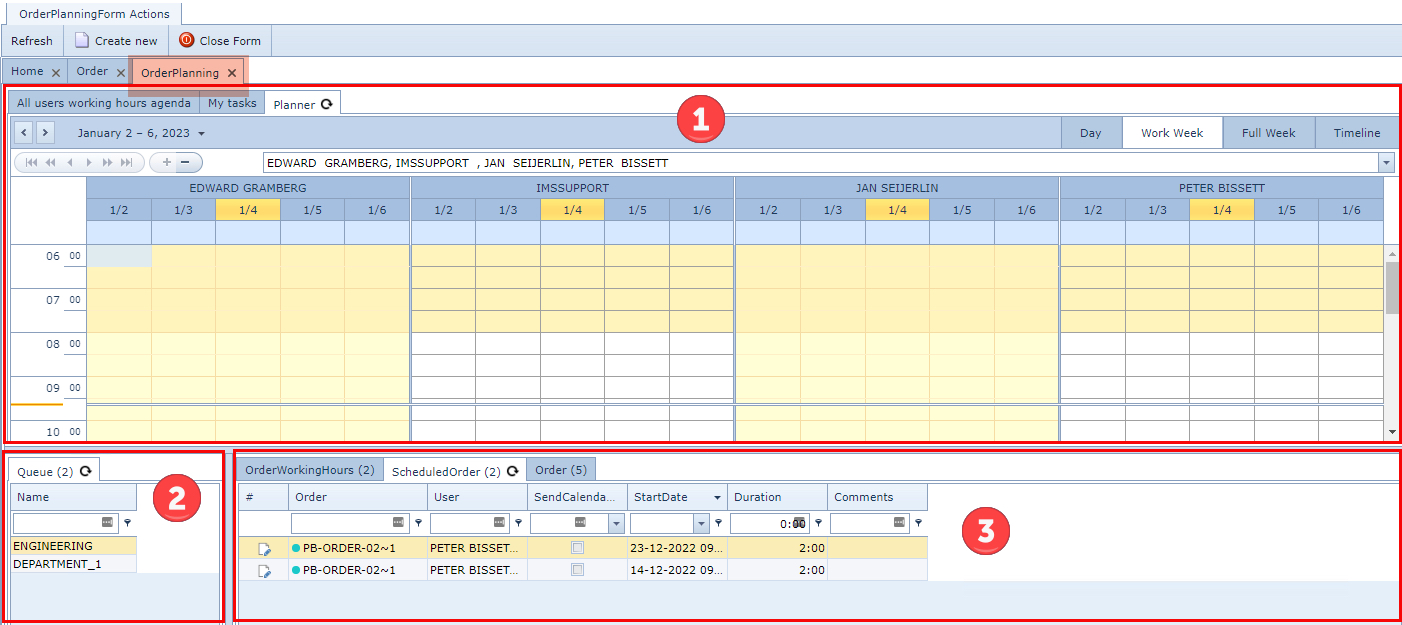
The Order Planning Form contains 3 main information display areas:
|
User Calendar area |
All Users Working Hours Agenda |
Calendars for all Users assigned to queues |
My Tasks |
Calendar for this logged in User |
||
Planner |
Calendars view of all Users on a Queue basis as selected in the Queue area |
||
|
Queue area |
List of all the Queues for the |
|
|
Order and Task area |
||



Assign an Order or Task To a User Calendar
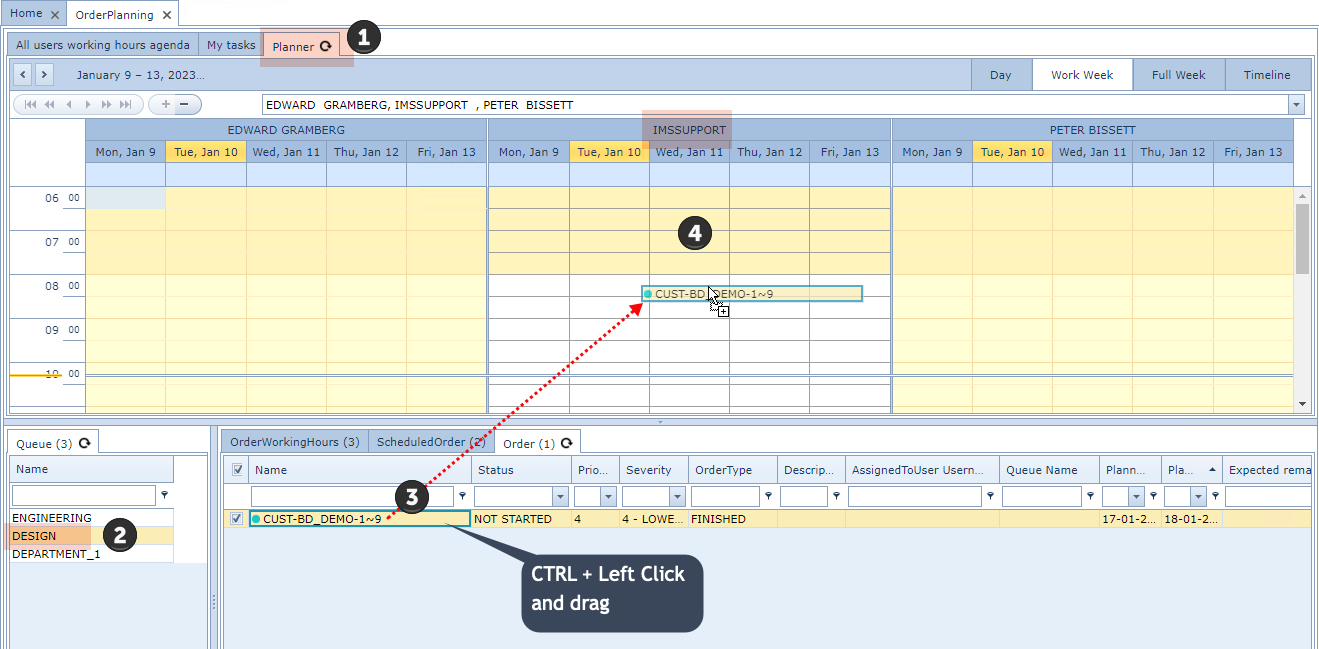
From the Order Planning form:
|
Select the Planner tab |
|
Select the required Queue |
|
Select the required Order or Task from the Order tab by pressing the CTRL + Left mouse click |
|
then drag the Order / Task onto the Calendar of the assigned User |