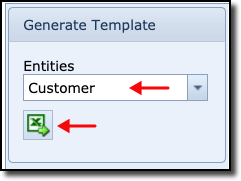
In this example, the Customer entity has been searched and selected from the Generate Template area,
and the Spreadsheet icon clicked.
As stated above, this produces an Excel file containing the BulkLoader data structure required for the
Customer entity, as shown in the screenshot below.

The first row contains the headers called Fixed Fields and Variable Fields.
Fixed fields must never be removed and will always contain data.
Variable fields are the ones that contain the Customer data to be loaded. Mandatory fields must be
completed (red text), all others are optional.
The second row contains the column names which relate to the database class entity.