The management of cables is handled differently in the IMS warehouse module, due to their nature and the way of ordering and delivery of cables.
Cables are not included in the usual StockLevels form tab, but can be found from the Stock Form in their own separate tabs of information and depending on the type of information required, for example:
Information required |
Tab name |
Levels of existing Cable by types |
StockCableLevel |
Tracking all the booking in and booking out transactions |
Cables in stock |
List of the Cable Types added to the Warehouse system |
Add, then Add Cables |
Refer to the following 3 screen shots for examples:
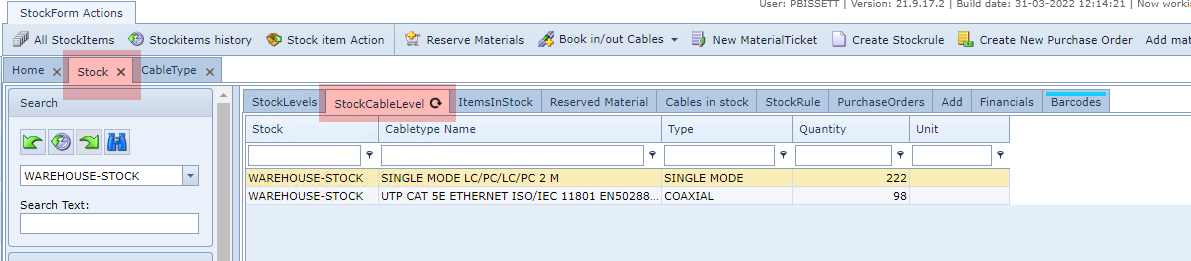
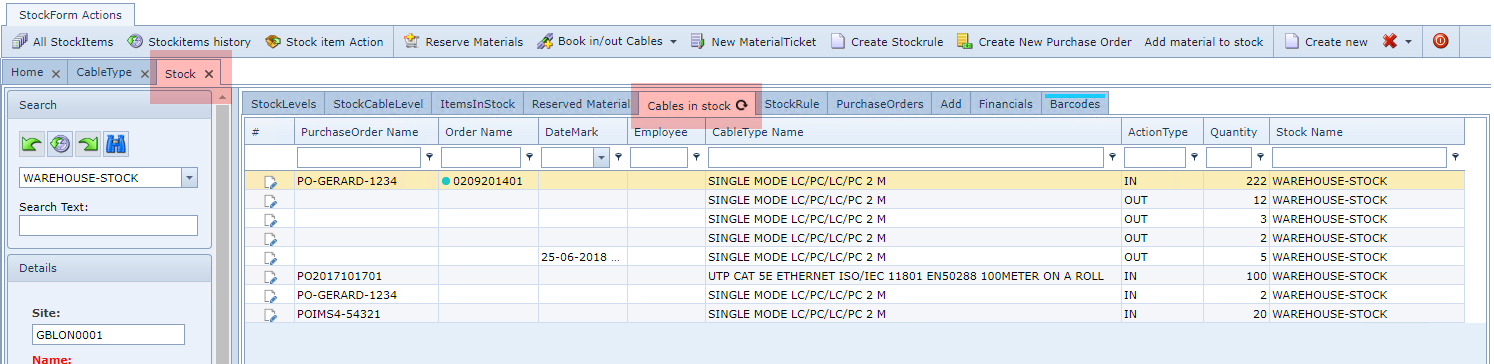

Cable Book In and Book Out
To book cables in or out, from the StockForms Action button bar:
▪Click on the Book in/out Cables option followed by either the In or Out option from the drop down list provided
This opens up the appropriate booking popup window
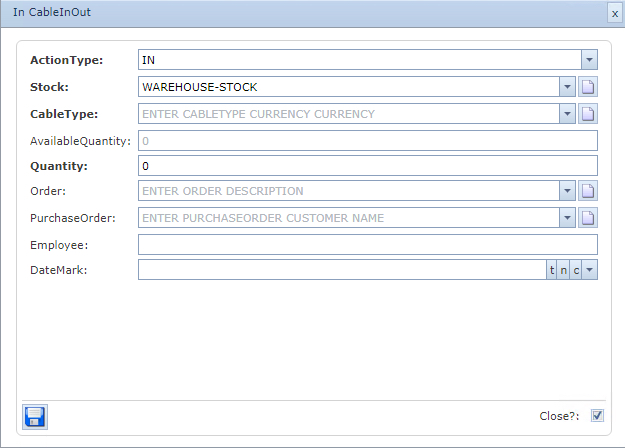
The ActionType and the Stock fields are already filled-in, and can be modified if necessary.
Fill in the rest of the fields as applicable, in particular the mandatory ones.
The following table provides the list of fields with a short description.
ActionType |
Auto populated depending on the Book in / out Cables option selected |
Stock |
List of available Stock instances that this booking will relate to |
CableType |
List of Cable Types available |
AvailableQuantity |
A stock level indicator display only field, taken from the StockCableLevel related DB table |
Quantity |
Quantity required to book in or out |
Order |
The IMS Order/TT instance this booking refers to |
PurchaseOrder |
The Warehouse P.O. this booking refers to |
Employee |
Free form text field for an employee reference for this booking |
DateMark |
Date and time stamp field if required |