|
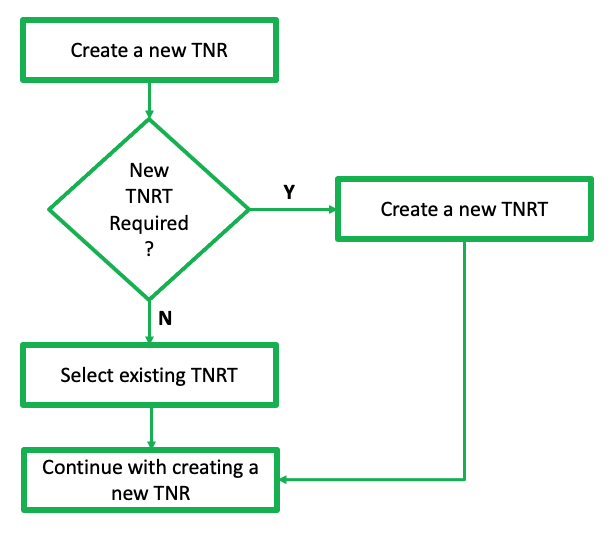
This section can take two possible routes, depending on the option chosen at the TelephoneNumberRangeType (TNRT) field. If a new TNRT is required, then there is a separate chapter for this process, after which you will return to complete this TNR section. |

From either of the TelephoneNumberRangeForm Actions tab:
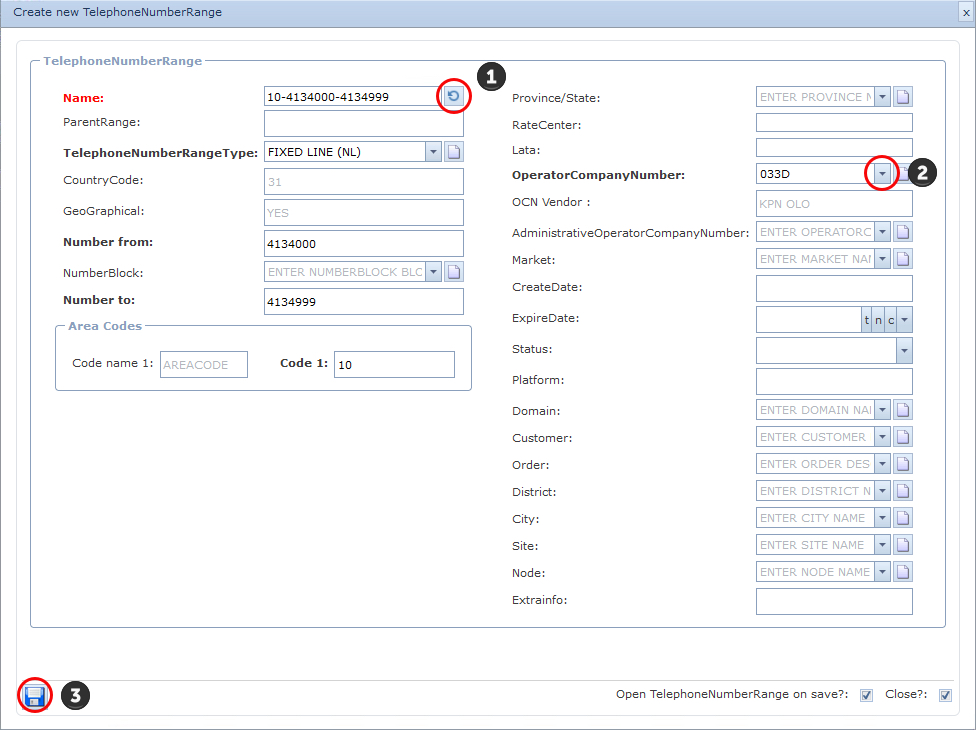
▪Select the Create New icon - which will open up the Create new TelephoneNumberRange popup window
Un-opened form

Current opened form
▪Click on the Create New option which then opens the Create new TelephoneNumberRange popup window
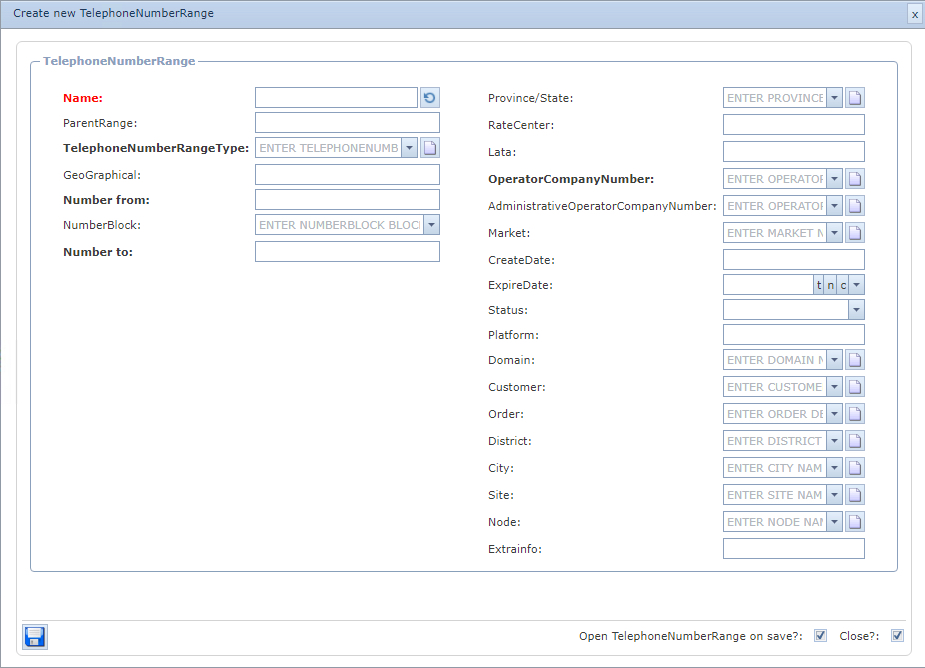
Fill in the following information:
▪ |
Name |
- This can be auto generated from the Name Template field under the Telephone Number Range Type (leave this until the number range has been selected, and it will be auto completed according to the Name Template established during the TNRT setup process) or, - it can be manually typed in according to your standard naming convention |
▪ |
Parent Range |
This will be auto-completed if this range is a sub-range |
▪ |
TelephoneNumberRange Type |
- Search and select from the existing list, or - Create a new instance by clicking on the new icon |
|
If you select the Create New TelephoneNumberRangeType option, then proceed to the chapter called Telephone Number Range Type - TNRT |
▪ |
GeoGraphical |
derived from the TNRT selection |
▪CountryCode: derived from TNRT selection – this example is 31
▪GeoGraphical: derived from TNRT selection – this example is YES
The following 3 fields are related to the number block required, and for this example we will be creating a range of 500 telephone numbers
▪Number from: 4134000
▪NumberBlock: <leave blank>
▪Number to: 4134999
▪Area Codes: 10 - representing Rotterdam’s area code
1 |
Click the Refresh icon to generate the TNR Name field |
2 |
Fill in any other fields of information as required, in particular the mandatory OperatorCompanyNumber |
3 |
Click on the Save icon in the lower left of the window to complete your work |
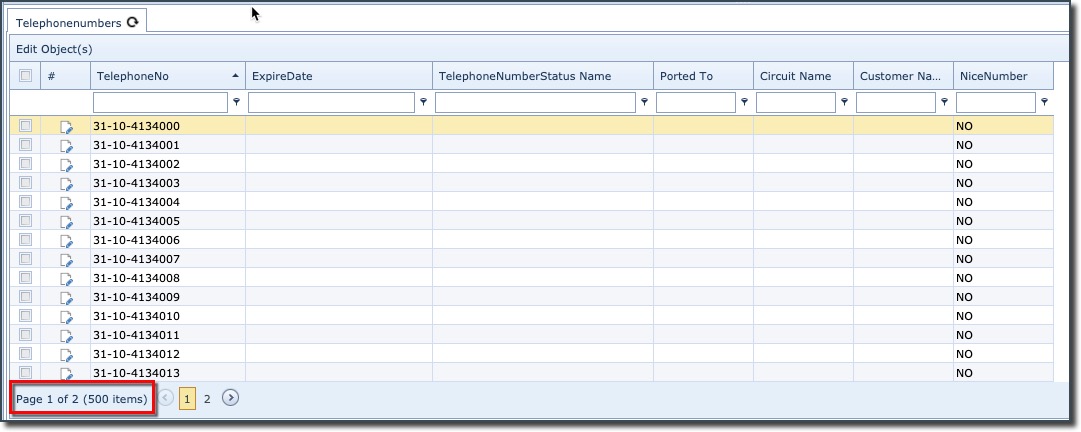
This closes the Create new TelephoneNumberRange popup window and now in the lower half of the TelephoneNumberRange tab pane you will see a reference to the 500 telephone numbers just created