To set up the card(code) per slot rules, do the following actions (also see screenshot)
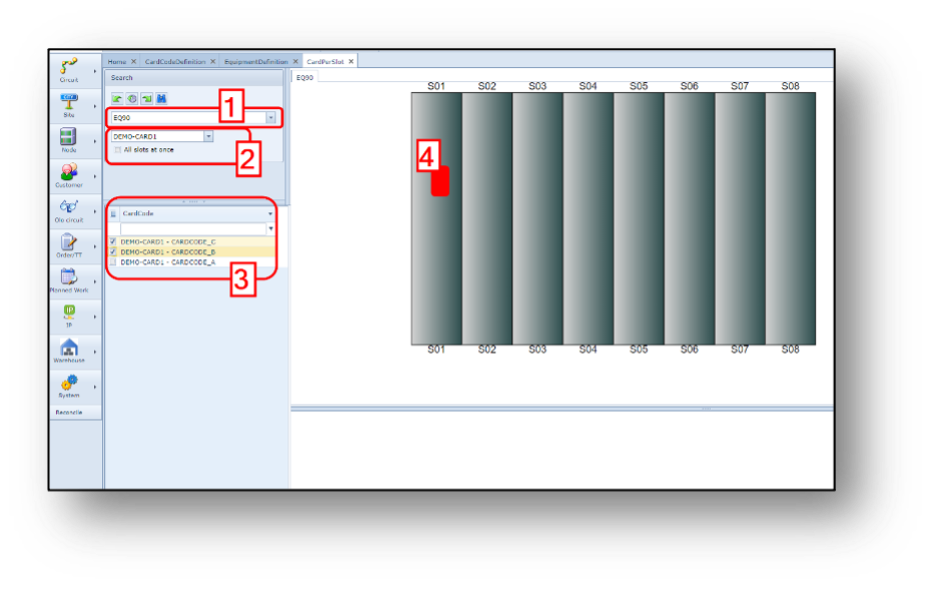
1.Search correct Equipment definition name
2.Find the card name (not the card code)
3.Select the card codes (if applicable) that
must be related to the slot.
4.Click on the slot (graphical layout)
where card(code) can be inserted.
In case a card occupies 2 or more slots,
first click left on the first slot and then
right click on the second(, third, etc) slot.