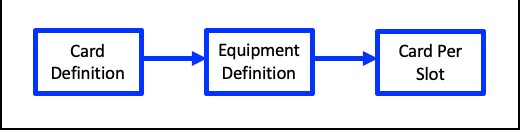
Continuing on from the previous section Adding Sub Slots to a Card Definition or Card Code Definition, this section shows how to add a Card Definition (or Card Code Definition) to the Subslot.
From the EquipmentDefinition Actions button bar:

▪ |
Click on the Cards per slot icon. |
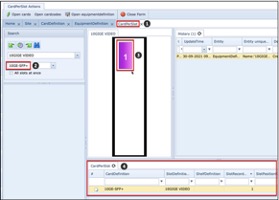
This opens the CardsPerSlot form tab [1]
[2] |
In the Search area section, click on the lower search field dropdown arrow and locate the required Card Definition name to be placed into the slot |
[3] |
Double click on the Slot Icon – this causes the required card to be loaded into the slot |
[4] |
The cardPerSlot tab appears in the lower horizontal pane with details of the Card loaded into this slot |