In the Equipment definition form, you can manage the node types, schematic or blueprint.
An equipment model needs to be defined once, so users can create and register a node by using this type.
For each equipment definition, settings and a layout (or picture) must be defined, which determines
how nodes of this type “behave” in the IMS application.
Open Equipment definition form
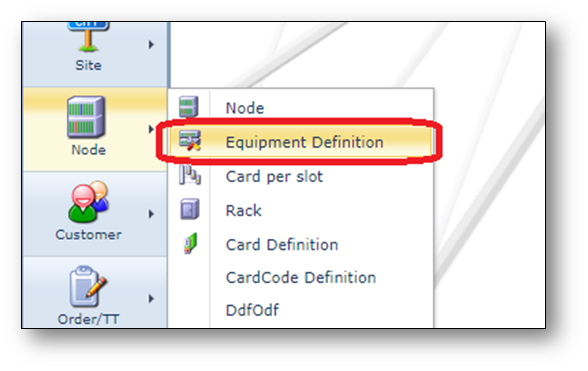
Open the Equipment definition form, via Node menu, option Equipment Definition.
Find an Equipment definition
In the search field, type the name of the equipment definition.
Click the Search button or press enter.
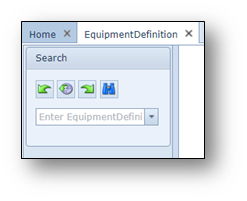
The details of the Equipment definition are shown.
Information in the Equipment Definition form
Below a short explanation of the information in the Equipment definition form.
Screenshot: N5K-C5596UP (Cisco) Equipment definition
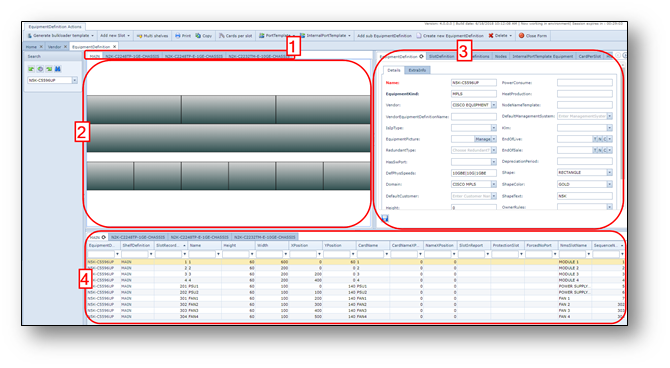
The Equipment Definition form is divided into a couple of sections as numbered in the above screenshot.
1.Tabs representing the different shelf definitions for this equipment definition where the tab name
is the shelf definition name.
2.The layout of the equipment or shelf definition, these are the slots.
When there are no slots, a picture can be used instead (upload via EquipmentPicture field)
3.The Equipment definition settings.
4.The Equipment or shelf layout settings.
Create an Equipment definition
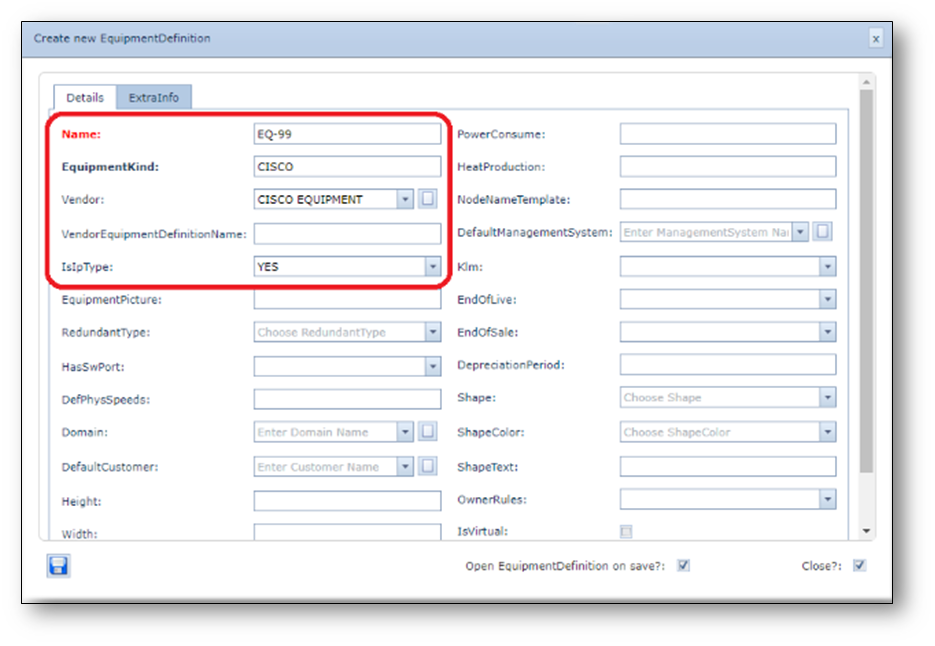
1.Click the “Create new EquipmentDefinition” button on the EquipmentDefinition actions menu bar.
2.Fill in the following details:
•Name
•EquipmentKind
•Vendor
•IsIpType
3.Click the Save button to create the new equipment definition.
Example screenshot: Create new EquipmentDefinition
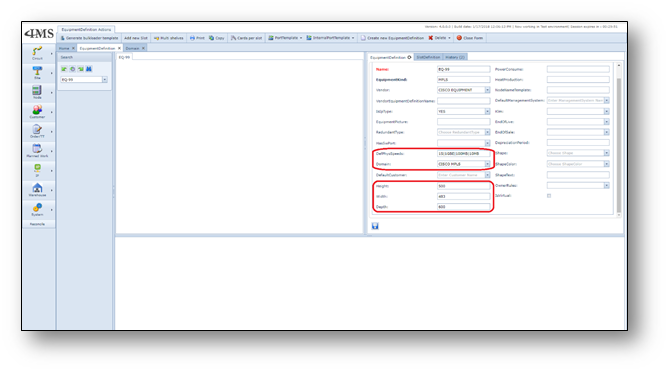
Update Equipment Definition details
1.Update the following details:
•DefPhysSpeeds This field identifies the standard speedsetting when inserting
nodes on the network map, e.g. 1GBE|10GBE|100MB etc
divided by a piper ‘|’ symbol)
•Domain Domain of node
•Height Equipment height in mm
•Width Equipment width in mm
•Depth Equipment depth in mm
Screenshot: EquipmentDefinition details
Create layout
To create a layout of the new equipment definition, the tab page “slot definition” should be used.
The layout is created by assigning and drawing the slots, an example is given below:
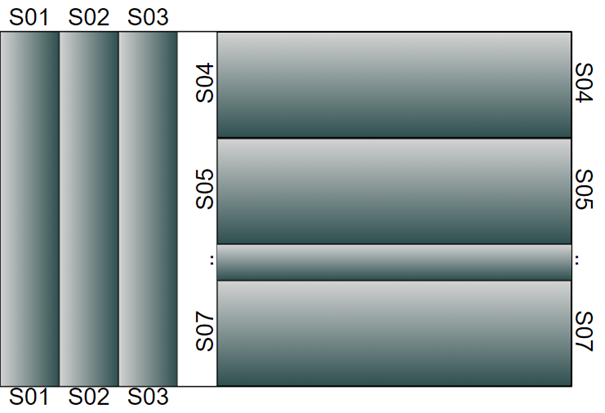
For above example, the following settings were used for slot 01
•Number = 1
•Slot name = S01
•Height = 300
•Width = 50
•X-pos = 0
•Y-pos = 0
•CardName = S01
•CardNameXposition = 50
•NameXPosition = 50
Create Multi-Shelf type
Some equipment types consist of multiple shelves/chassis.
If that is the case, click button “Multi shelves” in the top menu bar.
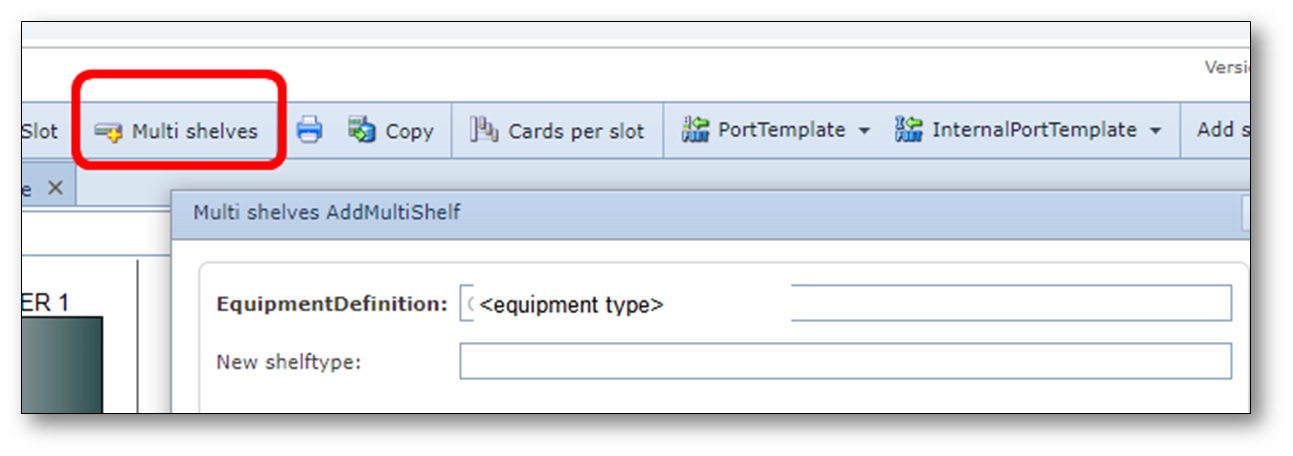
Fill in the name of the shelf type to be created and press save.
The slots modeled earlier will be move to that new shelf type.