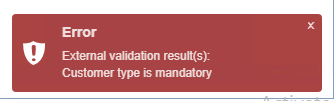
In this exercise, an SQL statement will be added to the external validation instance that will ensure the
Customer Type field is selected and not remain empty when a new Customer object is added to IMS.
Start by opening a new Create new ExternalValidation popup window - instructions on this are in the
previous section.
Fill in the following data into the popup form as below.
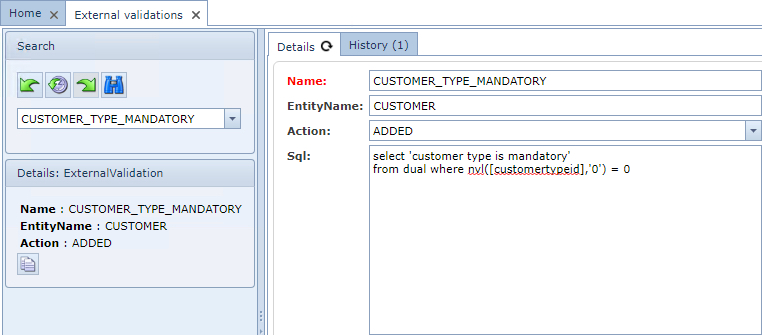
Name |
CUSTOMER_TYPE_MANDATORY |
EntityName |
CUSTOMER |
Action |
ADDED |
Sql |
select 'customer type is mandatory' from dual where nvl([customertypeid],'0') = 0 |
▪Click on the Save icon in the lower left corner.
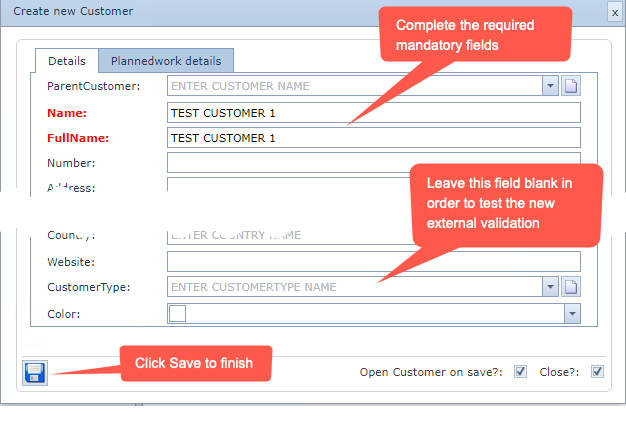
The next step is to test the validation by creating a new Customer object and omit completing the
CustomerType field
The result should show the validation message at the lower right corner of the screen