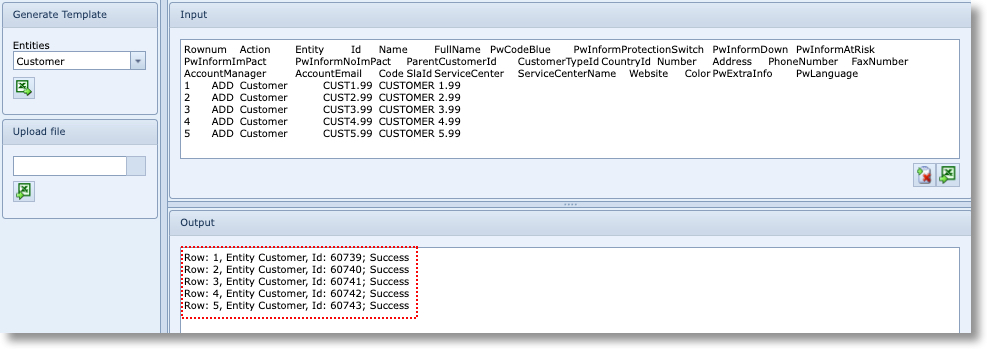
Open the Bulkloader form.
▪ |
Select the Customer template from the Entities dropdown field |
▪ |
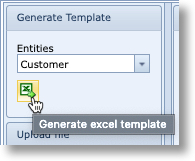
Click on the Generate excel template icon
|
|
|
▪ |
Open up the excel file once generated which will be located in the lower left corner of the Bulkloader form |
▪ |
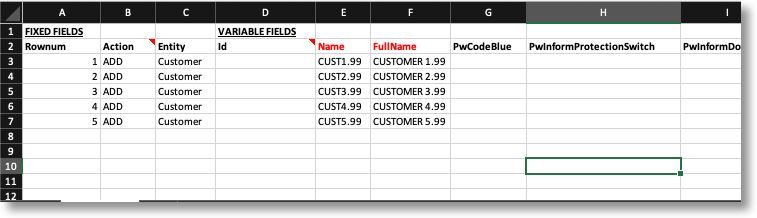
Fill on the following information in the spreadsheet |
|
Rownum |
1 – 5 |
|
Action |
ADD [in all five rows] |
|
Entity |
CUSTOMER [in all five rows] |
|
Id |
[leave blank] |
|
Name |
CUST1.X – CUST5.X [in all five rows] |
|
Full Name |
CUSTOMER 1.X – CUSTOMER 5.X (5 rows) |
Copy rows 2 through 7 - exclude row 1
▪ |
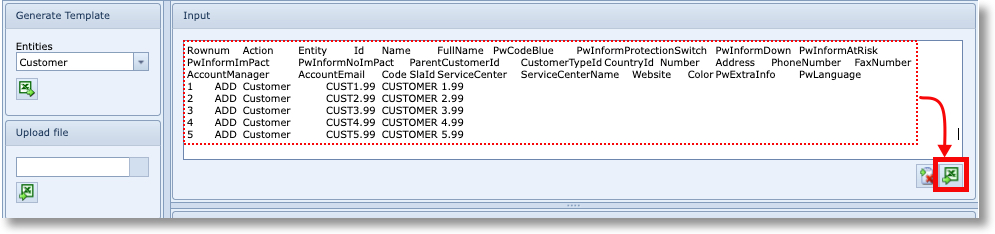
Paste the copied data into the bulk loader screen of IMS and click on the execute button in the lower right of the screen. |
▪ |
Once loaded you should receive a Success confirmation |
|
If any issues are encountered during loading, then a Failed message will show giving a clue to the problem i.e., object already exists, or invalid action (missing ADD in the Action column), etc. |