The Export to KML or KMZ feature allows Network Map users to quickly make a copy of an existing map into a KML or KMZ version.
From the Network Map Actions button bar:
▪Select the Export option
▪From the drop down list, select the Export to KMZ or KML option
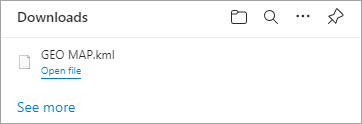
This will export the file to the local machine's download folder - an example is shown in the following screen shot:
This can then be imported into a new or existing map - see section called Import from KML/KMZ Geo Points.