Introduction
With IMS Finance and Revenue features, it is possible to track the company's debtors through the Invoice and payment of invoices. The Revenue feature allows each invoice to be added to a revenue Type, to help keep accurate financial and budgetary forecasts.
Should the integration between IMS Finance & Revenue Warehouse modules and other Enterprise Resource Planning systems (ERP) be required, then please contact VC4 to discuss options.

Figure 01 - Finance & Revenue process and outputs
This section ties in with the Warehouse module and the following features are described, accessed and utilised there:
➢In Number - refers to an Investment Number - abbreviated IN
➢Purchase Order - abbreviated PO
➢Invoice
In Number
Before registering an invoice, a related In Number (IN) must exist in the system. An IN will possess an overall budget amount - usually for a project, a customer or department, an IMS Order reference - separate from a PO, as well as a list of associated POs and their material items.
An IN is accessed and created from the Warehouse module and a full description is given there.
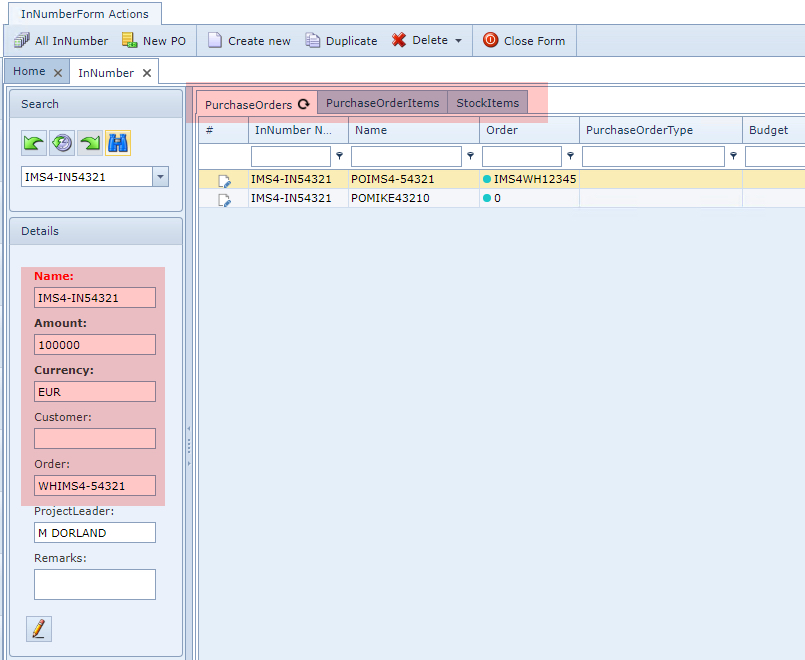
Investment Number example
Purchase Order
A Purchase Order will typically be linked in with a customer's project where they are requesting material items from the Warehouse department. A PO has its own budget amount and ties in to the overall IN instance - which contains the over-arching budget for the programme.
The PO module will allow adding material items and the quantities required. A PO can also relate to other POs using the same IN.
One of the optional fields in the PO is the Order field, which relates directly to the IMS Order/TT object.
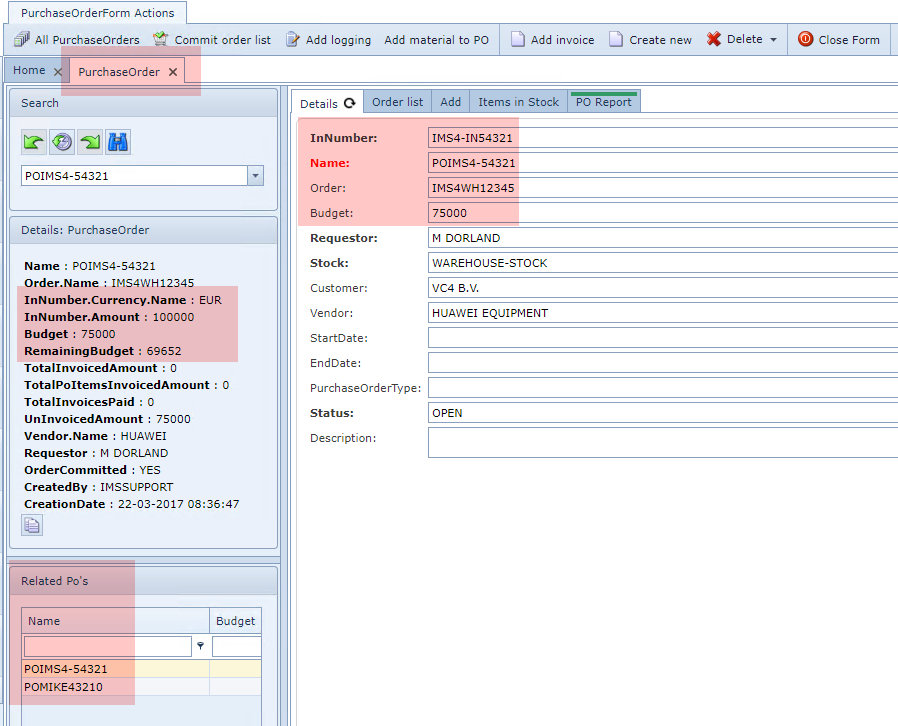
Purchase Order example
A Purchase Order is accessed and created from the Warehouse module and a full description is given there.
Invoice
Invoices are directly linked with a Purchase Order. As well as currency amounts, the Invoice feature can track whether a payment or payments have been made towards it.
With the help of date and time functionality, it is possible to draw up lists of Invoices that are past their Expected Pay Date of payment in order to send out reminders to debtors.
Using the Planned Sent date is also a good way to obtain a list of all invoices that can now be sent out, once this date field has passed.
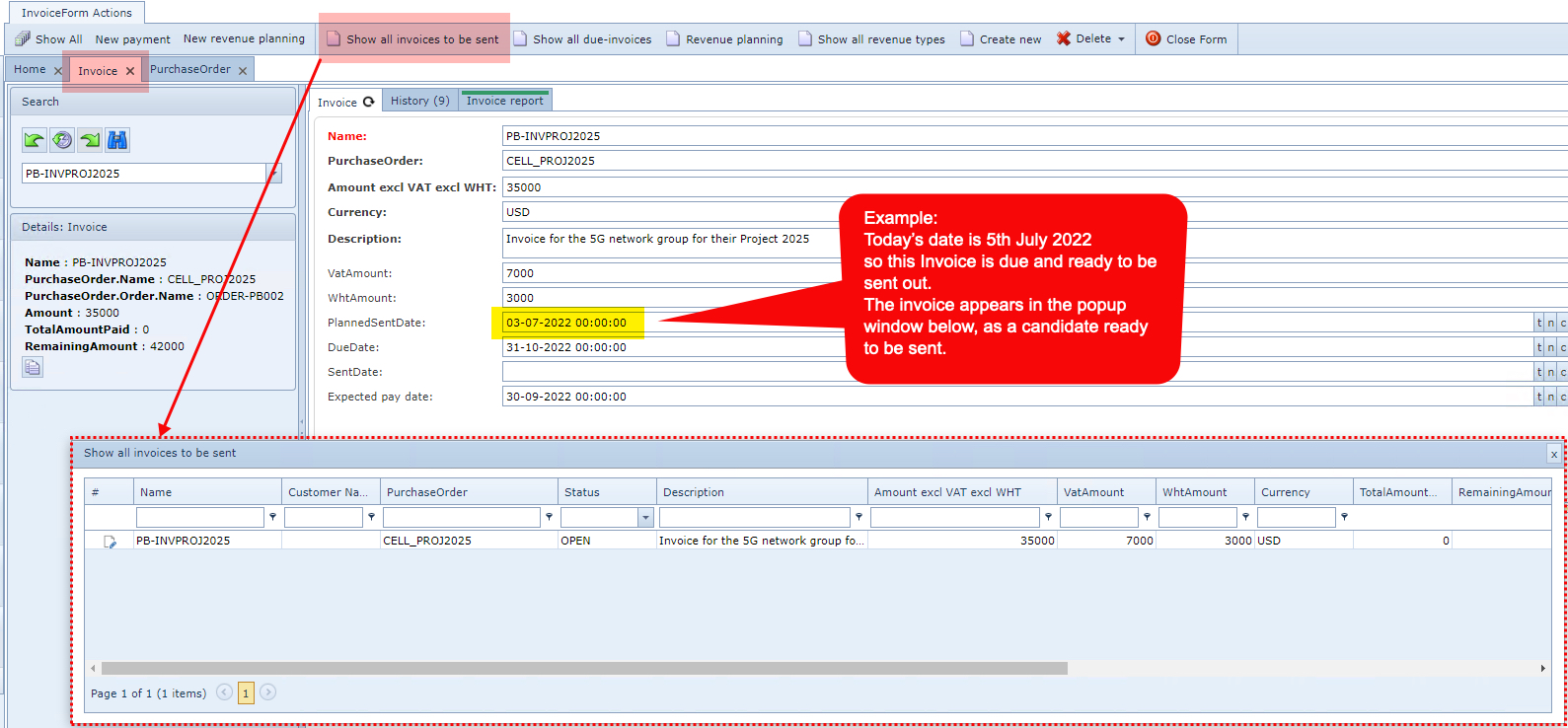
As mentioned earlier, full and part payments of invoices can also be tracked, by utilising the New payment feature from the InvoiceForm Actions button bar.
Any past payments will be reflected in the Details section as highlighted below.
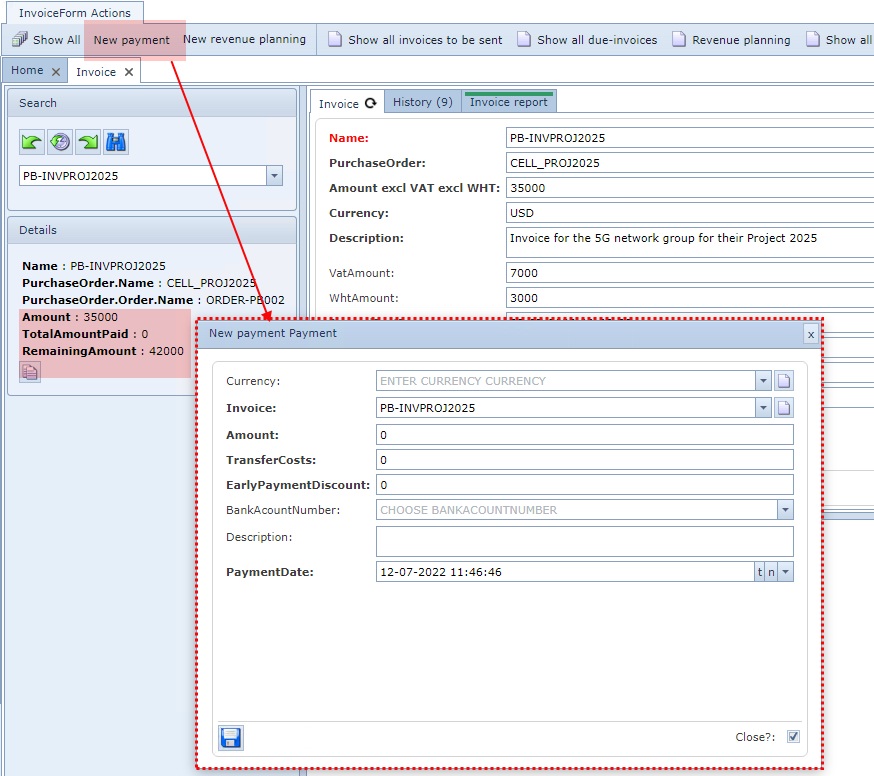
An invoice is accessed and created from the Warehouse module and a full description is given there.
Revenue planning
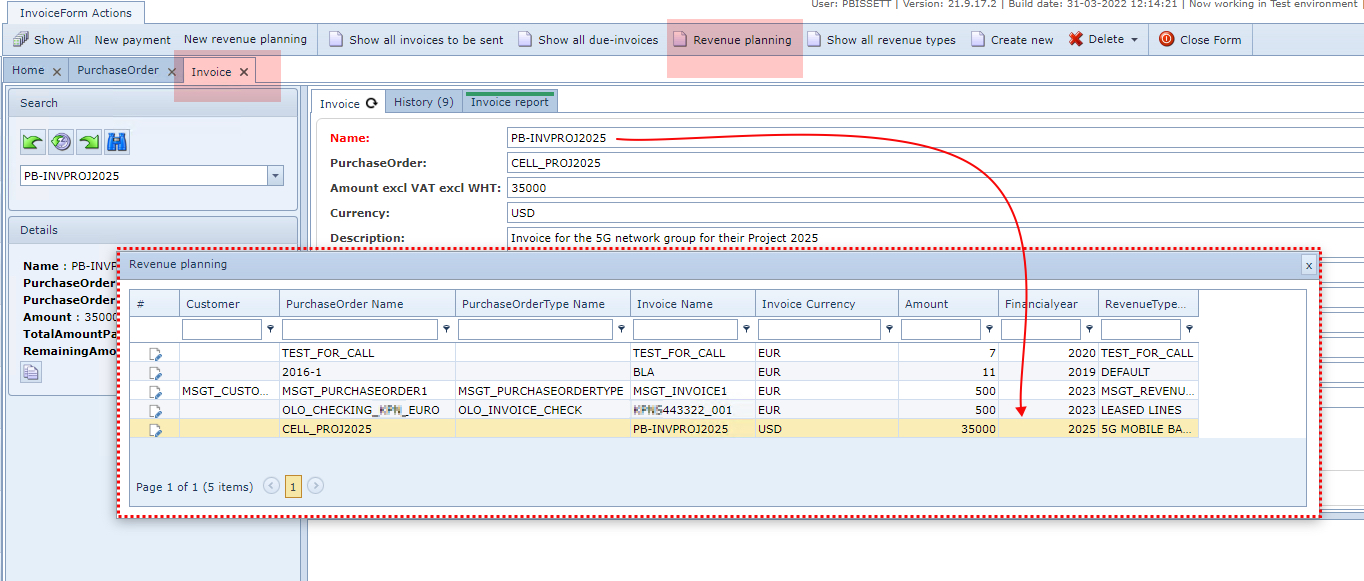
This feature works by grouping and assigning invoices to it (Revenue Planning feature) usually ahead of time, in order to help calculate company profitability. Regular revenue forecasting and expenditure tracking helps determine if financial projections and operating budgets are accurate. Companies can then make the necessary adjustments based on these data.
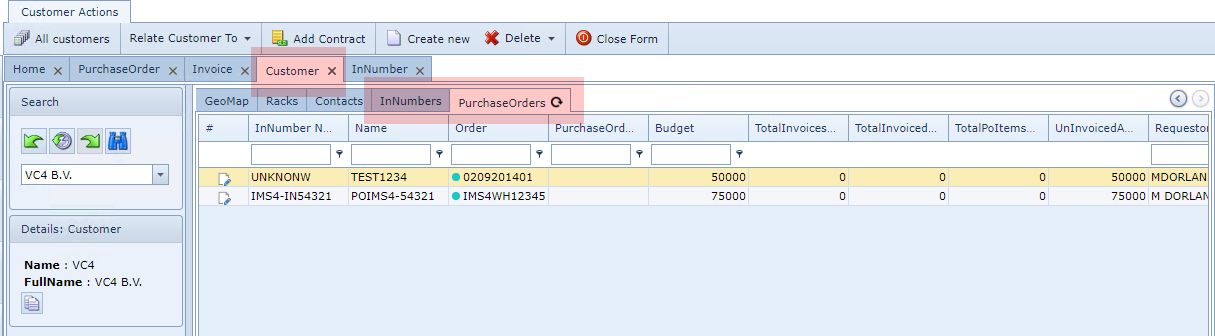
Customer
In Numbers, Purchase Orders, Invoices, Due Invoices and payments, will be shown in a separate tab in the Customer object.