Equipment can be managed by a Network Management System (NMS) or Element Management System (EMS).
These management systems can be registered in the Management Systems form in IMS.
Open form
The Management Systems form can be opened via
Menu -> Register > Management Systems
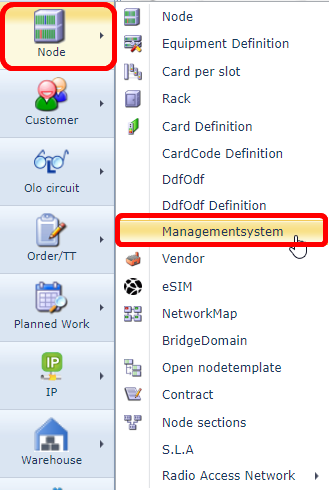
Find Management systems
In the left top corner of the screen a search area is available:
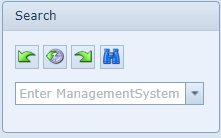
Via the pull down field, existing management systems can be found.
Information on screen
After a Management System is opened, the following details will appear on the screen
Left of the screen:
Management System |
Name of Management System, like U2000, NetAct, OMS,
|
Network Address |
Network Address (NSAP or IP) of Management System
|
Vendor |
Name of equipment vendor
|
Customer |
Only used when an interface is for one specific end customer
|
ReconcileSchemaName |
Only used when the NMS/EMS is set up for reconcile and auto discovery. That that case this field holds the database schema name.
|
Main screen
The main screen of the Management System form consists of different tab pages.
Each tab holds specific information.
Important notes:
- Not always all tab pages are visible, only when there is related data
- When the screen is empty (no tab pages), it means no attributed are registered against this management system
- VC4 customers often requests for specific (customized) tab pages, these are not explained.
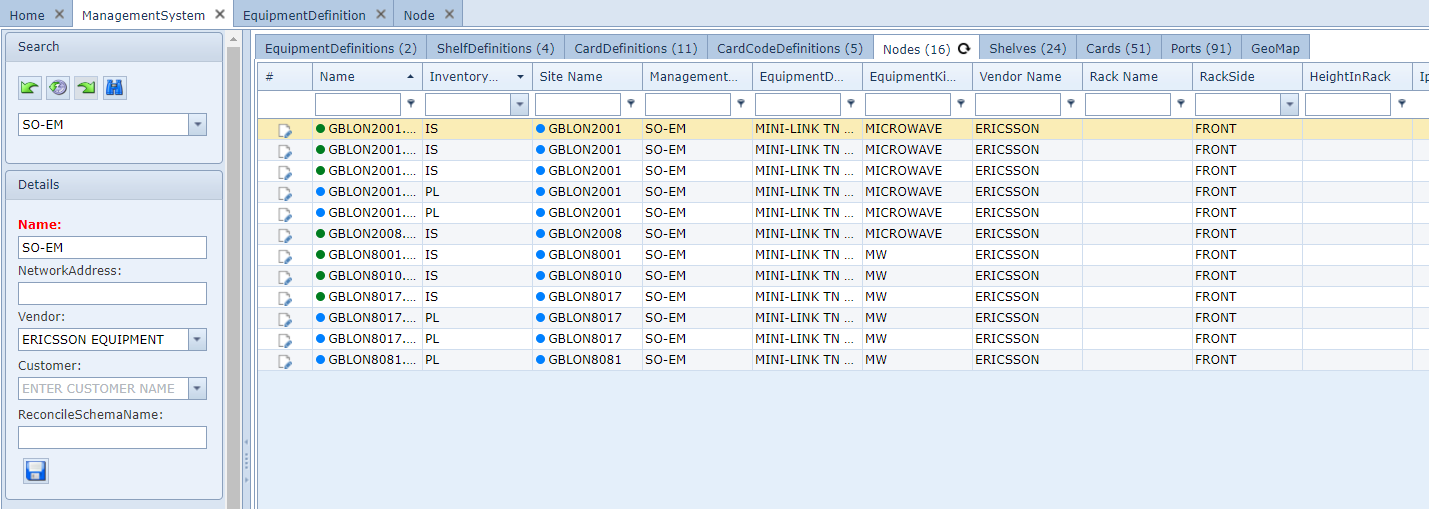
Equipment Definitions
This tab page lists all the equipment types/definitions related to the management system.
IMS finds this relation via the equipment definition that is stored against the nodes that are related to the
management system.
Shelf Definitions
This tab page lists all the equipment shelf types/definitions related to the management system.
IMS finds this relation via the equipment shelf definition that is stored against the nodes that are related
to the management system.
Card Definitions
This tab page lists all the equipment types/definitions related to the management system.
IMS finds this relation via the card definitions that are present in the nodes that are related to the
management system.
CardCode Definitions
This tab page lists all the equipment types/definitions related to the management system.
IMS finds this relation via the cardcode definitions that are present in the nodes that are related to the
management system.
Nodes
This tab page lists all the equipment/nodes related to the management system.
Shelves
This tab page lists all the equipment shelves related to the management system.
IMS finds this relation via the shelves in the nodes that are related to the management system.
Cards
This tab page lists all the equipment cards related to the management system.
IMS finds this relation via the cards in the nodes that are related to the management system.
Ports
This tab page lists all the equipment ports related to the management system.
IMS finds this relation via the ports on cards in the nodes that are related to the management system.
Geo Map
This tab page shows all the nodes/equipment related to the management system in a geographical map.
IMS finds this relation via the nodes that are related to the management system.
The geo position comes from the latitude/longitude stored in the site/location where the nodes are installed
Create new Management System
To create a new management system, press new button "Create new ManagementSystem":

Fill in the details
Management System |
Name of Management System, like U2000, NetAct, OMS,
|
Network Address |
Network Address (NSAP or IP) of Management System
|
Vendor |
Name of equipment vendor
|
Customer |
Only used when an interface is for one specific end customer
|
ReconcileSchemaName |
Only used when the NMS/EMS is set up for reconcile and auto discovery. That that case this field holds the database schema name.
|
Press save.
Add interface information
To store reconcile interface information, press the "Add interface" button.

Fill in the following data fields
Management System |
Name of Management System, like U2000, NetAct, OMS,
|
Type |
Type of NBI. For example CORBA, TL1, SSH, Telnet, etc
|
IP Address |
IP address of the NBI interface
|
Portnumber |
Port number of the NBI interface
|
Loader Type |
Type of loader that is being used
|
Loader Version |
Version of the interface loader |
Username |
User name that is being used for the NBI |
Password |
Password that is being used for the NBI |
Extra Info |
Additional information |
Press save.