This chapter explains how to create a new location in the Network Map using the site template functionality
For example, if a new location needs to be created in highlighted area as per screenshot below
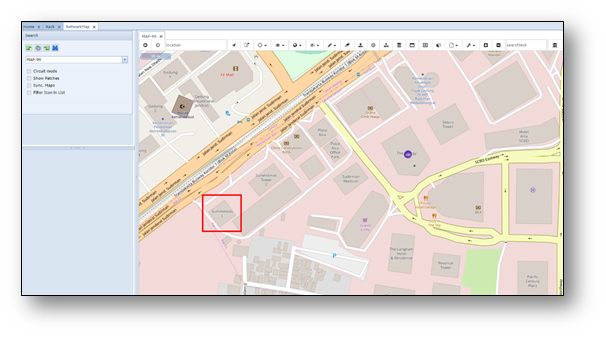
Create new site using Network Map and site template
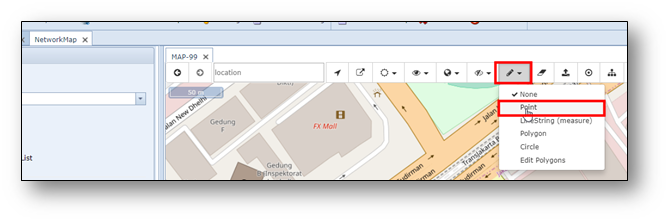
Use option “point” in the “choose draw option” menu, as per screenshot below:
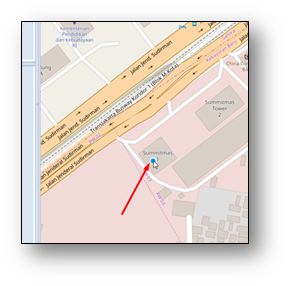 A blue dot appears where your mouse pointer is. Move your
mouse to the correct place of the new site and click once with
left mouse button. The dot is temporary saved as a yellow dot.
Note: The idea is that more locations can be selected and
create multiple sites in 1 go.
For this explanation only 1 site is selected.
The site(s) can now be created using the “save draw buffer” button.
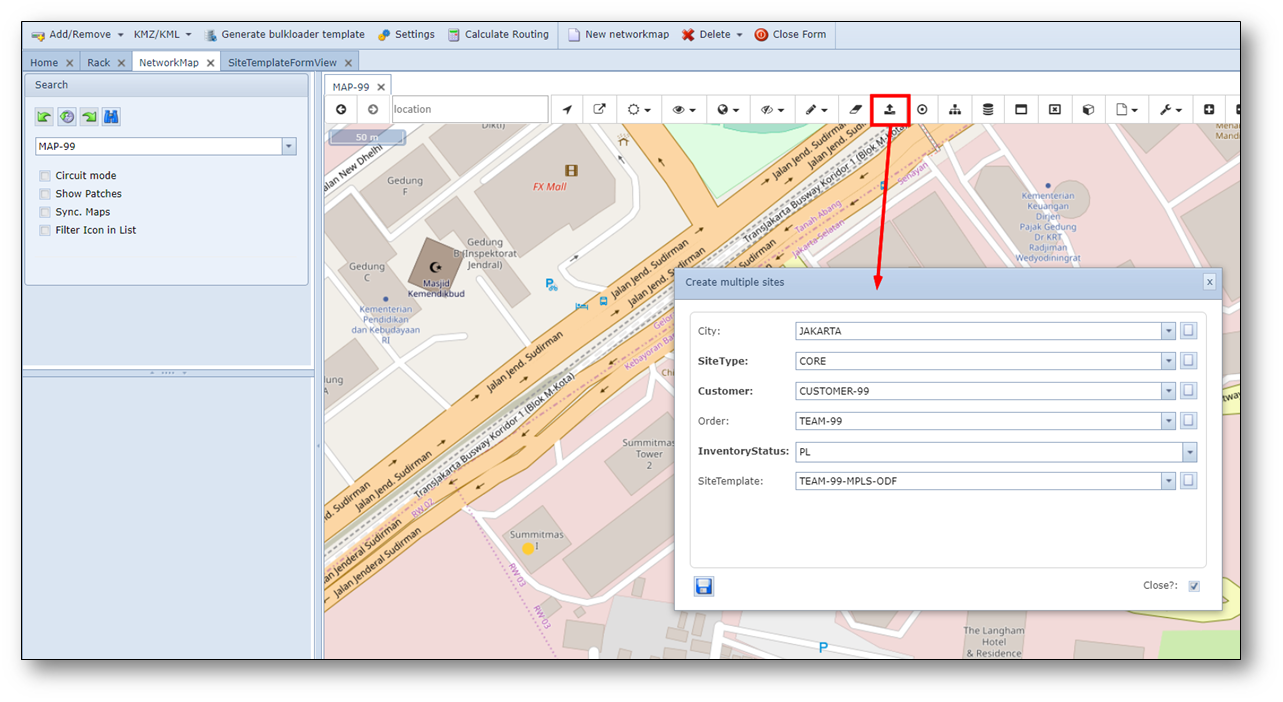
City |
City of the new site(s). It is optional, as the city will also be retrieved from Google API. Sometimes these city names do not match, so the IMS city field will overrule the Google name. |
SiteType |
Type of the new sites |
Customer |
Name of the site/location owner |
Order |
Order number |
InventoryStatus |
Status of the new site, default = PL (planned) |
Site Template |
Optionally a site template can be used to automatically create objects on the new site(s). |