Opening a Polygon allows the user to view all related IMS objects and data associated with that polygon.
▪From the Network Map feature bar, select the Draw Option icon and then Edit Polygon from the drop down list

This step also allows for the reshaping of the Polygon by left clicking on the polygon and dragging any of the click points (white circles) to the desired location. |
▪Right click on the Polygon to reveal a small popup window and select the Open Polygon from the list
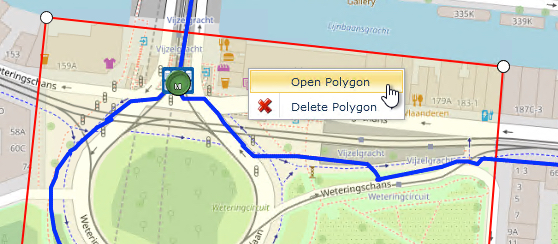
This opens up the Open Polygon form to reveal several tabs of information which includes all related IMS Objects under the current Polygon area. In the screen shot below Sites, Nodes, Circuits and Sub Circuits, and DDF/ODFs are associated to this geographical area.
