The following information can be obtained from the Order Tasks tab pane:
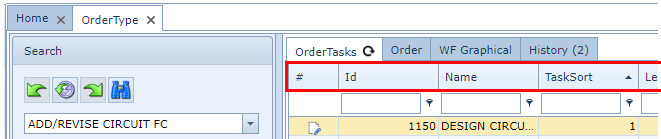
Id |
System generated number to uniquely identify this task. Also used for Task Ordering. |
Name |
This Order Task’s name |
TaskSort |
The order in which this task is to be processed in relation to other tasks in the Order Type |
Leadtime |
Days or minutes this task should be carried out in |
Queue |
The work queue this task has been assigned to |
TasksDone |
The ID of the preceding task/s |
Description |
Brief description of the task |
Allowed Dispatch Queues |
Optional. Only nominated queues are allowed to receive this task. The pipe symbol is the separator character. |
HoursWork |
Effort in actual hours to complete this task |
AutoWorkflowFailQueue |
Used for Tasks that are automated based on the results of a previous task. Type in the name of a designated queue that the IMS Order workflow system will use to process automatically any failed condition tasks i.e., queue named AUTO_ORDER_FAILED_QUEUE |
AutoWorkflowFunction |
Used for Tasks that are automated based on the results of a previous task and can dispatch/open/close tasks to either follow the normal (Yes) route or the loop or no route. |
AutoWorkflowRelatedObectsTask |
Used for Tasks that are automated based on the results of a previous task. Determines the logic flow of the order for this particular task. In the example screenshot below, IMS will process the content of the field called ‘DESIGN OK? (ENG)’ from the previous task performed by an Engineer (ENG).
The pipe symbol divides the conditional statements used. If the value of that field is YES, the status of the task is CLOSED (CLOSE-YES) and the Order moves down the YES tranche of the Order flow. If the value of that field is NO, the status is CLOSED (CLOSE-LOOP) and the Order moves down the LOOP tranche of the Order flow – in this case a loopback to previous steps. |
TaskSetting |
Determines what kind of task this is and what possible flow direction/s can occur from this task: NORMAL: equates to a YES, simple sequence task that moves onto the next task. No decision making is needed. YES_NO_LOOP: this task requires IMS to analyse an input and then direct the order’s flow in several possible ways: •Yes - No •Yes - Loop •No - Loop BACKLOOP: a task that allows IMS to let this task link or join to a previous task in the order flow i.e., a retry |
XPos |
Graphical positioning coordinate for this task on the WF Graphical tab |
YPos |
Graphical positioning coordinate for this task on the WF Graphical tab |
Color |
Optional background colour for ‘LeadTime’ field |

The following is an example of an automated task (node) whose TaskSetting attribute is YES_NO_LOOP.
Referencing the filed called AutoWorkflowRelatedObectsTask where the conditions are set for the order flow – see the next screenshot showing a possible decisions options:
