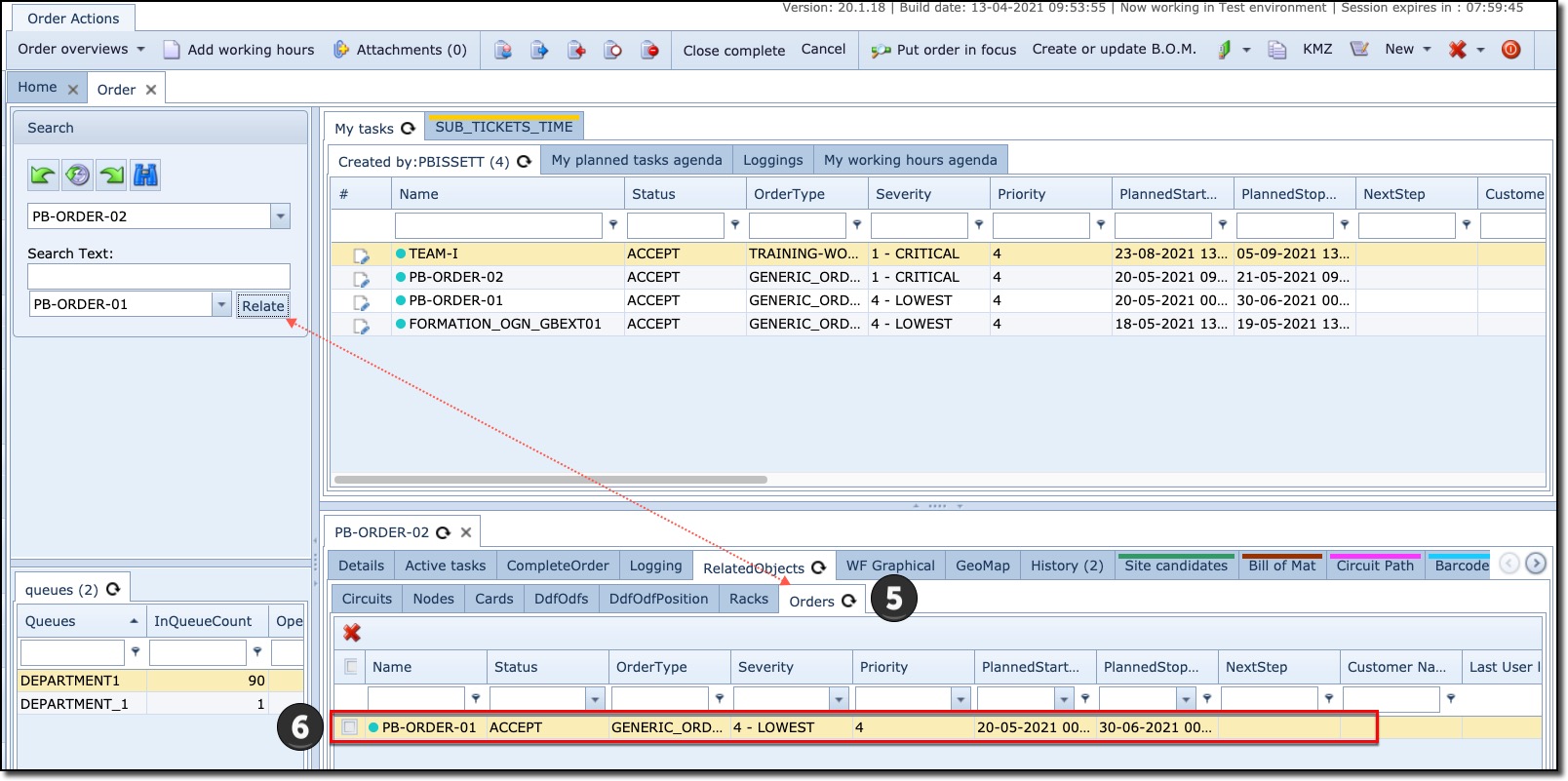
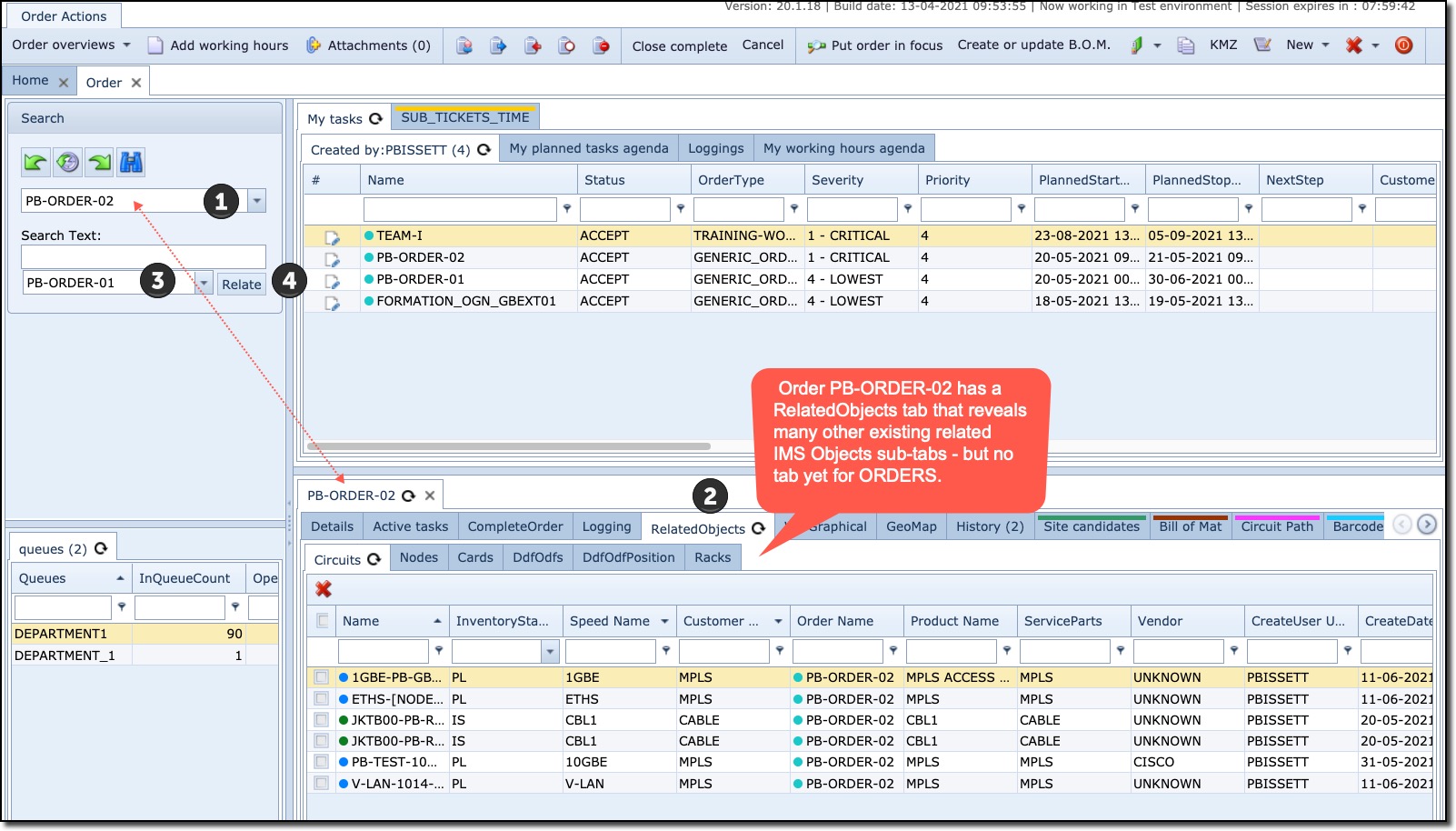
The following two screen shots demonstrate the process for relating orders to one another, this could be because there is a dependency between orders.
From the Order form:
1 |
Search for the first order of your choice in the usual manner from the first search field. Once selected the Order's tab of information appears in the lower horizontal half of the Order window. |
2 |
Notice how there are no current Orders related to this first selected order, but plenty of other IMS objects, as shown by their own object's tabs |
3 |
Search for and select the second order from the Search Text field |
4 |
Click on the Relate button |
5 |
Notice how the Orders sub tab now appears in the first order's information window - see screen shot below. |
6 |
Confirmation that a successful relate orders process has been completed |